Compliance Training Videos People Actually Finish
How to make compliance training videos people finish: short modules, real workplace scenarios, quick checks and LMS records. With a module template to copy.
People finish compliance training videos when each one is short, built around a situation they will actually meet at work, and followed by a question they have to think about. A five-minute module on spotting a suspicious email beats a forty-minute recording of the data protection policy read aloud. Split the policy into decisions, show each decision as a scene, check it, and record the result in your LMS.
One point before the method. This article is about making the videos, not about what the law requires. What your compliance training must cover, how often, and what records you must keep depend on your country, sector and company. Your legal, HR or compliance team decides that, and they should check every script before it goes out.
Why people skip compliance videos
Most compliance training is written to prove the company told people the rules. That is a fair goal, but it produces videos that read the policy from top to bottom, in the policy's own language, with a long list of definitions at the start. Viewers learn that the fastest way through is to mute the sound and click "next".
The fix is to start from what people do, not what the document says. A data protection policy might run to twenty pages, but most employees only make a handful of real decisions under it: whether to open an attachment, where to save a customer file, what to do when they email the wrong person. Those decisions are what the video is for.
Five rules for a compliance module people finish
1. One decision per module. "Data protection" is a course, not a video. "What to do if you send personal data to the wrong person" is a video. Aim for three to five minutes for each module, and build a series instead of one long piece.
2. Open with a scene, not a definition. Start with a person in a situation: a message arrives, a colleague says something, a visitor asks to be let in. The definition can come after, in one sentence, once the viewer cares.
3. Show the right action and the reason. Rules without reasons get bent the first time they are inconvenient. "Report it within the hour, because the team may need to act quickly" sticks better than "report it promptly".
4. Name the grey area. Compliance gets hard at the edges. Most people know not to share passwords. Fewer know what to do when their manager asks for theirs. Include the case people genuinely wonder about.
5. End with a check. One to three questions on the decision the video covered. The check tells you whether the module worked and gives the viewer a moment to apply it.
Real scenarios by topic
Here are example scenarios for four common areas. Swap in situations from your own workplace; your HR or compliance team will know which ones come up most.
Data protection
Scene: an employee gets an email that looks like it comes from the IT team, asking them to confirm their password through a link. The decision: do not click; report it using your company's reporting route. Grey area: "What if I already clicked?" Say plainly what to do, and that reporting quickly matters more than embarrassment.
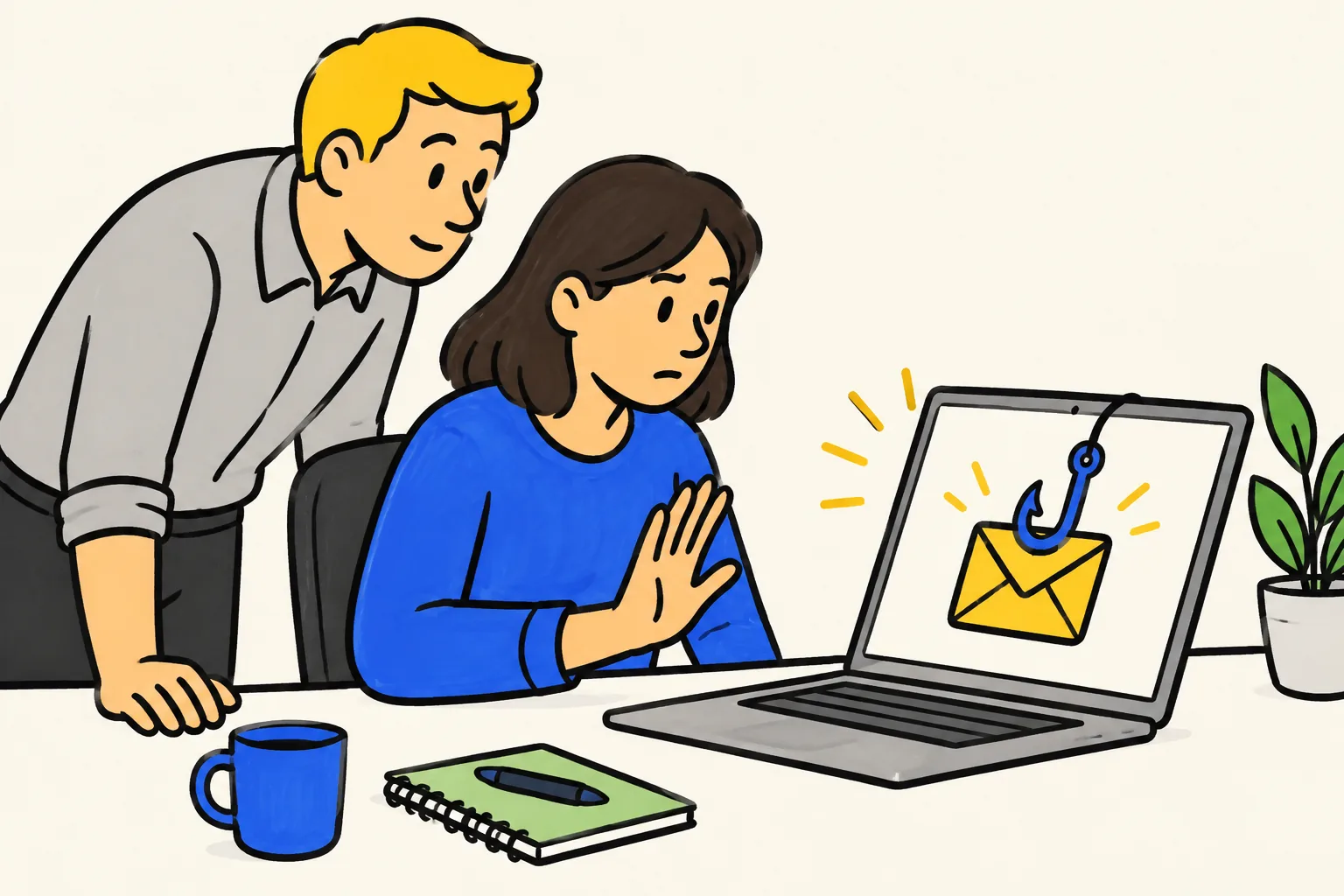
Other data protection modules that work as single decisions: sending personal data to the wrong recipient, leaving documents on a printer, discussing customer details in public places, and answering a caller who asks for someone's information.
Code of conduct
Scene: a supplier offers a team member tickets to a sports match while a contract is under review. The decision: what your policy says about gifts and hospitality, and who to ask when unsure. Grey area: small gifts at holiday time. Your policy has an answer; put it in the video.
Anti-harassment
Scene: in a team chat, a colleague keeps making jokes about another person's appearance. Others react with laughing emojis. The decision: what a bystander can do, and how to report it through your company's channels. Grey area: "It was only a joke." Show why the effect on the person matters, using the wording your policy uses.
Handle this topic with care. Avoid making the person being harassed a punchline, and have HR review the tone as well as the facts.
Safety rules
Scene: a new starter sees a fire door wedged open with a box because the trolley is heavy. The decision: remove the wedge and tell the supervisor, or report it if they cannot. Grey area: "Everyone does it." Explain the reason for the rule in one sentence.
A module template you can copy
Use the same shape for every module so the series feels consistent and each one is quick to write. Around 400 to 650 words of script gives you three to five minutes at a normal speaking pace.
- The scene (20-30 seconds). Who, where, what just happened.
- The question (5 seconds). "What should Sam do next?"
- The right action (60-90 seconds). Step by step, in plain words.
- The reason (30 seconds). What could go wrong otherwise, for the customer, the colleague or the company.
- The grey area (30-60 seconds). The case people ask about.
- Where to go (15 seconds). Who to ask or how to report.
- Recap (10 seconds). One sentence.
Here is a short example for the misdirected email module, ready for your compliance team to correct against your own policy:
Priya is sending a monthly report to a client. She types the first few letters of the name, the address fills in, and she clicks send. A second later she sees it went to a different client with a similar name. What should she do now? First, do not try to fix it quietly. Report it straight away through the data incident route, because the team may need to act within a short time. Next, if your process says so, ask the person who received it to delete it and confirm they have. Then note what happened, so it can be logged. Why does speed matter? Because the report contains someone's personal details, and the people responsible can only protect them if they know. And if you are not sure whether something counts as an incident, report it anyway. The privacy team would much rather hear about ten false alarms than miss one real one.
Notice that it uses a name, says what to do in order, and admits the most common worry. Your actual reporting route, deadlines and wording come from your own policy.
Checks that test the decision
A check that asks "Which regulation covers data protection?" tests memory of a heading. A check that asks "Priya has just sent the report to the wrong client. What should she do first?" tests the decision the video was about.
Good check questions:
- Describe a short situation and ask what the person should do next.
- Offer three choices, where the wrong ones are things people really do ("Wait and see if the client mentions it").
- Explain the right answer in one line after they choose, whether they got it right or not.
Two or three questions per module is enough. A long quiz turns the module back into a chore.
Records in your LMS
If you have to show who completed which training, your LMS is the place for it. Most learning platforms let you upload a video, attach a short quiz, assign it to groups, and set a completion date. A few practical points:
- Name modules the same way as the policy they come from, plus the decision: "Data protection 03: Sending to the wrong person".
- Record the version. When a module is updated, note the date and what changed, so you can tell which version a person completed.
- Assign by role. Not everyone needs every module. Warehouse staff may not need the module on client reports; office staff may not need forklift rules.
- Plan the refresh. Whatever cycle your compliance team sets, short modules make it easier, because you only remake the ones that changed.
Your compliance or HR team decides what counts as completion and what records you must keep.
Have legal or HR check every script
Policy wording matters. A video that simplifies a rule in the wrong way can create the very risk it was meant to prevent. Before production, send each script to the owner of the policy with three questions:
- Is the right action correct and complete for our company?
- Does anything here contradict the written policy or the law that applies to us?
- Is the tone right, especially for sensitive topics?
Check the script rather than the finished video. Changing a paragraph of text is much cheaper than remaking a video. Keep the approved script with the module record.
Making compliance modules in KolaVid
KolaVid turns a script, a prompt, a web link or an uploaded PDF, Word or PowerPoint file into a narrated whiteboard video, where each drawing appears as the narrator says it. That suits scenario modules well: the scene, the decision and the reason each get their own board. Paste the script your policy owner approved, then watch the finished video once against it before it goes out.
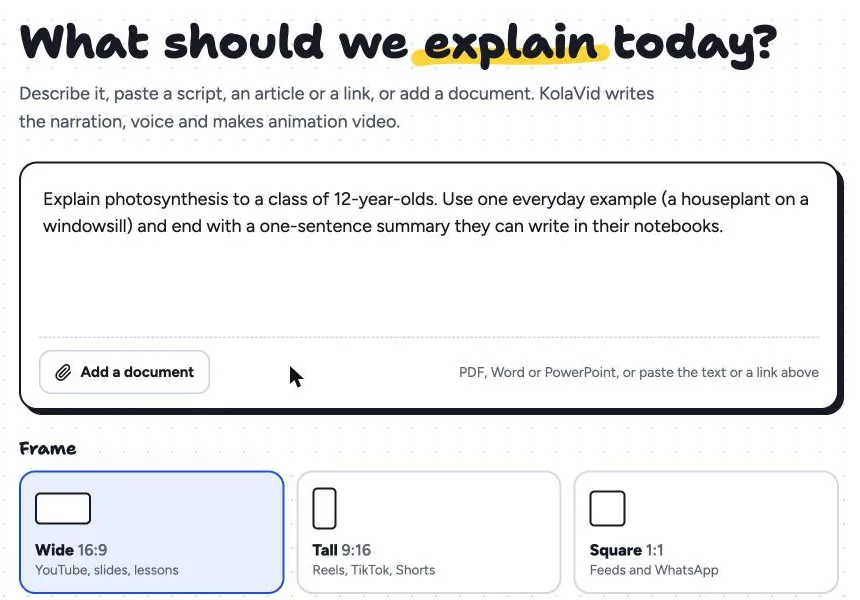
Paid plans make videos of up to 5 minutes, which fits the module length above; free videos run up to 2 minutes. On a paid plan you can export a SCORM package (SCORM 1.2 or 2004) that your LMS marks as completed at 90% watched, or download the MP4 and upload it like any other video. Be aware of the limits: the quiz still happens in your LMS, and while whiteboard videos come with captions in the narration language (as .srt or .vtt, or burned into the MP4), check them against the approved script and publish the script alongside each module for anyone who needs to read rather than listen. The training page shows sample videos, and the documents page explains how uploaded policies are read.
For more on writing the script itself, see our guide to turning a script into a whiteboard video.
FAQ
How long should a compliance training video be?
Three to five minutes per module is a good target, one decision per module. A topic like data protection becomes a short series rather than one long video, which is easier to finish and easier to update.
Can a compliance video replace the written policy?
No. The video helps people understand and remember the decisions; the written policy remains the full reference. Link to the policy from the module and keep both in step.
Who should review compliance training content?
The owner of each policy, usually legal, HR or the compliance lead, should check every script before production. For sensitive topics such as harassment, ask them to review the tone as well as the facts.
How do I prove employees completed the training?
Use your LMS: upload the video, add a short quiz, assign it by role and record completion dates and versions. What records you need is a question for your compliance or HR team.
Start with one decision
Pick the policy decision your team gets wrong most often, write a scene around it, and send the script to its owner. A free KolaVid account includes enough credits for one 2-minute video, no card needed, so you can test the format on that first module.