Product Explainer Videos for Ecommerce Pages
How to use a product explainer video on product pages: how it works, setup and care, and the questions behind returns. With a full script to copy.
Put a short product explainer video on a product page when photos cannot answer the shopper's real question: how does it work, how do I set it up, how do I look after it? One to two minutes is enough. The video sits in the image gallery or just below it, and the same video goes into the order confirmation email so the customer sees it again before the parcel arrives.
Below: finding the questions worth a video, the three videos most products need, page placement, fewer avoidable returns questions, and a worked example for a cast-iron pan.
What photos cannot answer
Product photos are good at size, colour and finish. They are poor at anything that happens over time or out of sight:
- How it works inside. Why a water filter needs a new cartridge, why a mattress topper needs a day to expand.
- What to do first. Charging before first use, washing before first wear, assembly order.
- How to look after it. What not to put in the dishwasher, how to clean it without damage.
- Whether it fits. Which size, which model works with what they already own.
These are exactly the questions that show up in your customer service inbox, your reviews and your return reasons. That is where to start.
Find the questions worth a video
Before writing anything, spend half an hour with what customers already tell you:
- Your inbox or help desk. Search a product name and read recent messages. Note every "how do I" and "is it normal that".
- Your reviews. Low-star reviews often describe a product working as designed but not as expected. "It smells funny the first time." Each one is a video line.
- Your return reasons. Separate faulty products from returns where the customer did not know how to use it or expected something different. A video can help with the second group.
- Your staff. Whoever answers the phone knows the top questions by heart.
A handful of questions usually account for most of the noise. Those become your script.
Three videos most products need
Not every product needs all three, but most products with any complexity benefit from at least one.
| Video | Answers | Where it goes |
|---|---|---|
| How it works | "What does this actually do, and why is it built this way?" | Product page gallery, near the top |
| Setup or first use | "What do I do when it arrives?" | Product page, order confirmation email, a QR code on the packaging |
| Care and troubleshooting | "How do I look after it, and is this normal?" | Product page FAQ, shipping email, your help centre |
For a range with several models, add a fourth: which one is right for me. Keep each video to one job; an "everything about this product" video is too long for the page and too general for the help centre.
How to use video on product pages
A few placement rules that work on any store platform:
- Put it in the gallery. Most store platforms let you add a video to the product's media alongside the photos, where swipers find it.
- Give it a clear thumbnail and name. A still frame with a play symbol, and a title like "How seasoning works", tells the shopper why to press play.
- Add a vertical or square version for phones. A 9:16 video fills a phone screen; a 1:1 video sits neatly in a gallery grid.
- Repeat it after purchase. Link the setup video in the order confirmation and shipping emails, so the customer arrives ready.
- Write the key facts in text too. Some people browse with the sound off, so put the main care rules in the description as well.
Fewer avoidable returns questions
A product explainer will not fix a faulty product or a misleading listing. It can reduce the returns and support tickets that come from surprise: the customer did not know the pan arrives dark and slightly rough, that the topper needs time to expand, that the filter needs flushing first.
Three habits help:
- Say what is normal before the customer finds it. "You may notice a slight smell the first time. It goes after a few uses."
- Say what not to do. "Don't put it in the dishwasher" beats a paragraph about the material.
- Be honest about limits. If the product is heavy or needs care, say so. A customer who knew before buying is less likely to send it back.
Track the effect with your own data: support messages and returns about the topic, before and after the video goes live.

Worked example: a cast-iron frying pan
Cast iron works well but surprises new owners. Typical questions from buyers:
- "Why is it black? Is that paint?"
- "Can I use soap on it?"
- "It went rusty after I left it to soak."
- "It feels sticky."
- "Can it go in the dishwasher?"
All five are about one idea, seasoning, so the explainer is built around it.
Viewer: someone who has just bought, or is about to buy, their first cast-iron pan. Goal: they know what seasoning is, how to clean and dry the pan, and how to fix rust or stickiness. Format: about two minutes; square for the product gallery, vertical for social and the shipping email.
Script you can copy and adapt:
Your new pan is black because it's already seasoned. Seasoning isn't paint. It's thin layers of oil, baked onto the iron until they harden. That layer is what stops food sticking and stops the iron rusting.
>
Every time you cook with a little oil, you add to it. So the pan gets better the more you use it.
>
Cleaning is simple. While the pan is still warm, rinse it with hot water. A little mild dish soap is fine. Use a brush or a scraper for stuck-on bits.
>
Here's the one rule that matters: dry it straight away. Wipe it with a towel, then put it back on the hob for a minute until every drop is gone. Water left on cast iron is what makes rust.
>
When it's dry, wipe a very thin layer of oil over the inside, then wipe off the extra. It should look dark and smooth, not wet.
>
Three things to avoid. Don't put it in the dishwasher. Don't leave it soaking in the sink. And don't pour cold water into a very hot pan, because a sudden temperature change can crack it.
>
If you do see rust, don't worry. Scrub it off, wash and dry the pan, oil it, and heat it in the oven to rebuild the seasoning.
>
And if it ever feels sticky, that's just too much oil. Heat the pan, and use a thinner layer next time.
>
Cook with it often, dry it every time, and it will last for years.
That is about 250 words. On screen, each paragraph becomes a board: oil drops and a flame, stacked thin layers, a tap and a brush, a towel and a hob, a dishwasher and a soaking sink crossed out, a rusty pan turning dark again.
Check every care instruction against the manufacturer's guidance for your product; the video has to match the leaflet in the box.
Writing tips for product explainer scripts
- Use the words on the box. If the leaflet calls it "the base unit", do not call it "the dock".
- One product per video, starting with the shopper's question, not the brand story.
- Show every step in order. Setup videos fail when they skip a step that feels obvious to you.
- No claims you cannot support. "Lasts for years with care" is fair; "lasts forever" is not.
For a launch or a new feature rather than everyday product education, our guide to startup product demo videos covers the demo format, and whiteboard videos for marketing covers ads and landing pages.
Making a product explainer in KolaVid
KolaVid turns a prompt, pasted script, document or web link into a narrated whiteboard video, with each drawing appearing as the narrator says it. For the pan, paste the script above. Or give it what you already have: attach the care leaflet as a PDF with Add a document, or paste the link to your product page, and write: "Two-minute care video for first-time owners of this cast-iron pan. Explain seasoning first, then cleaning, drying and what to avoid. Friendly, practical tone." The guide to turning a document into a whiteboard video covers how files are read.
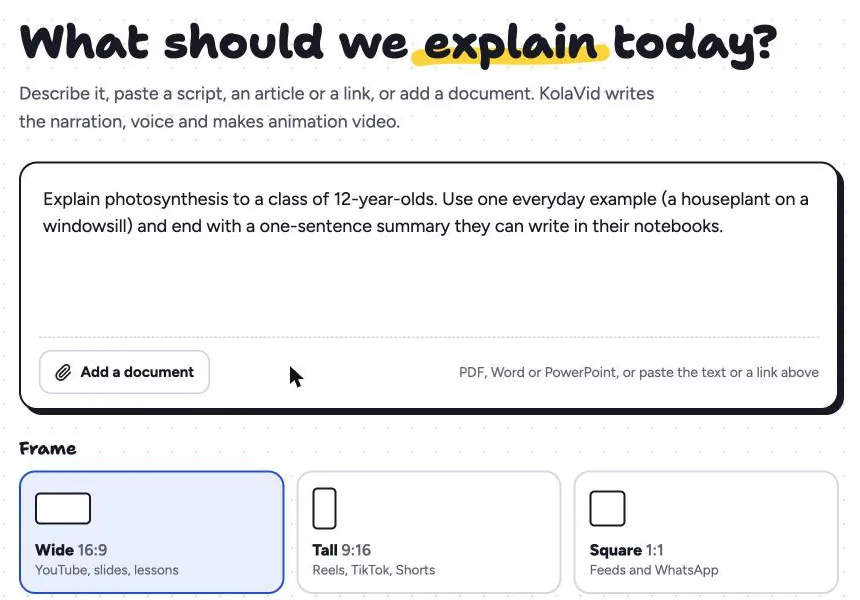
Choose Square 1:1 for the product gallery, Tall 9:16 for phones and social, or Wide 16:9 for your help centre. Here is a frame from a sample that explains how something mechanical works, "How Bicycle Brakes Work"; each part of the mechanism gets its own drawing as the narrator reaches it.

Download the MP4 for your product media, or share a link in emails. Honest notes: free videos carry a small KolaVid mark, which most stores will not want on a product page, so plan on a paid plan (Starter is $19.99 a month for 5,000 credits, about 83 minutes of whiteboard video). Whiteboard videos come with captions, but they stay off until the viewer presses CC, so for a muted product page download the MP4 with captions burned in, and keep the key care rules in your text as well. The drawings are illustrations rather than footage of your exact product, so pair the video with real photos. The marketing page has more samples.
FAQ
How long should a product explainer video be?
One to two minutes for a single job: how it works, setup, or care. If it runs past three minutes, it is probably doing two jobs and should be split.
Should I use real footage or an animated explainer?
Real footage is best for the product itself: its size, finish and how it looks in use. An explainer is better for what you cannot film easily: what happens inside, why a step matters, what not to do. Many product pages use both.
Do I need a video for every product?
No. Start with your best sellers and the products that generate the most questions or avoidable returns. A simple product with no setup and no care rules rarely needs one.
Where should the video go on the product page?
In the image gallery, as one of the first few items, so shoppers find it while looking at photos. Link the same video in your order and shipping emails, and in your help centre.
Start with your noisiest product
Pick the product with the most "how do I" messages, list its five top questions, and write a two-minute script that answers them in order. If you want to see it drawn without filming anything, a free KolaVid account includes enough credits for one 2-minute video, no card needed.