Patient Education Videos: A Practical Guide for Clinics
How clinics and health educators can make short patient education videos on conditions, procedures and aftercare: plain words, clinician review, accessibility.
A good patient education video explains one thing a patient needs to understand or do, in plain words, in two or three minutes. The safest way to make one is to start from information your clinic has already approved, such as a leaflet or discharge sheet, turn it into a short spoken script, and have a clinician check the finished video before any patient sees it.
This guide is for clinics, nurses, physiotherapists, pharmacists and health educators who want short videos about conditions, procedures and aftercare without a production team. It does not give medical advice: every clinical detail in your video should come from your own approved material.
What patient education videos are good for
Patients forget much of what they hear in an appointment, especially when anxious or in pain. A video they can rewatch at home answers the questions that come up after the clinic has closed.
Health education videos work well for:
- Explaining a condition. What it is, what is happening in the body, in everyday words. For example, what high blood pressure means and why it matters even when you feel fine.
- Preparing for a procedure. What happens on the day, how to prepare, what to bring, how long it takes.
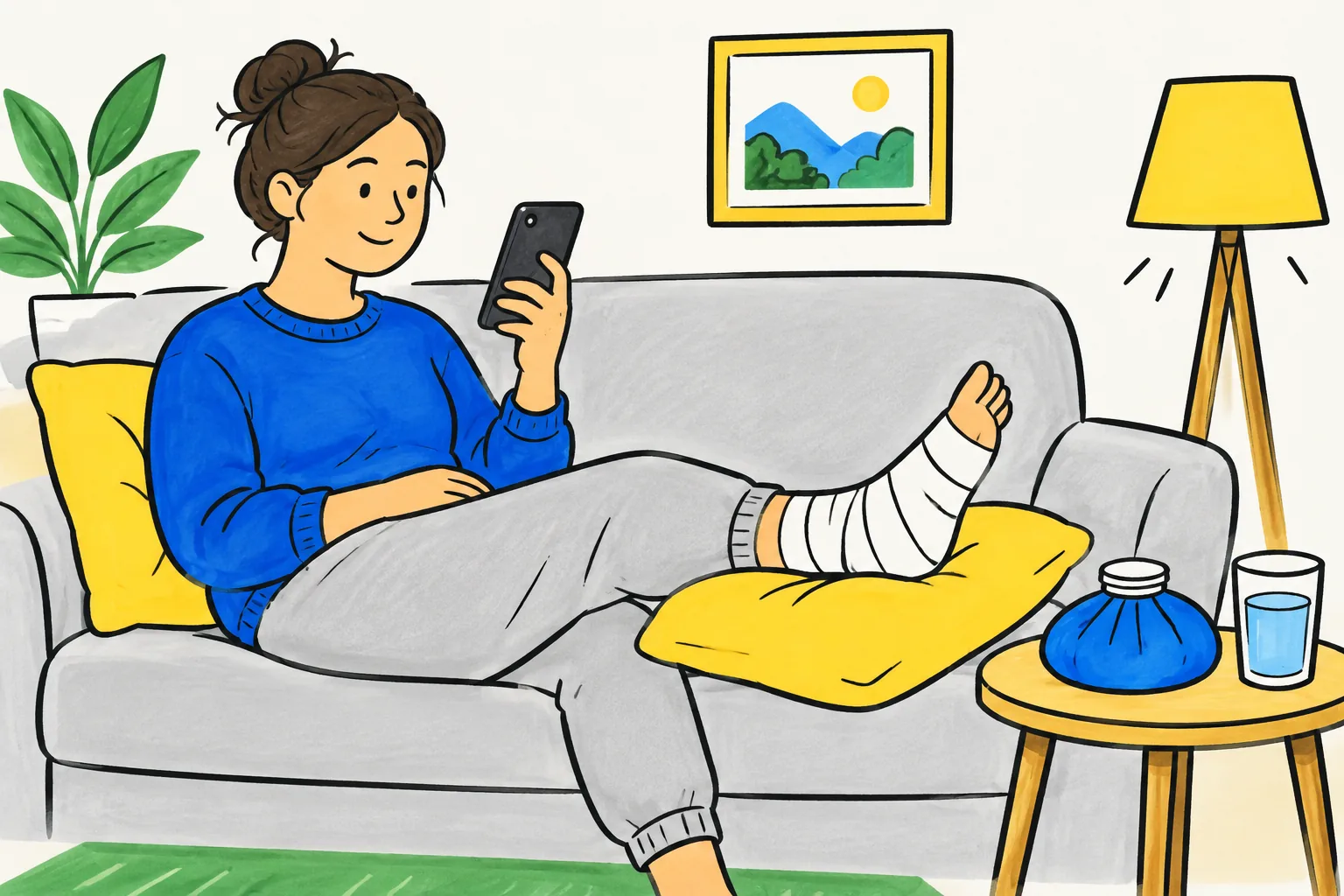
- Aftercare. Looking after a wound, when to rest and when to move, which signs mean you should call.
- Using a device or medicine correctly. Steps for an inhaler with a spacer, a blood glucose meter, or eye drops.
They do not replace the conversation with a clinician; a good video ends by saying who to contact with questions.
Pick the first videos
Start where the same explanation is given many times a week. Ask the front desk and the nurses which questions they answer over and over. Typical first candidates:
- The preparation instructions for your most common procedure.
- Aftercare for the procedure patients call about most.
- A plain explanation of the condition you see most often.
Make one video per topic: "Caring for your stitches at home" is easier to find and update than "Everything about minor surgery".
Write for patients, not for colleagues
Clinical writing is precise but hard to follow by ear. Rewrite the content as if you were explaining it to a patient sitting in front of you.
- Use everyday words. "Blood pressure" not "hypertension"; "stitches" not "sutures"; "swelling" not "oedema". If a patient will hear the medical term from you, say it once and explain it.
- One idea a sentence. Short sentences are easier to follow, especially for people listening in a second language.
- Say what to do, then why. "Keep the dressing dry for the first two days. Water can let germs into the wound."
- Use real numbers from your leaflet. Times, doses and days should match your written instructions exactly. If the leaflet says 48 hours, the video says 48 hours.
- Name the warning signs clearly. List them together, then say exactly who to call and how.
A simple shape that works for most patient education videos:
- What this video is about, in one sentence ("This video explains how to look after your stitches at home.")
- What is happening, in plain words
- What to do, step by step, in the order the patient does it
- Warning signs, and who to contact
- A one-line recap
A two-minute video is roughly 250 to 300 spoken words, so leave rare complications and background detail in the written leaflet.
Clinician review: the step you never skip
Every health education video needs a review by a qualified clinician who owns the topic, before it goes to patients. That is true whether a person or an AI tool wrote the script. Generated narration can sound confident and still drop a step or add a detail that is not in your guidance.

Give the reviewer the script and the finished video, and ask them to check:
- Every clinical fact matches our approved leaflet or protocol. Times, doses, days, positions, warning signs.
- Nothing has been added that is not in our guidance, such as extra advice, outcomes or comparisons.
- Nothing important is missing, especially warning signs and who to contact.
- The pictures do not mislead. A drawing of the wrong side of the body or the wrong device is a real error.
- The tone is right for anxious patients: calm, clear, not frightening.
Record who reviewed it and when, and give each video the same review date as its leaflet. Never put patient names, photos or any identifiable details into a video or into a prompt for an AI tool. And check your organisation's own policy on approving patient materials; many have a patient information group that should see new videos too.
Make it accessible
Patients watch on phones, in waiting rooms, with sound off, with low vision, or in a language they are still learning. Plan for that from the start.
- Captions. Add accurate captions, checked by a person, on whichever platform hosts the video. Automatic captions often get medical words wrong.
- A written transcript or the leaflet next to the video, for people who prefer reading or use a screen reader.
- Slow, clear narration and short sentences.
- Simple, high-contrast pictures, one idea on screen at a time.
- Other languages. If many of your patients speak another language, make a separate version narrated in that language, and have a fluent clinician or approved translator check it.
- Vertical versions for patients who will open the link on a phone from a text message.
Where to share health education videos
- Text or email after the appointment, with a link to the one video that matches their visit.
- A QR code on the printed leaflet or discharge sheet.
- Your website, on the page for that service.
- Waiting room screens, captioned because the sound is usually off.
An example prompt you can adapt
If you use an AI video tool, give it your approved text and tell it exactly what it may and may not do. Here is a prompt for an aftercare video, built around the clinic's own leaflet:
Make a two-minute patient education video for adults who have just had a minor skin procedure with stitches. Use only the instructions in the attached leaflet. Do not add any medical advice, timings or warning signs that are not in the leaflet. Use plain, calm language a 12-year-old could follow. Structure: what the stitches are for; how to look after the dressing at home, step by step; the warning signs listed in the leaflet and that the patient should call the clinic on the number in their leaflet; a one-line recap. Do not mention any patient names.
Then compare the script with the leaflet line by line before clinical review. Our guide to prompt writing for whiteboard videos has more on telling a tool what to leave out.
Making patient education videos in KolaVid
KolaVid makes narrated whiteboard videos from a typed prompt, pasted text, an uploaded PDF, Word or PowerPoint file, or a web link. That suits health education, because you can start from your existing approved leaflet rather than a blank page. Each drawing appears as the narrator says it, with one idea on each board, which keeps the screen simple. There is no presenter or avatar on screen.
Choose a female or male voice and a narration language, a length of 1, 2, 3 or 5 minutes, and a frame: 16:9 for your website or waiting room screen, 9:16 for a link sent to a phone, 1:1 for WhatsApp.
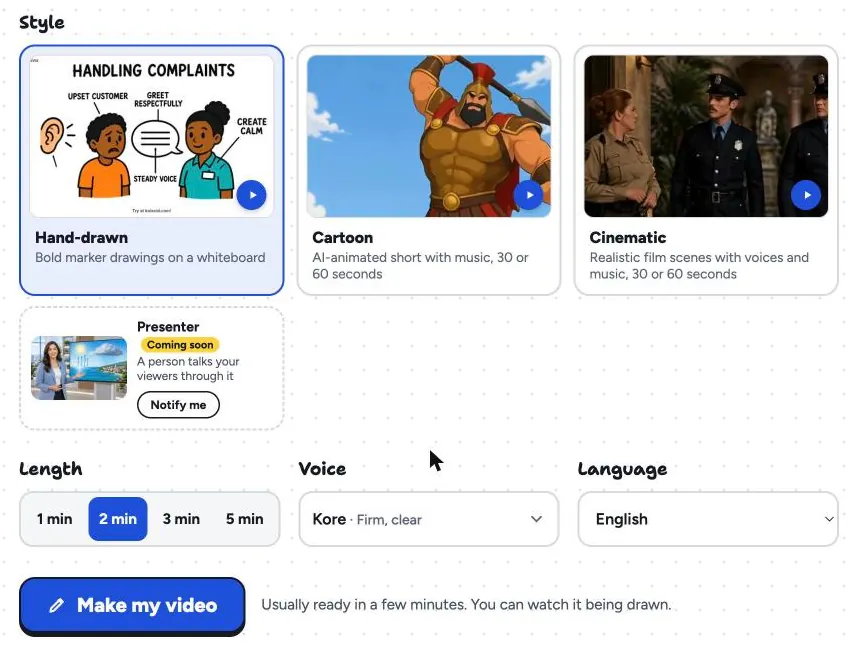
It is usually ready in a few minutes; download the MP4 or share a link. Whiteboard videos come with captions in the narration language, which download as .srt or .vtt for your video host or burned into the MP4; check them, since medical words matter. There is no editing timeline: if your reviewer asks for a change, you change the script and make the video again. And the clinician review above still applies to every video. The documents page shows how uploaded files are read, the whiteboard page has sample videos, and our document to whiteboard video guide covers preparing a file before you upload it.
FAQ
How long should a patient education video be?
Two to three minutes for one topic is a good target. If the script runs past five minutes, it probably covers several topics and should be split, for example into "Preparing for your procedure" and "Aftercare at home".
Can AI write a patient education video script?
It can draft one from your approved material, but a qualified clinician must check every fact before patients see it. Tell the tool to use only your leaflet and to add nothing else, then compare the result line by line.
Do health education videos need captions?
Yes. Many patients watch with the sound off, and some are deaf or hard of hearing. Add accurate, human-checked captions on your video platform and offer the written leaflet or a transcript alongside.
Start with the question you answer most
Take the approved leaflet for the explanation your team gives most often and write a 250-word script in plain words. Have a clinician check it, add captions, and send the link after the next appointment. If you want to try it without filming anything, a free KolaVid account includes one 2-minute video, no card needed.