Legal Training Video: Explain Legal Concepts Simply
Make a legal training video staff understand: start from the moment they face, put rules in plain words, get a lawyer to sign off. GDPR example inside.
To explain legal concepts simply, start from the moment the viewer will face at work, say what they must do in that moment in plain words, and tell them who to ask when they are unsure. Keep the legal terms only where the exact word matters, and define each one once. Then have a lawyer check the script before anyone watches, because a legal training video that simplifies a rule into something wrong is worse than no video.
This guide is for law firms training their own staff, HR teams explaining policies, and compliance teams who need people to follow a rule rather than recite it. It covers the line between training and advice, how to rewrite legal language, where the lawyer review fits, and a worked example on recognising a data subject access request, with an outline and a prompt to copy.
Training explains your rules; it does not give advice
A legal training video tells staff what your organisation's rules and procedures are and why they exist. It does not tell an individual what to do about their own legal situation. Keep that line visible:
- Explain the procedure, not the person's case. "If a customer asks for their data, pass it to the data protection lead today" is training. "You probably don't have to give them that" is advice, and it belongs to a lawyer looking at the facts.
- Say who to ask. Every video should name the role (not just "Legal") that answers questions: the data protection lead, the HR adviser, the compliance officer.
- Say where it applies. Laws differ between countries and change over time. If the video covers UK and EU rules only, say so.
- Add one line at the end: "This video explains our procedure. It is not legal advice. If you are unsure, ask [role]."
Start from the moment, not the statute
Most compliance videos open with the law: the act, the article, the definitions. Viewers switch off, and still do not know what to do on Tuesday afternoon.
Start instead with the situation in which the rule matters:
- A customer emails asking "what information do you hold on me?"
- A supplier offers a manager two tickets to a final.
- An employee mentions a health condition in a one-to-one.
- Someone in the team says a colleague has been making jokes about another colleague's religion.
Then answer three questions in order: What is happening? What must I do now? Who do I tell? The legal background comes after, briefly, as the reason for the rule.
Rewrite legal language into plain words
Legal drafting is written to be precise when read slowly, not understood when heard once. Rewrite it the way a calm colleague would explain it, and keep the legal term only when the exact word matters.
| In the policy | In the video |
|---|---|
| "The data subject" | "the person the information is about" (say "data subject" once, then explain it) |
| "Without undue delay and in any event within one month of receipt" | "as soon as possible, and within one month at the latest" |
| "Shall" | "must" |
| "Notwithstanding the foregoing" | leave it out and say the exception plainly |
| "Personal data" | keep the term, and give two everyday examples: a name, an email address |
Three cautions. First, do not soften a duty into a suggestion: "must" stays "must". Second, keep exceptions if leaving them out would mislead; if they are too detailed for a short video, say "there are exceptions, and the data protection lead decides". Third, numbers and deadlines go in exactly as the lawyer approves them.
Get a lawyer to sign it off
Plain language is a translation, and translations need checking. Before the video is made, a qualified lawyer (in-house counsel or your external firm) reads the script and checks:
- every statement of the law is accurate for the places the video will be used;
- nothing important is left out in a way that would mislead;
- the simplifications are fair;
- the procedure matches what the organisation actually does.

Keep a record: script version, reviewer, date approved, and the next review date. When the law or the policy changes, the video changes too. That is one reason to keep each video short and about one procedure: a change to one rule means remaking one two-minute video, not re-recording a whole course.
Keep it short enough to watch on a break
Two to three minutes per procedure is a good target. People watch compliance training at their desks, in the warehouse office, or on their phone between tasks, and they should be able to find the right video again when the situation actually comes up.

A shape that works for most legal and policy topics:
- The moment the rule applies, in one sentence a viewer will recognise.
- What it means, in plain words, with one defined term at most.
- What you do, step by step.
- The common mistake, and what to do instead.
- Who to ask, and the not-legal-advice line.
Our guide to turning an SOP into a training video covers the step-by-step part in more detail.
Worked example: recognising a subject access request
This example uses the UK GDPR as described in the UK Information Commissioner's Office guidance on subject access (checked on 28 October 2026). The EU GDPR has a similar right with the same one-month deadline. Your lawyer should check it against the law where you operate and against your own procedure before you use it.
Learning goal: after watching, customer-facing staff can recognise a subject access request in any form and pass it on the same day.
The legal points used, as the ICO describes them:
- People have the right to a copy of the personal data an organisation holds about them.
- A request can be made verbally, in writing or through social media. The person does not have to use any particular words, mention the law, or send it to a specific contact.
- The organisation must respond without undue delay and within one month of receiving it. That can be extended by up to two further months if the request is complex or the person has made several, but the person must be told why within the first month.
- Usually no fee can be charged.
- The clock can wait while the organisation asks for proof of identity it reasonably needs.
The internal procedure (an example; use your own): note the date and how the request arrived, do not send any data yourself, and pass it to the data protection lead the same working day.
Outline you can copy:
- The moment. A customer on the phone says: "I want to see everything you've got on me." That is a legal request, even though they never said "subject access request".
- What it means. People have a right to a copy of the personal data we hold about them. Personal data means information about them: their name, emails, call notes, order history.
- It can arrive anywhere. On the phone, by email, in a chat, in a social media message, at the front desk. No form and no special words are needed.
- Why speed matters. We must respond within one month of receiving it. If it sits in your inbox for two weeks, half that time is gone.
- What you do. Note the date and how it arrived. Do not send any data yourself. Pass it to the data protection lead today.
- The common mistake. Asking the customer to "put it in writing" or "use the proper form" before passing it on. The request already counts.
- Recap and who to ask. Any request for "my information" goes to the data protection lead the same day. This video explains our procedure; it is not legal advice.
Prompt you can copy:
Make a 2-minute training video for customer service staff in the UK. Topic: how to recognise a subject access request and what to do with it. Use this approved script outline: [paste the lawyer-approved outline]. Keep the language plain and calm. Do not add any legal points that are not in the outline. End with: "This video explains our procedure. It is not legal advice. If you are unsure, ask the data protection lead."
Whatever tool you use, the approved outline is the source of truth.
Making a legal training video with KolaVid
KolaVid turns a typed prompt, pasted text or script, a PDF, Word or PowerPoint file, or a web link into a narrated whiteboard video, with each drawing appearing as the narrator says it and one idea on each board. For legal training, paste the approved outline, or attach the approved script with Add a document, and choose the frame: Wide 16:9 for an LMS, Tall 9:16 for phones.
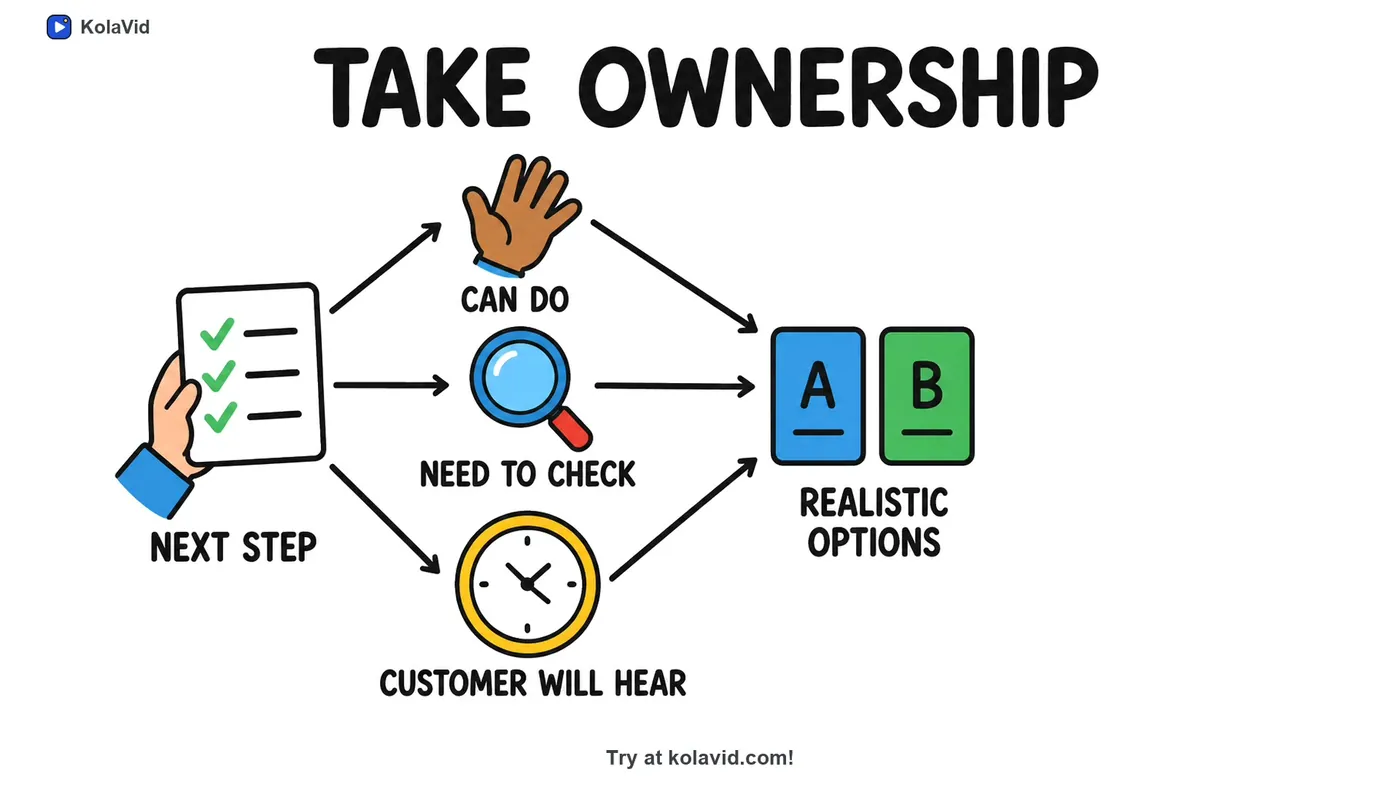
Here is a frame from a sample staff training video made from a customer-complaint procedure, showing how one step becomes one board:
Watch the finished video against the approved script before you publish, and have the reviewing lawyer watch it too. Be clear about the limit: there is no editing timeline, so a correction means changing the script and making the video again. If you need completion records, paid plans export a SCORM package for your LMS, and whiteboard videos come with captions, which download as .srt or .vtt or burned into the MP4; check them against the approved script too. The training page has more sample videos, and the documents page shows how uploaded policies are handled.
FAQ
Can a training video count as legal advice?
It should not. Explain your organisation's procedure, name who answers questions, and say plainly in the video that it is not legal advice. Anything about a specific person's situation goes to a lawyer.
Who should review a legal training video?
A qualified lawyer, in-house or external, who knows the law where the video will be used, plus the person who owns the procedure. Record who approved which version and when.
How often should legal training videos be updated?
Whenever the law or your policy changes, and at least at each scheduled policy review. Short videos, one per procedure, make updates quick.
Can I use AI to simplify legal text?
As a drafting aid, yes, but the output needs the same lawyer review as any other script. Simplifying can drop an exception or turn "must" into "should" without anyone noticing.
Start with the rule people break by accident
Pick the procedure where good people go wrong because nobody explained it plainly, write the five-part outline, and send it to your lawyer before you make anything. A free KolaVid account includes one 2-minute video with no card needed, enough to test the format with one team. For onboarding new starters on several policies at once, see our guide to employee onboarding videos.