InstaDoodle Alternative for AI Whiteboard Videos
InstaDoodle's AI draws doodles you arrange into scenes. Compare it with a tool that makes the whole narrated whiteboard video, and see when each one fits.
If you are looking for an InstaDoodle alternative, the first thing to decide is who builds the video. InstaDoodle's AI draws the pieces (characters, objects, backgrounds) from your prompt, and you arrange them into scenes, set the animation and add the voice. A generator such as KolaVid takes your topic, script or document and returns the whole narrated whiteboard video. Neither approach is better for everyone, so this guide shows where each one wins.
Every InstaDoodle fact below comes from its own website, checked on 28 October 2026.
What InstaDoodle is today
InstaDoodle is a browser app for making doodle-style whiteboard videos. Nothing is installed, and it runs on Mac, Windows and other devices with a modern browser. Its site introduces a small team by first name and does not name a company behind it.
The site describes three steps:
- Describe your idea in a prompt. Its DoodleAI engine draws characters, elements or backgrounds in doodle style. You can also upload your own images or turn a photo into a doodle.
- Arrange the drawings into scenes.
- Add animations, slide transitions and a voiceover, then export.
Around that sits a library of more than 1,000 built-in doodle elements (3,000+ on the Pro plan), 14+ templates, a choice of drawing hands, an image editor with background removal, and several AI drawing styles. It exports in 16:9, 9:16, 4:5 and square, at 1080p on Standard and up to 4K on Pro. AI voices and 30+ languages are listed on the Agency plan, along with an "AI Wizard" that creates projects automatically.
So InstaDoodle is a doodle editor with AI drawing built in. You still direct the video.
Two ways to get a whiteboard video

Building means you make the decisions scene by scene: which drawing goes where, how long it takes to appear, when the next scene starts. You get exactly the picture you had in mind, and you can reopen the project next month and change one scene. The cost is time, and the skill of pacing a video so the drawings land with the words.
Receiving means you describe what you want explained and the tool makes the choices. You save the hours, and the drawings are timed to the narration for you. The cost is control: if you dislike one drawing, you usually change your prompt or script and make the video again rather than nudging a single element.
A simple test tells you which group you belong in. Think of the last explainer you made or wanted to make. Did you enjoy picking the pictures, or did you only care that the idea came across? If you enjoyed it, stay with an editor like InstaDoodle. If not, a generator will save you most of the work.
InstaDoodle vs KolaVid at a glance
Checked on 28 October 2026 on instadoodle.com and kolavid.com. Prices and plans change, so confirm before buying.
| InstaDoodle | KolaVid | |
|---|---|---|
| What AI does | Draws doodle characters, objects and backgrounds from a prompt | Writes the narration, draws each idea and adds the voice |
| What you do | Arrange scenes, set animation and transitions, add voiceover | Type a topic, paste a script, upload a file or add a link |
| Starting points | A prompt, your own images, photos turned into doodles | Prompt, pasted script, PDF, Word, PowerPoint or text file, web link |
| Editing after export | Yes, the project stays editable | No editor; you make the video again with a changed prompt or script |
| Asset library | 1,000+ doodle elements (3,000+ on Pro) | None to browse; drawings are made for each video |
| Frames | 16:9, 9:16, 4:5, square | 16:9, 9:16, 1:1 |
| Voices and languages | AI voices and 30+ languages listed on Agency | Female or male voice, many narration languages |
| Video length | No maximum stated | Up to 2 minutes free, up to 5 minutes on paid plans |
| Price | See their pricing page (we saw monthly plans and a one-time offer) | Free: one 2-minute video; Starter $19.99 a month for 5,000 credits |
| Free option | No free version or trial; 60-day money-back guarantee | 120 free credits, no card |
A note on InstaDoodle's price: on 28 October 2026 its plan cards showed monthly prices from $47 (Standard), and its checkout page offered a one-time payment of $37. Because the two did not match, check their pricing page for the offer that applies to you.
Choose InstaDoodle when
InstaDoodle is the better choice in several real situations:
- You want to pick every picture. Brand work, a mascot that must look the same in every scene, or a client who signs off each frame all need an editor.
- You need 4:5 or 4K. InstaDoodle lists a 4:5 frame for social feeds and 2K/4K export on Pro. KolaVid offers 16:9, 9:16 and 1:1.
- You reuse and update projects. If one scene changes next quarter, an editable project saves you redoing the rest.
- You want your own images in the video. InstaDoodle lets you upload images and turn photos into doodles.
- You like a library to browse. Over 1,000 ready elements means you can often find a drawing without generating one.
- You prefer a one-off purchase, if the one-time offer is still available when you buy.
Choose a full video generator when
A tool that makes the whole video fits better when:
- The words matter more than the pictures. A teacher explaining osmosis or a trainer explaining a returns policy needs the explanation to land, not a hand-picked rocket.
- You make videos often. Ten short lessons a month is a lot of scene-building in any editor.
- Your content already exists. If the material sits in a PDF, slide deck or web page, a generator that reads documents skips the script step. Our guide to turning a prompt into a whiteboard video shows how much a good prompt does.
- You want a free first try. InstaDoodle has no free version; KolaVid gives one 2-minute video without a card.
How to test both with the same brief
Do not judge either tool from its demo. Give both the same real brief and time yourself. Here is a brief you can copy and change:
Explain how bicycle brakes stop a bike, for 10-year-olds. Start with a rider going downhill. Show the brake lever, the cable, the pads squeezing the wheel rim, and friction turning movement into heat. End with one safety tip: brake before the corner, not in it. About 90 seconds.
Then score each result on four things:
- Time to a finished file, from opening the tool to having an MP4.
- Could a 10-year-old follow it? Show it to someone who did not write the brief.
- Do the drawings appear when the narrator names them? Pictures that arrive early or late make a video harder to follow.
- How much would it cost you per month at the number of videos you really make?
If the editor wins on point 3 because you set every timing yourself, and you do not mind the extra time, that is a fair reason to choose it. If you write scripts first, our guide to making a whiteboard video from a script covers how to prepare one for any tool.
Making the same brief in KolaVid
KolaVid is a generator, so the process is short. You type the brief above (or paste your own script, upload a PDF, Word or PowerPoint file, or add a link), then choose the frame, length, voice and narration language.
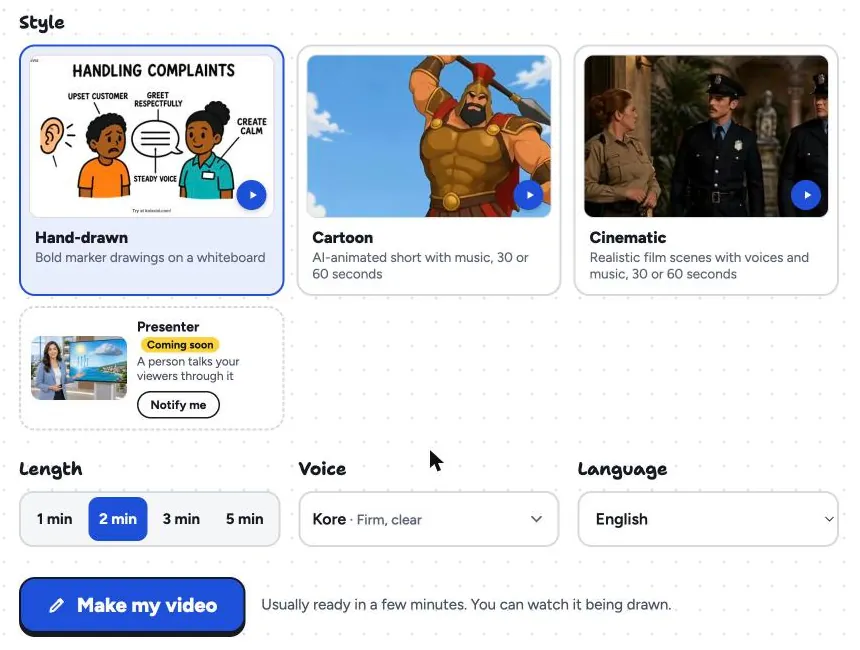
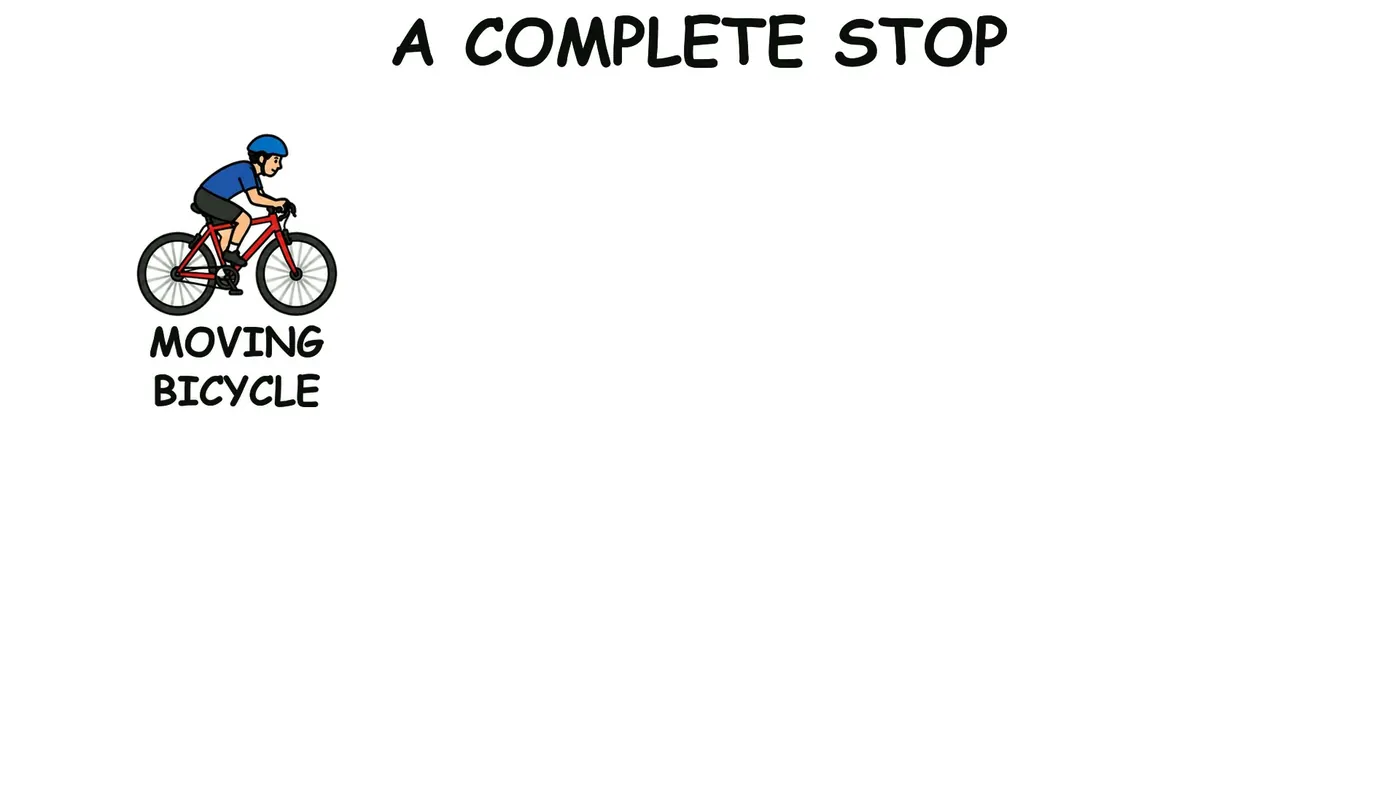
KolaVid writes the narration, draws one idea a board, and reveals each drawing as the narrator says it. The app shows "Usually ready in a few minutes. You can watch it being drawn." When it is done, you download the MP4 or share a link. If you paste your own script, it is narrated as written, with drawings made to match.
What it does not do matters just as much for this comparison. KolaVid has no editing timeline, no element library to browse, no 4:5 frame and no team seats. Videos stop at 5 minutes. If those are on your list, InstaDoodle or another editor will suit you better.
Pricing is simple: whiteboard video uses one credit a second. The free account's 120 credits make one 2-minute video with no card, carrying a small KolaVid mark. Starter is $19.99 a month for 5,000 credits, about 83 minutes or 40 two-minute videos. You can try it from our AI whiteboard video maker page, or see how teachers use it on KolaVid for teachers.
Other tools to look at
If neither approach is quite right, VideoScribe and Doodly are classic hand-built whiteboard editors, and Animaker and Powtoon mix AI drafts with editing. We compare six of them side by side in our VideoScribe alternatives guide.
FAQ
Is InstaDoodle free?
No. Its FAQ says it does not offer free versions or trials. It does offer a 60-day money-back guarantee, described as no-questions-asked, checked on 28 October 2026.
Does InstaDoodle make the whole video from a prompt?
On its main plans, the AI draws the elements from your prompt and you arrange the scenes, animation and voice. The Agency plan lists AI Wizard features, including automatic project creation, so check that plan's details if a full draft matters to you.
Can I edit a KolaVid video after it is made?
Not inside KolaVid. There is no editing timeline. To change a video, you make it again with a fuller prompt or your own script, which is narrated word for word.
Which is better for social media videos?
Both make vertical 9:16 video. InstaDoodle also lists 4:5 for feeds and up to 4K export on Pro. KolaVid adds square 1:1 and keeps every drawing timed to the narration without manual work.
Is KolaVid connected with InstaDoodle?
No. InstaDoodle is a trademark of its owner, and KolaVid is not connected with it. Facts about InstaDoodle here come from its own website on 28 October 2026.