VideoScribe Alternatives: 6 Whiteboard Tools Compared
Six VideoScribe alternatives for whiteboard explainer videos, compared on how you build a video, AI help, monthly price, free options and who each one suits.
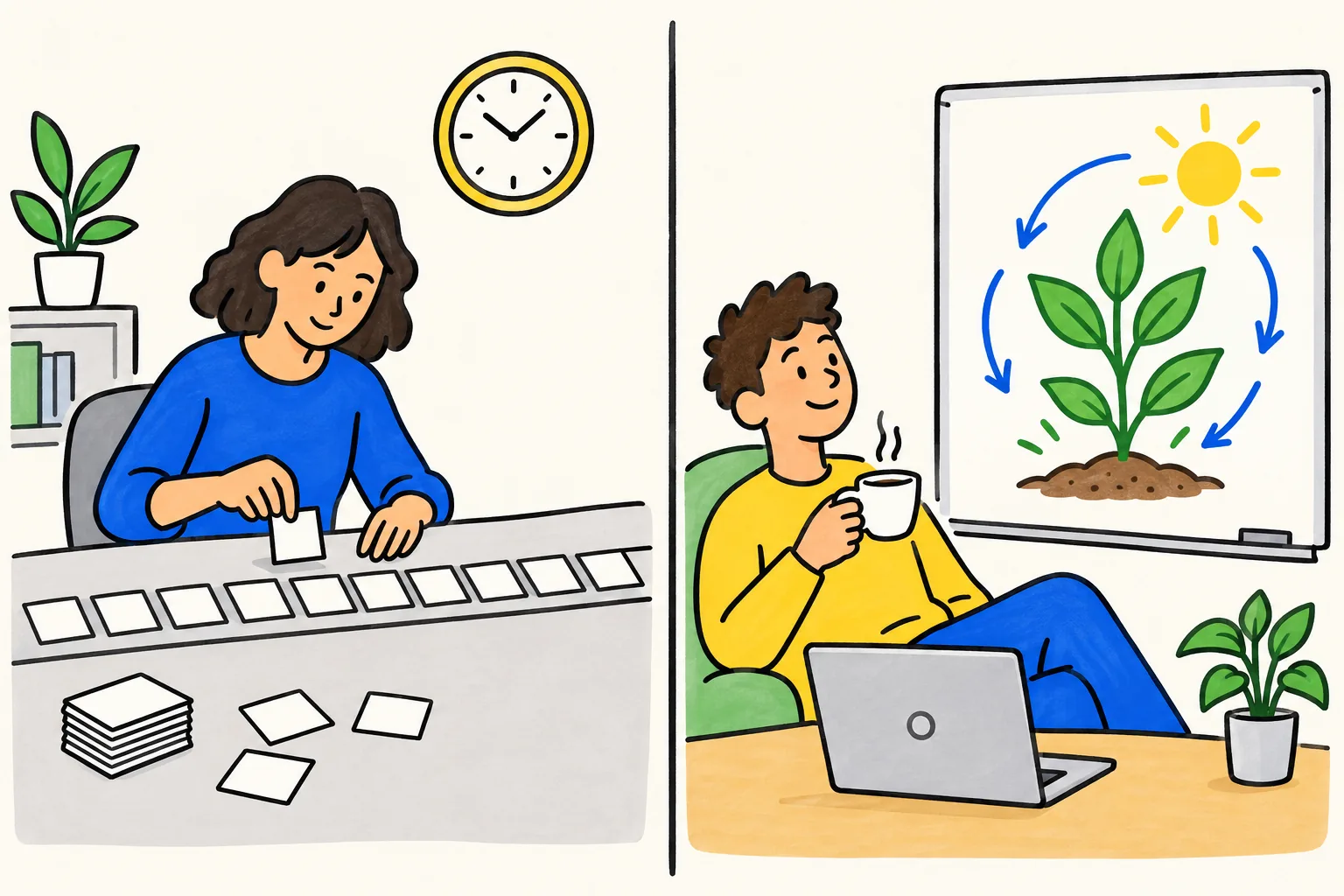
The main VideoScribe alternatives for whiteboard explainer videos are Doodly, InstaDoodle, Powtoon, Animaker, Vyond and KolaVid. They split into two groups: editors, where you place every drawing and set the timing yourself, and generators, where AI builds the video from a prompt or a document. Which one fits depends on how much control you want, how many videos you make each month and what you can spend.
This guide compares them side by side, says where VideoScribe is still the better choice, and ends with a short walkthrough of our own tool. Prices were checked on each vendor's site on 28 October 2026.
Who should look for a VideoScribe alternative
VideoScribe is a well-known whiteboard animation editor. You write or generate a script, choose images from its library, place them on a canvas, set how long each one takes to draw, and add music and a voice. Every project stays editable. For many people that is exactly what they want.
It is worth looking further if one of these sounds familiar:
- Time. A three-minute video can mean an afternoon of placing images and nudging timings. If you need a video for tomorrow's lesson or ten training videos this quarter, the hand work adds up.
- Manual animation. Some people enjoy building scenes. Others just want the explanation on screen and would rather not learn a timeline.
- Price per video. VideoScribe's Lite plan includes 5 video downloads a month, and AI voiceover starts on Core. If you make many short videos, compare cost per finished video, not only the monthly fee.
- Languages. If you need the same video narrated in several languages, check how each tool handles voices and whether the drawings and words follow the new script.
- Starting point. If your content already lives in a PDF, a slide deck or a web page, a tool that reads documents saves you the step of writing a script first.
VideoScribe alternatives compared
All prices are the cheapest paid plan billed month to month, unless the note says otherwise. Checked on 28 October 2026 on each vendor's own pricing page; they change often, so confirm before you buy.
| Tool | How you make a whiteboard video | AI help | Cheapest paid plan, monthly | Free option | Best for |
|---|---|---|---|---|---|
| VideoScribe | Editor: place images on a canvas, set the timing | AI script, images; AI voice on Core and Max | Lite £30 a month (£130 a year), 5 downloads a month | 7-day trial, 3 watermarked downloads, no card | Full manual control, big image library, videos up to 20 minutes |
| Doodly | Desktop app for Mac and PC: drag doodles onto a canvas | None mentioned on its site | Sold through Voomly: Voomly Cloud $49 a month includes Doodly Standard | 14-day Voomly Cloud trial, 30-day refund | Classic doodle videos built by hand |
| InstaDoodle | In the browser: AI makes doodle elements from a prompt, you arrange the scenes | AI drawings, AI voices | See their pricing page | No free trial; 60-day refund | Doodle videos with AI-made drawings you still assemble |
| Powtoon | Browser editor with hundreds of whiteboard templates | AI scripts, text to speech, document to video | Lite $49 a month ($15 a month billed yearly) | Free plan: up to 3 minutes, 720p, watermark | Mixing whiteboard with other styles |
| Animaker | AI whiteboard maker from a prompt, then a full editor | AI video credits on paid plans, voices in 150+ languages | See their pricing page | Free plan with watermark | Characters and editing after the AI draft |
| Vyond | Vyond Go turns an idea, document or URL into a video; edit in Vyond | Vyond Go on all plans | Starter $99 a month ($58 a month billed yearly) | Free trial; see their site for terms | Corporate training teams with a larger budget |
| KolaVid | Type a topic, paste a script, upload a PDF, Word or PowerPoint file, or add a link; the whole video is made for you | Writes, draws and narrates the video | Starter $19.99 a month, 5,000 credits (about 83 minutes) | 2 minutes of video, no card | Narrated whiteboard videos made quickly, without an editor |
VideoScribe shows its prices in pounds. For a closer look at KolaVid and VideoScribe alone, see our VideoScribe alternative page.
The tools, one by one
VideoScribe
VideoScribe is the benchmark the others get measured against. Its strength is control: you choose every image, its order and how long it takes to draw. The Lite plan includes more than 9,000 images and icons, and Core and Max open a library of over 5 million, which matters for branded work where the picture has to be exact. Videos can run to 10 minutes on Core and 20 on Max.
Choose it when you want to shape each scene by hand, need longer videos, or keep editing the same project over months.
Doodly
Doodly is desktop software for Mac and PC. You pick a doodle image, drag it to the canvas and Doodly draws it in. It also offers blackboard, glassboard and green screen styles, and you can record a voice inside the app or upload your own. Its pricing link now leads to Voomly, where Doodly Standard comes with the Voomly Cloud plan. We did not see AI generation mentioned on Doodly's own site. We cover it in more detail in our Doodly alternative guide.
Choose it when you like the classic hand-drawn look, prefer installed software, and are happy to build scenes yourself.
InstaDoodle
InstaDoodle runs in the browser. You describe what you need in a prompt and its AI creates characters, objects or backgrounds in doodle style, then you arrange them into scenes and add animation, transitions and a voice. It has a library of over 1,000 doodle elements. The site says there is no free trial but offers a 60-day money-back guarantee. We saw both one-time and monthly prices on its page, so check the current offer there before buying.
Choose it when you want AI to draw the pictures but still want to lay out each scene.
Powtoon
Powtoon is a general animation editor that includes whiteboard as one of several styles. It offers hundreds of whiteboard templates, hand-drawn graphics and AI tools for scripts, narration and turning documents into whiteboard breakdowns. You can switch a video's style while editing. The free plan allows videos up to 3 minutes at 720p with a watermark. Our Powtoon alternative guide goes deeper.
Choose it when you want whiteboard scenes next to cartoon or infographic ones, or you need a free plan to start.
Animaker
Animaker has an AI whiteboard maker: you enter a prompt, choose a category such as Explainer or Training, answer a few follow-up questions, and it builds the scenes, characters and voice. You can then open the draft in its editor and change anything. It lists over 100 whiteboard templates and AI voices in more than 150 languages. The free plan exports with a watermark. Its pricing page showed more than one figure for some plans when we looked, so see their pricing page for the current monthly price.
Choose it when you want an AI first draft that you then edit in depth, with characters and lip sync.
Vyond
Vyond is aimed at businesses. Vyond Go turns an idea, a document or a URL into a video, and every plan includes customizable characters in a whiteboard style. It is the most expensive option here, with Starter at $99 a month or $58 a month billed yearly, and its brand controls and per-user plans are built for companies rather than individuals.
Choose it when you work in a company that makes a lot of training content, needs brand control, and has the budget.
How to choose: questions to ask
Before you sign up for anything, answer these five questions honestly.
- Do I want to build scenes, or receive a finished video? If you enjoy placing drawings, an editor (VideoScribe, Doodly, Powtoon) will feel natural. If not, look at generators (Animaker's AI maker, Vyond Go, KolaVid).
- Where does my content start? A typed topic, a finished script, a PDF, a slide deck or a web page. Pick a tool that accepts what you already have.
- How many videos a month, and how long? Work out the cost per finished video. A plan with 5 downloads a month suits a few polished pieces; weekly lessons need more.
- Will I need to edit after it is made? Editors keep every project open. Some generators, KolaVid included, have no editor: you change a video by making it again with a fuller prompt or your own script.
- Which languages and frames? Check the narration languages and whether you need landscape, vertical or square videos.
Then run the same test in two tools. Use one real script, time how long each takes from start to download, and show both results to someone who did not write the script. The one they understand faster is your answer. For a longer checklist, see what to look for in an AI whiteboard video generator.
Making a whiteboard video with KolaVid
KolaVid sits in the generator group. You give it a topic, your own script, a document or a link, and it writes the narration, draws each idea as the narrator says it, one idea a board, and adds the voice. Here is how a lesson video comes together.
1. Write what you want explained. Type a prompt, paste a script, add a link, or upload a PDF, Word or PowerPoint file. A prompt that names the audience, one example and how to end works best.
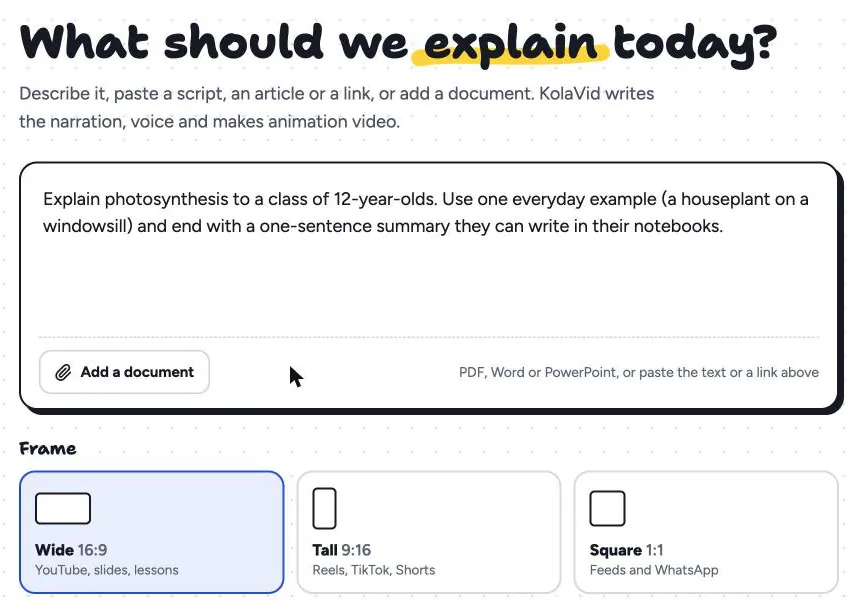
2. Choose the frame, voice and length. Landscape 16:9, vertical 9:16 or square 1:1; a female or male voice; the narration language; and the length. Free videos run up to 2 minutes, paid plans up to 5 minutes.
3. Wait a few minutes, then download or share. The video is usually ready in a few minutes. Download the MP4 or share a link. If you paste your own script, it is narrated as written, with drawings made to match.
What KolaVid does not do is just as important. There is no editing timeline, no image library to pick from and no team seats. Videos stop at 5 minutes. If you need any of those, VideoScribe, Powtoon or Vyond will serve you better. Whiteboard videos use one credit a second: the free account's 120 credits make one 2-minute video with no card, and Starter at $19.99 a month gives 5,000 credits, about 40 two-minute videos. You can try it from our AI whiteboard video maker page.
FAQ
Is there a free VideoScribe alternative?
Several have free options, each with limits. Powtoon has a free plan for videos up to 3 minutes at 720p with a watermark. Animaker's free plan exports with a watermark. KolaVid's free account makes one 2-minute video with no card, with a small KolaVid mark. VideoScribe itself has a 7-day trial with 3 watermarked downloads.
Can I import my VideoScribe projects into another tool?
KolaVid cannot open VideoScribe project files. The practical route, in any tool, is to reuse your script: paste it into KolaVid and it is narrated word for word, with new drawings made to match. If you rely on a specific tool importing your projects, ask that vendor directly before you switch.
Which VideoScribe alternative is closest to VideoScribe?
Doodly is the closest in how it works: you drag drawings onto a canvas and set them up by hand. Powtoon is also a hands-on editor, with whiteboard as one of several styles.
Is there an AI tool that makes the whole whiteboard video?
Yes. Animaker's AI whiteboard maker, Vyond Go and KolaVid all build a video from a prompt, and Vyond Go and KolaVid also start from a document or a link. Animaker and Vyond let you edit the result afterwards; KolaVid does not, so you remake the video with a fuller prompt or your own script.
When is VideoScribe still the better choice?
When you need to place every image yourself, want videos longer than 5 minutes, depend on a large image library for exact branded visuals, or keep updating the same project over time. VideoScribe is a trademark of its owner, and KolaVid is not connected with it.