Visme Alternatives for Whiteboard Explainer Videos
Visme makes slide-style videos, not hand-drawn whiteboard animation. Five alternatives for whiteboard explainers, with features and prices checked 28 Oct 2026.
Visme can make videos, but it builds them like animated slides: you place text, icons and images on each page and give them entrance and motion effects. It does not draw pictures line by line in time with a narrator, which is what most people mean by a whiteboard explainer video. If that drawn style is what you need, VideoScribe, Powtoon, Animaker and KolaVid are built for it, and Canva can turn a single picture into a speed-drawing clip.
Below: what Visme's video tools do today, when Visme is still the better choice, and five alternatives grouped by what you need from them. Features and prices were checked on each vendor's own site on 28 October 2026. They change often, so confirm before you buy.
What Visme does for video today
Visme is a design platform for presentations, infographics, reports and social graphics. Video is one of its project types. Here is what its own pages say, as of 28 October 2026.
- Slide-by-slide videos. Visme's help centre describes videos as "built slide by slide, just like a presentation", with animation added. You add text, shapes, icons, images and video clips, choose transitions, and give each object an entrance, exit or motion-path animation on a timeline.
- Audio. You can upload your own voice-over or music, use stock music and sound effects, and trim them on an audio timeline. The help centre also has a guide to converting text to voice with AI.
- AI video generator. You write a prompt, or upload content from a PDF or a URL, and the AI offers template options built from your text, stock video clips and animated elements, which you then edit. Its page mentions text-to-speech in many languages and AI captions. Each generation uses AI credits: 3 for a prompt, 5 when you upload content.
- A whiteboard template. Visme lists a "Whiteboard - Explainer Video" template: 9 pages at 1920 x 1080, downloadable as MP4. Its page does not describe a hand-drawing effect. Visme's separate "whiteboard" product is a shared canvas for brainstorming, not a video style.
- Export. Download an MP4 or GIF, or publish online with a link or embed code.
Pricing (visme.co/pricing, checked 28 October 2026): a free Basic plan with Visme branding; Starter at $147 a year ($12.25 a month billed yearly); Business at $297 a year ($24.75 a month billed yearly); Enterprise on quote. A monthly billing option is shown too; see their pricing page for that price. On the plan cards, Starter lists downloads as JPG, PNG and PDF, while Business lists "PPTX, HTML5, Video & GIF", so check which plan you need for MP4 downloads. Monthly AI credits are 10 on Basic, 200 on Starter and 500 on Business. There are also Student ($48 a year) and Educator ($96 a year) plans.
When Visme is still the right choice
Stay with Visme if:
- Your video is really an animated presentation or report. Charts, data widgets, branded layouts and text that slides in are Visme's strength.
- You already make your decks and infographics there. Keeping brand kits, fonts and assets in one place is worth a lot, and a slide-style video may be all you need.
- You need interactive or SCORM content. Visme's Enterprise plan lists SCORM and xAPI downloads, which matters for some learning teams.
- The viewer reads more than listens. For a self-paced report with charts, motion slides can be the better format.
Look elsewhere when the explanation is the point: a process, a cause and effect, a lesson, where you want each picture to appear as the narrator says it.

Five alternatives, by what you need
If you want to place every drawing yourself: VideoScribe
VideoScribe is a dedicated whiteboard animation editor. You choose images from its library, place them on a canvas, set how long each takes to draw, and add music and a voice. Every project stays editable.
From videoscribe.co/pricing (checked 28 October 2026, in pounds, billed yearly): Lite £130 a year with 5 downloads a month and videos up to 5 minutes; Core £200 a year with 30 downloads a month, videos up to 10 minutes and 75 minutes of AI voice-over; Max £275 a year with unlimited downloads, videos up to 20 minutes and 150 minutes of AI voice-over. Core and Max include a library of about 5 million premium images and icons. There is a 7-day free trial with no card; trial videos are watermarked.
Pick it when you want classic hand-drawn whiteboard animation with full manual control and longer videos.
If you already design in Canva: Canva with SpeedPaint
Canva is the nearest thing to Visme here: a design suite with a video editor. For the whiteboard look, Canva's own whiteboard animation page points to an app called SpeedPaint, found in the editor's Apps panel. You upload an image or page, and it turns it into a speed-drawing style animation. You can then add text, music and AI voice-overs and download an MP4. Free users get one credit to try it; more credits are bought separately.
That works for animating a finished picture. It does not plan a sequence of drawings to match a script, so for a multi-scene explainer you build each scene and time it yourself. Pricing on canva.com/pricing (checked 28 October 2026): Free; Pro at US$144 a year for one person; Business at US$250 a year per person. Our Canva whiteboard video guide goes into when Canva is enough.
Pick it when your team already lives in Canva and needs the occasional drawn clip next to other designs.
If you want templates and mixed styles: Powtoon
Powtoon is an animation editor with a whiteboard look among several styles. Its site describes hundreds of whiteboard templates, a library of hand-drawn elements, an automatic drawing effect and AI for generating whiteboard content. Its support pages say the free plan includes one hand-sketched character family and paid plans add more.
From powtoon.com/pricing (checked 28 October 2026): a free plan with videos up to 3 minutes at 720p and a Powtoon watermark; Lite at $15 a month billed yearly (watermark removed on 5 exports a month, 1080p, up to 10 minutes); Professional at $40 a month billed yearly (up to 20 minutes). The page showed yearly-billed prices only.
Pick it when you want whiteboard scenes alongside cartoon or infographic ones in the same editor.
If you want an AI draft you then edit: Animaker
Animaker's AI whiteboard maker starts from a prompt. You choose a category (Explainer, Training, Marketing or Education), type a prompt, answer a few follow-up questions, and it generates scenes, characters, voice-over and transitions. You can then open "Advanced Edit" and change anything. Its whiteboard page lists 100+ whiteboard templates and 2,000+ AI voices in 150+ languages. Its pricing page showed several different figures for the same plans when we checked, so see their pricing page for the current price.
Pick it when you want AI to do the first draft but expect to edit scenes and characters by hand.
If you want a finished narrated video from text: KolaVid
This is our own tool, so weigh this section accordingly. KolaVid makes the whole whiteboard video for you. You type a topic, paste a script or text, upload a PDF, Word or PowerPoint file, or add a web link. It writes the narration (or uses your script as written), draws each idea, and reveals each drawing as the narrator says it, one idea a board.
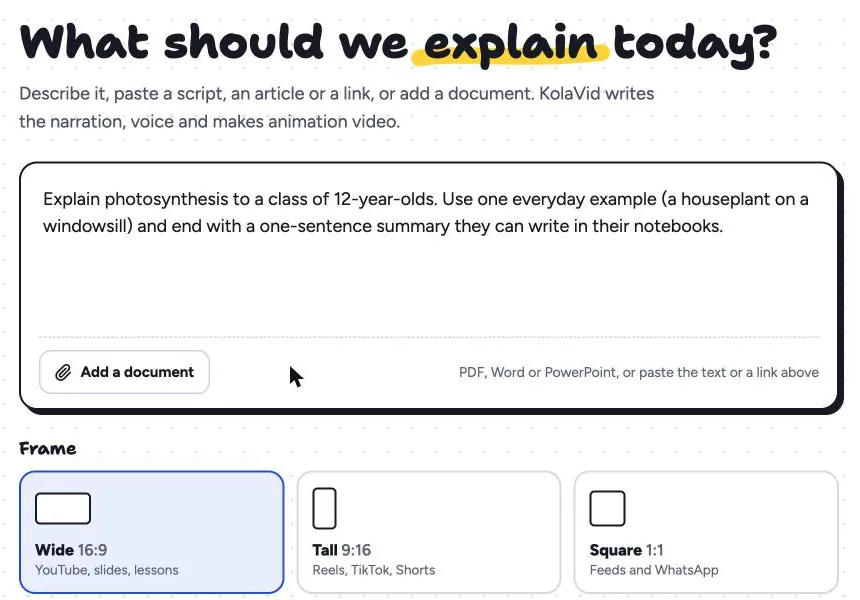
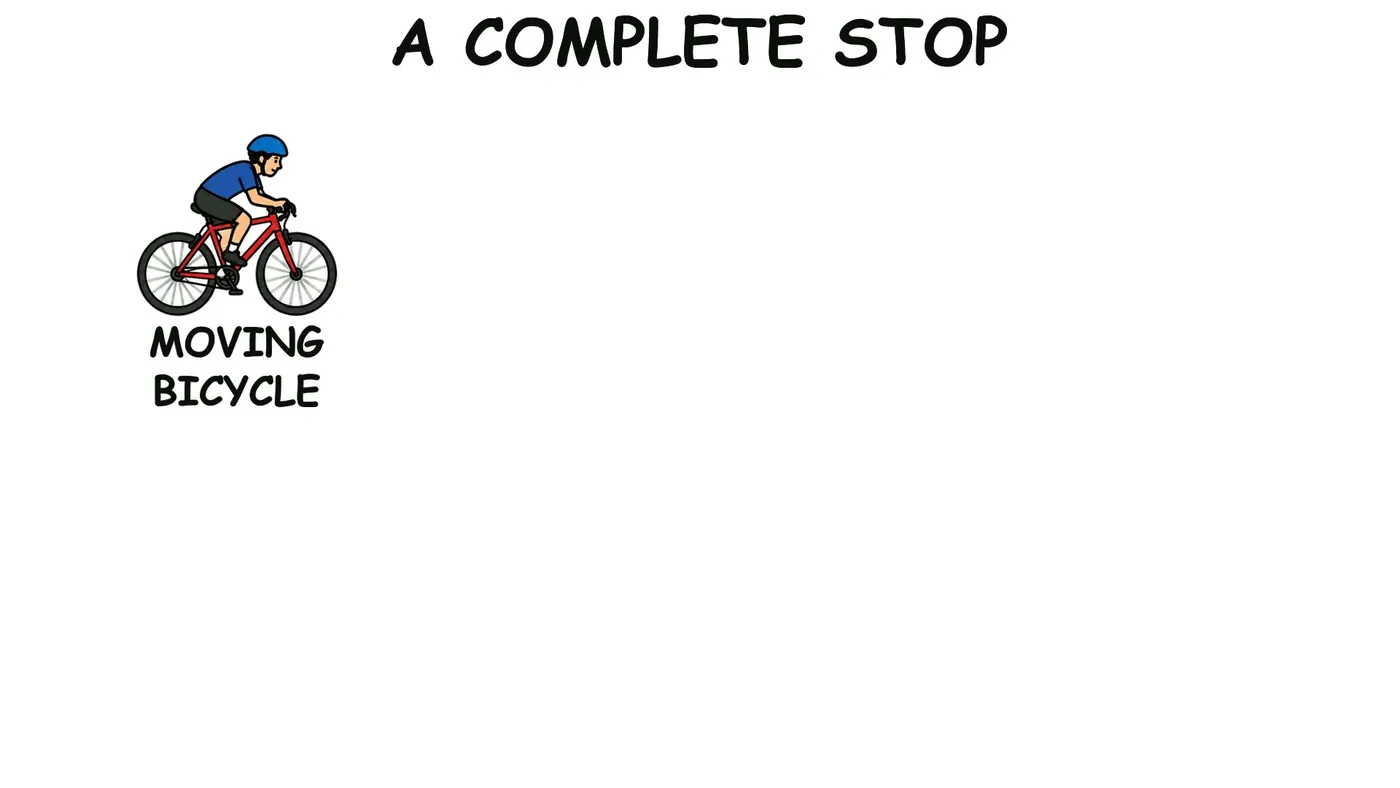
You choose a 16:9, 9:16 or 1:1 frame, a female or male voice, the narration language and a length of 1, 2, 3 or 5 minutes. It is usually ready in a few minutes. Here is an early board from a sample video on bicycle brakes; the rest of the board fills in as the narrator explains each part.
The limits are real: there is no editing timeline, no image library to choose from and no team seats, and videos stop at 5 minutes. Pricing: a free account with 120 credits (one 2-minute video, no card); whiteboard video uses 1 credit a second; Starter at $19.99 a month for 5,000 credits, about 40 two-minute videos. More on our AI whiteboard video maker page.
Pick it when you need narrated whiteboard explainers often and would rather write than animate.
Side by side
Checked on each vendor's own site on 28 October 2026. "Drawn reveal" means pictures are drawn on screen rather than faded or slid in.
| Tool | How the video is made | Drawn reveal | Free option | Cheapest paid plan | Best for |
|---|---|---|---|---|---|
| Visme | Animated slides; AI draft from prompt, PDF or URL | Not described | Basic plan with Visme branding | Starter $147 a year; video download listed on Business ($297 a year) | Animated reports, decks and branded slide videos |
| VideoScribe | Place library images on a canvas, set timing | Yes | 7-day trial, watermarked | Lite £130 a year | Full manual control, long videos |
| Canva + SpeedPaint | Design editor; app animates an uploaded picture | Yes, per picture | Free plan; one SpeedPaint credit | Pro US$144 a year | Teams already in Canva |
| Powtoon | Templates and editor, several styles | Yes | Up to 3 min, 720p, watermark | Lite $15 a month billed yearly | Mixing whiteboard with other styles |
| Animaker | AI draft from prompt, then full editor | Yes | Free plan with watermark | See their pricing page | AI draft plus hands-on editing |
| KolaVid | Prompt, script, document or link to a finished video | Yes, in time with the narration | One 2-minute video, no card | Starter $19.99 a month | Frequent narrated explainers without editing |
Test them with the same brief
Feature lists only go so far. Before paying, give two or three tools the same short brief and compare the results:
Explain how a heat pump heats a house, for homeowners with no technical background. About 90 seconds, 16:9. Use one comparison: a fridge working in reverse. End with a one-sentence summary.
Then judge three things. How long did it take you, from sign-up to download? Does each picture appear when it is mentioned? And can someone who did not write the brief explain heat pumps back to you afterwards? The tool that wins on the third question usually deserves the subscription. Our checklist on choosing an AI whiteboard video generator adds more questions to ask.
FAQ
Does Visme have whiteboard animation?
Visme has a whiteboard-themed video template and animated slide effects, but its site does not describe a hand-drawing reveal. Its "whiteboard" product is a collaborative brainstorming canvas. For drawn whiteboard animation, use a dedicated tool or Canva's SpeedPaint app.
Which Visme plan can download videos?
On visme.co/pricing (checked 28 October 2026), the Business plan card lists video and GIF downloads, while the Starter card lists JPG, PNG and PDF. You can also publish a project online with a link. Check the current plan details before you subscribe.
What is the closest alternative to Visme?
For the same kind of work, presentations, social graphics and slide-style videos in one place, Canva is the closest. For whiteboard explainer videos specifically, VideoScribe, Powtoon, Animaker and KolaVid are closer to what you need.
Can I turn a Visme presentation into a whiteboard video?
Not directly. Export the text, or write a short script from your slides, then use it in a whiteboard tool. In KolaVid you can upload the PowerPoint file or paste the script; a pasted script is narrated word for word. Our guide to turning a document into a whiteboard video shows how to cut slides down to a script.
Is there a free Visme alternative for whiteboard videos?
Several have free options with limits: Powtoon's free plan (up to 3 minutes, 720p, watermark), Canva's free plan with one SpeedPaint credit, Animaker's free plan (with a watermark), VideoScribe's 7-day trial, and KolaVid's free account (one 2-minute video, no card, with a small KolaVid mark). Visme and Canva are trademarks of their owners, and KolaVid is not connected with either.