Vyond Whiteboard Animation: Cheaper Alternatives
What Vyond's whiteboard animation costs per user and per video, and five cheaper alternatives for whiteboard explainers, with prices checked 28 October 2026.
Vyond does whiteboard animation: every plan includes whiteboard-style characters, and its AI tool Vyond Go drafts videos from a prompt, a document or a URL. It is also the most expensive tool in this comparison, priced per user for business teams, from $99 a month or $699 a year for one person. If you mainly need whiteboard explainers, Powtoon, VideoScribe, Doodly, Animaker and KolaVid all cost less, and each gives up something Vyond has.
Below: what each Vyond plan includes, how to work out what a video really costs, five cheaper alternatives, and when Vyond is worth paying for. Prices and features were checked on each vendor's own site on 28 October 2026.
What Vyond costs, plan by plan
From vyond.com/pricing, checked 28 October 2026, in US dollars:
| Plan | Monthly billing | Yearly billing | Users | Downloads a month | Longest video | Notable extras |
|---|---|---|---|---|---|---|
| Starter | $99 | $699 ($58 a month) | One user | 100 | 25 minutes | Vyond Go, whiteboard-style characters, 650+ voices, 1080p MP4 |
| Professional | $199 per user | $1,199 per user | Per user | 200 per user | 40 minutes | Team collaboration, translation into 95 languages, 4M+ Shutterstock assets, font import |
| Enterprise | Yearly only | $1,649 per user | Per user | Virtually unlimited | 90 minutes | Brand kit and brand management, SCORM, PNG and PPT export, security features |
| Agency | Yearly only | $1,999 per user | Per user | Virtually unlimited | 90 minutes | For client work; unlimited rights transfers |
A few details that change the maths:
- Credits. Starter includes 10,000 credits per user a month and Professional 20,000. Generating a video in Vyond Go (from text, a document, a script or a URL) costs 800 credits each time. On Starter that is up to 12 generations a month if you spend credits on nothing else.
- SCORM is Enterprise only. If your learning platform needs SCORM packages, the Starter and Professional plans do not export them.
- Trial. Vyond's FAQ says trials include 2,000 credits and all trial exports carry a watermark; its Vyond Go page says free users cannot download videos. The trial length was not stated on the pages we read, so see their site.
It runs entirely in the browser, according to its FAQ, with nothing to install.
What you get for the money
Vyond's price buys more than whiteboard animation. Its FAQ lists whiteboard as one style ("hand-drawn sketch animations"), and the rest of its site covers business-style characters, AI avatars and screen and webcam recording. On higher plans you get the things companies ask for: shared spaces for teams, brand kits that lock colours and fonts, enterprise security, SCORM export and long videos.
If your organisation needs those, the price is the cost of a company tool, and it is fair to compare it with other company tools rather than with apps for individuals. If you are one teacher, trainer or founder who needs a few whiteboard explainers a month, you are paying for features you will not use.

Work out the cost per video
Monthly prices hide the number that matters. Use this three-line sum for any tool:
- Licence per video = yearly price for everyone who needs a seat ÷ videos you will finish in a year.
- Time per video = hours from blank page to download × what an hour of that person's time costs.
- Real cost per video = line 1 + line 2.
Here is line 1 for a realistic case: one trainer making four 2-minute videos a month, 48 a year, on each tool's cheapest plan that removes the watermark. Prices from each vendor's site on 28 October 2026.
| Tool and plan | Yearly price | Fits 4 videos a month? | Licence per video |
|---|---|---|---|
| Vyond Starter | $699 | Yes, 100 downloads a month | $14.56 |
| Vyond Professional, 3 users | $3,597 | Yes | $74.94 |
| Doodly Standard | $490 | Yes, no video limit | $10.21 |
| KolaVid Starter | $239.88 ($19.99 a month) | Yes, 480 of 5,000 credits a month | $5.00 |
| Powtoon Lite | $180 (billed yearly) | Yes, 5 exports a month | $3.75 |
| VideoScribe Lite | £130 (billed yearly) | Yes, 5 downloads a month | £2.71 |
| Animaker | See their pricing page |
Line 2 usually decides it. If one tool takes three hours per video and another takes thirty minutes, the time difference over 48 videos is far larger than any licence gap above. Time your first real video in each tool you shortlist, and put your own figure in.
Vyond alternatives compared
Checked on each vendor's own site on 28 October 2026.
| Tool | How whiteboard videos are made | AI help | Team features | Free option | Cheapest paid plan |
|---|---|---|---|---|---|
| Vyond | Templates and characters in an editor; Vyond Go drafts | Vyond Go from prompt, document or URL; AI avatars | Yes, from Professional | Trial, watermarked, 2,000 credits | Starter $99 a month or $699 a year |
| Powtoon | Whiteboard templates and hand-drawn elements | AI scripts, voice, doc-to-video | See their pricing page | Up to 3 minutes, 720p, watermark | Lite $15 a month billed yearly |
| Animaker | AI draft from a prompt, then full editor | AI scenes, characters, voice, lip sync | See their pricing page | Free plan with watermark | See their pricing page |
| VideoScribe | Place library images on a canvas, set timing | AI script, images; AI voice on Core and Max | See their pricing page | 7-day trial, no card | Lite £130 a year |
| Doodly | Installed app: drag doodles onto a canvas | None on its site | No | 14-day trial, 30-day refund | Standard $49 a month or $490 a year |
| KolaVid | Prompt, script, document or link to a finished video | Writes, draws and narrates | No team seats | One 2-minute video, no card | Starter $19.99 a month |
Five cheaper alternatives, one by one
Powtoon: the nearest all-rounder
Powtoon is a browser editor with whiteboard as one of several looks: hundreds of whiteboard templates, hand-drawn elements, an automatic drawing effect, and AI for scripts, narration and turning documents into whiteboard scenes. Lite is $15 a month billed yearly (1080p, videos up to 10 minutes, 5 watermark-free exports a month), Professional $40 a month billed yearly as shown on the page (up to 20 minutes) and Advanced $125 a month billed yearly (up to 30 minutes). Our Powtoon alternative guide covers its templates and characters.
Choose it when you want a Vyond-like mix of styles and characters at a lower price.
Animaker: AI drafts with characters
Animaker's AI whiteboard maker takes a category and a prompt, asks follow-up questions, then drafts scenes, characters, voice-over and lip sync that you can edit in full. It lists 100+ whiteboard templates and over 2,000 AI voices. The free plan exports with a watermark. Its paid prices differed across its own pages when we checked, so see their pricing page.
Choose it when you want what Vyond Go does, an AI draft you then edit, on a smaller budget.
VideoScribe: hand-built and long-form
VideoScribe is a dedicated whiteboard editor where you choose and time every image. It runs in the browser or as an installed app. Lite is £130 a year (5 downloads a month, 5-minute videos), Core £200 (30 downloads, 10 minutes, 75 minutes of AI voice-over) and Max £275 (unlimited downloads, 20 minutes). Our VideoScribe alternatives guide goes further.
Choose it when you want classic whiteboard animation and full control, without per-seat business pricing.
Doodly: uncapped videos, installed
Doodly is installed software for Windows and Mac with whiteboard, blackboard and glassboard looks, 1,164 character images on Standard and no limit on how many videos you make. Standard is $49 a month or $490 a year, with a 14-day trial.
Choose it when you make a lot of videos, build them by hand, and an uncapped yearly price suits you.
KolaVid: the lowest-effort option
KolaVid is our own tool, so weigh this section with that in mind. It makes the whole narrated whiteboard video from what you give it, which is the main way it saves on line 2 of the sum above. Details below.
Choose it when time per video is your biggest cost and you do not need an editor.
Making a training video with KolaVid
You type a topic, paste a script or text, upload a PDF, Word or PowerPoint file, or add a web link. KolaVid writes the narration, or narrates your script as written, and draws each idea as the narrator says it, one idea a board.
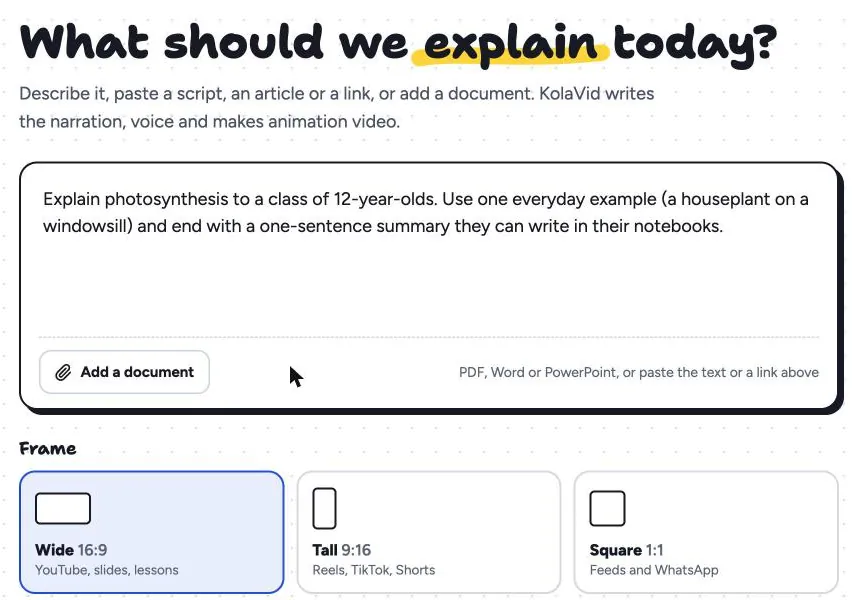
Choose a landscape 16:9, vertical 9:16 or square 1:1 frame, a female or male voice, the narration language and a length of 1, 2, 3 or 5 minutes. It is usually ready in a few minutes; download the MP4 or share a link. Here is a board from a sample staff training video on handling a customer complaint.
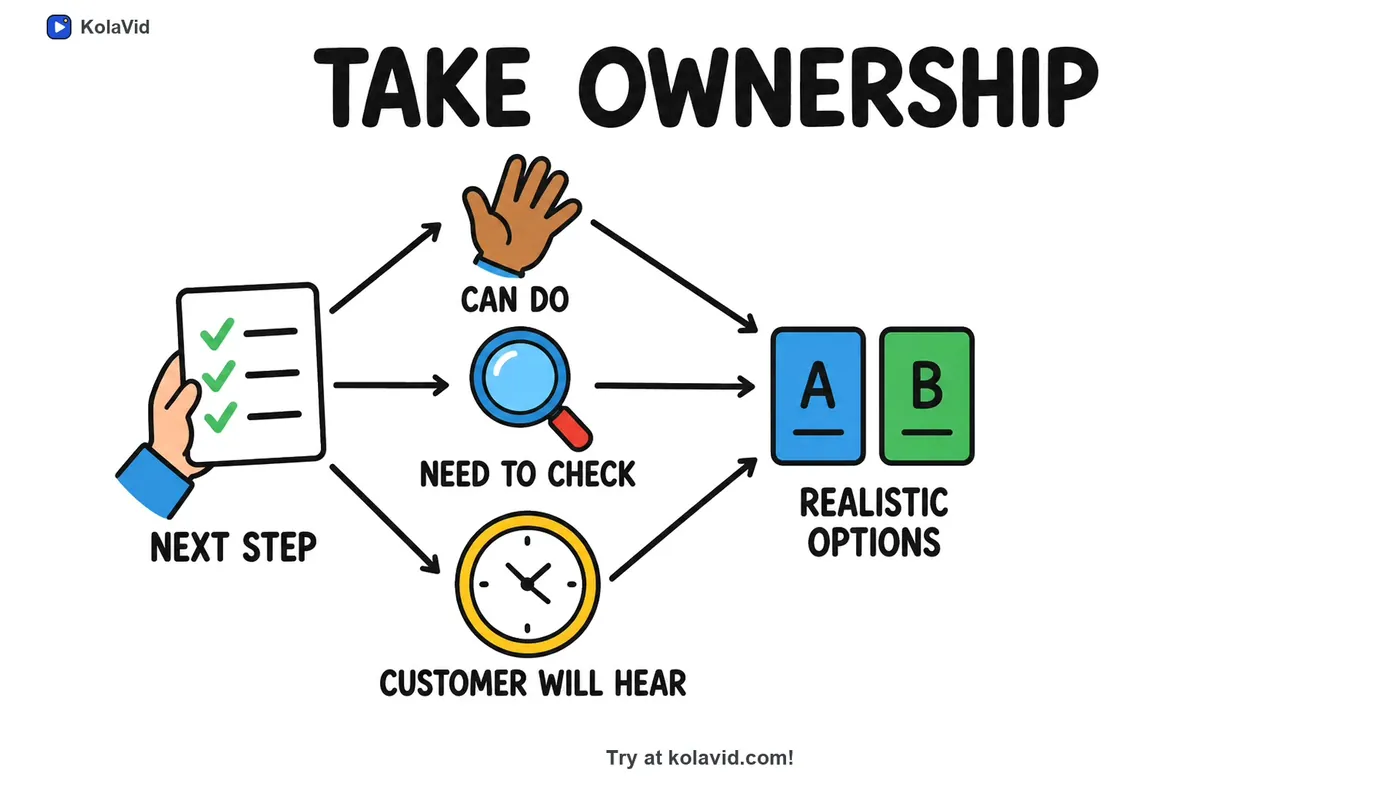
Compared with Vyond, the gaps are large. KolaVid has no editing timeline, no characters or avatars, no team seats and no brand kit, and videos stop at 5 minutes. A company that needs those should stay with Vyond or a similar business tool. Whiteboard video uses 1 credit a second: the free account's 120 credits make one 2-minute video with no card, and Starter at $19.99 a month gives 5,000 credits, about 83 minutes of video. See our page on training videos, or our guide to AI tools for training videos.
FAQ
Does Vyond have whiteboard animation?
Yes. Vyond's FAQ lists whiteboard animation, described as hand-drawn sketch animations, among its styles, and its pricing page includes whiteboard-style characters on every plan, from Starter up.
How much does Vyond cost?
As of 28 October 2026: Starter $99 a month or $699 a year for one user; Professional $199 a month or $1,199 a year per user; Enterprise $1,649 and Agency $1,999 per user a year, both yearly only. Check vyond.com/pricing for current prices.
Is there a free Vyond alternative?
Several have free options with limits. Powtoon's free plan makes videos up to 3 minutes at 720p with a watermark, Animaker's free plan exports with a watermark, and KolaVid's free account makes one 2-minute video with no card, with a small KolaVid mark. VideoScribe has a 7-day trial and Doodly a 14-day trial.
Which Vyond alternative works for corporate training?
For SCORM export and brand control in Vyond, you need Vyond Enterprise. For narrated training explainers that an LMS can host as MP4 files or links, Powtoon, VideoScribe and KolaVid are cheaper options, and KolaVid's paid plans also export SCORM packages. Our guide on turning an SOP into a training video shows a worked example.
When is Vyond worth the price?
When several people make videos together, when brand rules must be enforced, when you need SCORM, long videos, AI avatars or translation into many languages, or when one platform must cover whiteboard, character and screen-recorded videos. Vyond is a trademark of its owner, and KolaVid is not connected with it.