Powtoon Whiteboard Animation: 4 Alternatives Compared
Powtoon builds whiteboard videos from templates and characters. Four alternatives for whiteboard explainers, with features and prices checked 28 October 2026.
Powtoon makes whiteboard animation from templates: you pick one of its hundreds of whiteboard templates, swap in your words, characters and hand-drawn elements, and Powtoon adds the drawing effect for you. The right Powtoon alternative depends on what you want more of. For more characters and acting, look at Animaker or Vyond. For control over every drawing, VideoScribe. For no templates at all, where the pictures are made to fit your script, KolaVid.
Below: what Powtoon gives you for whiteboard videos, when it is the best choice, how template-first and script-first tools differ, and four alternatives compared. Features and prices were checked on each vendor's own site on 28 October 2026.
What Powtoon gives you for whiteboard video
Powtoon runs in the browser and treats whiteboard as one of several looks. Its whiteboard pages describe, as of 28 October 2026:
- Templates. "100s of professionally designed whiteboard templates" for education, training and marketing, or a blank canvas.
- Hand-drawn elements. A library of hand-drawn graphics and illustrations you drag into scenes.
- The drawing effect. "The tools simulate the whiteboard drawing effect automatically", so you never draw anything yourself.
- Characters. Powtoon's help centre says the free plan includes one whiteboard character family, and higher plans add more.
- Brand controls. Your colours, fonts and logo, plus the drawing style and background.
- AI. AI-written whiteboard scripts, AI text-to-speech narration and "AI doc-to-video to convert dense documents into clear whiteboard breakdowns". Paid plans list more AI tools, including AI avatars, image and clip generation, translation and dubbing, paid for with AI credits.
Pricing (powtoon.com/pricing, checked 28 October 2026). Free: videos up to 3 minutes, 720p, Powtoon watermark. Lite: $15 a month billed yearly, 5 watermark-free exports a month, 1080p, videos up to 10 minutes. Professional: $40 a month billed yearly as shown on the page, unlimited premium exports, videos up to 20 minutes. Advanced: $125 a month billed yearly, videos up to 30 minutes. There is an Education plan at $8 a month billed yearly whose exports carry a "Powtoon for EDU" watermark. The page showed yearly-billed prices only; see their pricing page for monthly billing.
When Powtoon is the right choice
Stay with Powtoon, or start there, if:
- You like adapting rather than starting blank. A good template already has pacing, layout and transitions worked out.
- You mix styles. Whiteboard scenes next to cartoon, infographic or screen-recording scenes in the same video is Powtoon's strength.
- The same characters recur. A character family you reuse across a training series gives it a consistent face.
- You need a free plan to start. Up to 3 minutes at 720p with a watermark is enough to test an idea or make a classroom video.
- You need longer videos. Paid plans go to 10, 20 or 30 minutes.
Template-first or script-first?
This is the real choice behind most Powtoon comparisons.

Template-first tools (Powtoon, and Animaker's and Vyond's template libraries) start from a scene someone else designed. You fit your message into it. That is fast when your message is close to the template, such as "welcome to the team" or "three benefits of our product". It gets slower when your idea has a shape no template expects, like a chemical reaction, a legal process or a five-step repair. Then you spend time pulling a template apart.
Script-first tools start from your words. In VideoScribe you write the script, then find a picture for each line. In KolaVid you write or paste the script and the drawings are made to match it. This is slower to set up if you have no script, and faster when the explanation is specific.
A quick test: write the first two sentences of your video. If a template in Powtoon's library already shows those two sentences well, a template-first tool will save you time. If you find yourself thinking "none of these shows what I mean", go script-first.
Powtoon alternatives compared
Checked on each vendor's own site on 28 October 2026. Prices change often, so confirm before you buy.
| Tool | Starts from | Characters | Drawing control | Free option | Cheapest paid plan |
|---|---|---|---|---|---|
| Powtoon | Hundreds of whiteboard templates | Character families; more on higher plans | Library elements; automatic draw effect | Up to 3 minutes, 720p, watermark | Lite $15 a month billed yearly |
| Animaker | AI draft from a prompt, or 100+ whiteboard templates | Character builder, 200+ actions, 20+ expressions, lip sync | Full editor after the AI draft | Free plan with watermark | See their pricing page |
| Vyond | Templates or Vyond Go from a prompt, document or URL | Whiteboard-style characters on all plans; lip sync | Full editor | Trial with watermark | Starter $99 a month or $699 a year |
| VideoScribe | Your script and a blank canvas | Images from its library or AI-made | You place and time every image | 7-day trial, no card | Lite £130 a year |
| KolaVid | Your topic, script, document or link | No character library | None; drawings made to match the script | One 2-minute video, no card | Starter $19.99 a month |
Four alternatives, by what you want more of
More characters and acting: Animaker
Animaker is the nearest match if characters are why you chose Powtoon. Its whiteboard page lists characters with 200+ actions and 20+ expressions, plus lip sync, and its features page describes a character builder with adults, children and infants. Its AI whiteboard maker drafts a video from a category, a prompt and a few follow-up questions, which you can then open in "Advanced Edit". It lists 100+ whiteboard templates and over 2,000 AI voices. The free plan exports with a watermark; prices were inconsistent across its pages when we checked, so see their pricing page. Our Animaker alternative guide looks at its AI builder more closely.
Choose it when your whiteboard video is a story told by characters.
Characters for a company: Vyond
Vyond is a business animation platform with whiteboard-style characters on every plan, lip sync to recorded voice lines, and Vyond Go, which drafts a video from a prompt, a document or a URL. It runs in the browser. It costs more: Starter is $99 a month or $699 a year for one user, and Professional is $199 a month or $1,199 a year per user. Enterprise adds brand management and SCORM export. See our Vyond alternative guide for the full price picture.
Choose it when a team makes a lot of training content and needs brand control.
More control over every drawing: VideoScribe
VideoScribe has no character families in Powtoon's sense. Instead you pick images, from about 9,000 on Lite or about 5 million on Core and Max, or generate one with its AI image tool, then place each one and set how long it takes to draw. It runs in the browser or as an installed app. Lite is £130 a year with 5 downloads a month; the trial is 7 days with no card.
Choose it when a template would never show exactly what you mean and you are willing to build each scene.
No templates at all: KolaVid
KolaVid is our own tool. It skips templates and characters: you give it a topic, a script, a document or a link, and it writes the narration (or uses your script), draws each idea and reveals it as the narrator says it. More below.
Choose it when your explanation is specific and you would rather write it than build it.
The same video, two ways
Here is a 60-second onboarding video, "How to book time off", made both ways.
Template route (Powtoon, Animaker, Vyond):
- Search the templates for "onboarding" or "HR" and pick one with an office character.
- Replace the template text with your four steps.
- Swap the character's actions so she opens a laptop, fills a form and gets a reply.
- Record or generate the voice-over, then nudge the timing so each scene matches.
Script route (VideoScribe, KolaVid): write the script first. You can copy this one:
Need a day off? Here's how to book it in four steps. First, open the HR portal and choose "Time off". Second, pick your dates on the calendar. Third, add a short note for your manager, like "family visit". Fourth, press submit. Your manager gets an email and usually replies within two working days. If you don't hear back by then, send them a quick message. That's it: portal, dates, note, submit.
In VideoScribe you then find a picture for each sentence. In KolaVid you paste it and the drawings follow the words.
Neither route is better in general. The template route is quicker when a template is close. The script route wins when the steps are specific to your company. Our guide to onboarding videos with AI has more scripts like this.
Making a whiteboard video with KolaVid
In KolaVid the script is the starting point. Type a topic, paste your own script or text, upload a PDF, Word or PowerPoint file, or add a web link. A pasted script is narrated as written, with drawings made to match it, one idea a board.
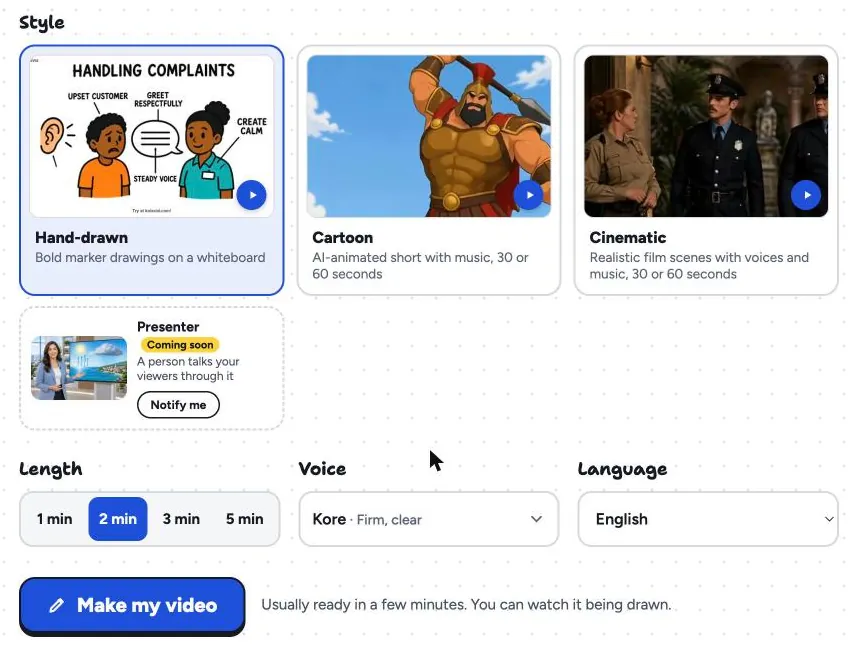
Pick a 16:9, 9:16 or 1:1 frame, a female or male voice, the narration language and a length of 1, 2, 3 or 5 minutes. It is usually ready in a few minutes, and you can watch it being drawn. Download the MP4 or share a link. Brands named in the video are drawn with their own logo.
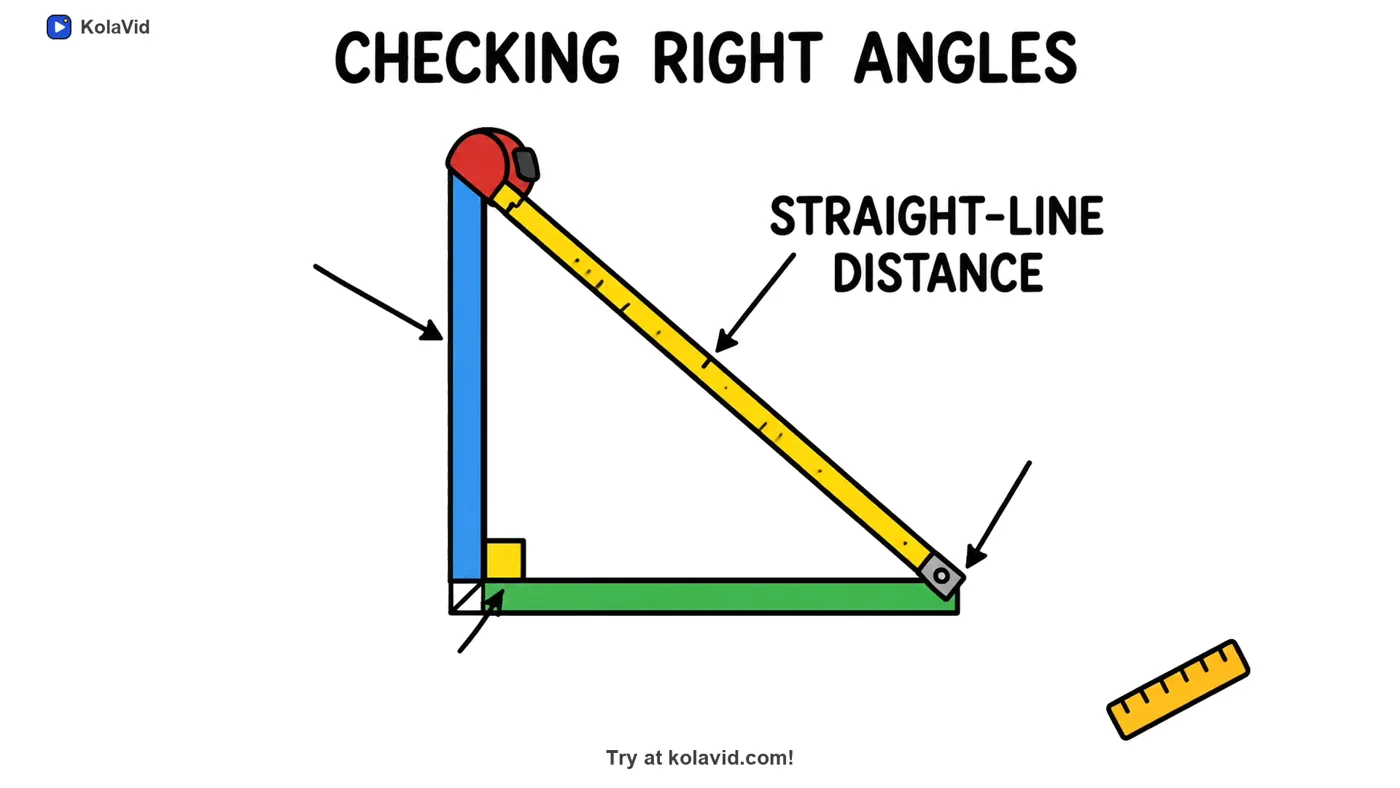
What KolaVid does not have matters here: no templates, no characters to choose or reuse, no lip sync, no editing timeline and no team seats. Videos stop at 5 minutes. If those are what you want, Powtoon is the better choice. Whiteboard video uses 1 credit a second: the free account's 120 credits make one 2-minute video with no card, and Starter at $19.99 a month gives 5,000 credits, about 40 two-minute videos. Try it from our AI whiteboard video maker page, or see our page for training videos.
FAQ
Does Powtoon have whiteboard animation?
Yes. Powtoon has a whiteboard look with hundreds of templates, a library of hand-drawn elements and an automatic drawing effect, plus AI tools for scripts, narration and turning documents into whiteboard scenes. It runs in the browser.
Is Powtoon free for whiteboard videos?
There is a free plan: videos up to 3 minutes at 720p with a Powtoon watermark, with basic templates and characters. Paid plans remove the watermark, raise the resolution to 1080p and allow longer videos. Lite costs $15 a month billed yearly as of 28 October 2026.
Which Powtoon alternative has the most characters?
Animaker and Vyond both put characters at the centre. Animaker lists a character builder, 200+ actions, 20+ expressions and lip sync. Vyond includes whiteboard-style characters on every plan, with lip sync to voice lines.
Is there a Powtoon alternative without templates?
Yes. VideoScribe starts from a blank canvas where you place each image, and KolaVid makes the drawings to match your script or document, with no template or editor.
When is Powtoon the better choice?
When a template is close to what you need, when you want recurring characters, when you mix whiteboard with other styles, or when you need videos longer than 5 minutes. Powtoon is a trademark of its owner, and KolaVid is not connected with it.