Video SEO: How to Turn Blog Posts into Videos
How to turn blog posts into short explainer videos and use them for search: scripts, YouTube titles, chapters, captions, on-page video and what video won't do.
Adding a video to a blog post will not, on its own, lift that post in Google. What a good video can do is answer the reader's question in a second format, give you a second place to be found on YouTube and in video results, and make the article more useful to people who would rather watch. To turn a blog post into a video that does this, cut the article down to the one question it answers, write a script of 150 to 300 words, and publish the video with a clear title, description, captions and chapters, both on YouTube and on the page.
Below: what video does and does not do for search, which posts are worth converting, a step-by-step method with a worked example, and the publishing checklist.
What video does and does not do for SEO
What video can do:
- Reach people on YouTube. YouTube is a search engine in its own right. A clear two-minute answer to a common question can be found there by people who would never have seen your blog.
- Earn video results in Google. Videos can appear in Google's video results and with "key moments" that jump to a section. Google's guidance says to give each video a dedicated watch page if you want the full video features.
- Help the reader on the page. Some readers want the explanation before the detail. A short video at the top of a how-to post can answer them quickly, while the text serves readers who skim or search for a specific step.
What video does not do:
- It is not a ranking bonus. Embedding a video does not make a page rank better by itself. Google ranks the page for how well it answers the search.
- It does not fix a weak article. If the post does not answer the question, a video of the same content will not either.
- It does not turn a blog post into a video result. Google's video documentation says a page where the video is secondary, such as a blog post with an embedded video, generally does not count as a watch page. The page can still appear as a normal text result.
- It can slow the page down if the player loads heavily at the top. Load the embed lazily, or use a light thumbnail that loads the player on click.
So treat video as a second, useful format, and YouTube as its own search channel, not as an SEO trick for the article.
Which blog posts to turn into videos
Not every post deserves a video. Start with posts that already get steady visits and explain something.
| Post type | Good as a video? | Why |
|---|---|---|
| How something works | Yes | One idea, easy to draw, often searched on YouTube |
| How to do a task or process | Yes | Steps become scenes; chapters map to steps |
| Concept or definition | Yes, short | A 60 to 90 second answer suits both page and Shorts |
| Comparison or buying guide | Sometimes | Works for the decision rules, not for big price tables |
| News or a dated announcement | Rarely | Out of date before it earns views |
| Long list of links or tools | No | The value is in the list, which reads better as text |
In Search Console, look for posts with impressions for "how", "what is" and "why" questions; people type those into YouTube too.
Step 1: Pick the one question the video answers
A 2,000-word article usually answers one main question and several side ones. The video answers only the main one. Write it as the viewer would type it: "why are my houseplant's leaves turning yellow", not "Foliage discolouration: causes and remedies".
That question becomes the video's working title and the first line of the script.
Step 2: Cut the article into a script
Speech runs at roughly 130 to 150 words a minute, so a 2-minute video is about 260 to 300 words. That is a fraction of a typical article, which is the point: the video keeps the main explanation and leaves the detail to the text.
A shape that works for most how and why posts:
- The question, in one sentence.
- The short answer, in one or two sentences.
- The explanation, in two to four steps, one idea each.
- One example from the article.
- What to do next, and a pointer to the article for the details.
Worked example: a gardening article
Say a garden shop has an 1,800-word post called "Why are my houseplant's leaves turning yellow?". It covers overwatering, underwatering, light, nutrients, pests, pot size, and a table of 20 plants. The video keeps the first three causes and the quick test, and leaves the rest to the article.
- Question: "Why are your houseplant's leaves turning yellow?"
- Short answer: "Most of the time, it is water. Too much, or too little."
- Explanation: too much water drowns the roots, so the lower leaves yellow and go soft; too little water makes leaves yellow, dry and crisp from the edges; too little light makes the leaves furthest from the window turn pale first.
- Example: "A peace lily on a dark shelf, watered every day, has soft yellow lower leaves. That is too much water and too little light."
- Next step: "Push a finger into the soil. If the top few centimetres are wet, wait before you water again. The full list of causes is in the article below."
About 250 words when written out in full, and every line comes from the article. For more on this step, our guide to turning a script into a whiteboard video shows how a script maps to scenes, and our piece on explainer video length helps you pick the length.
Step 3: Make the video
Use whatever you can produce well every week:
- Record yourself explaining it, if you are comfortable on camera.
- Slides with a voiceover, if the topic is mostly words and numbers.
- A screen recording, for software tutorials.
- A drawn or whiteboard explainer, for anything with a process or a cause and effect. These suit "how" and "why" posts well, and need no camera.
Make a landscape 16:9 version for YouTube and the page. If the answer fits in under a minute, a vertical 9:16 cut can go to Shorts and Reels too.
Step 4: Publish on YouTube with the details that help search
Title
Put the question or the main words near the start, in the words viewers use. "Why Are My Houseplant's Leaves Turning Yellow? 3 Causes" beats "Plant Care Tips Episode 14". Keep it accurate; a title that over-promises loses viewers in the first seconds.
Description
The first two lines show in search results, so make them the short answer. Then add a summary, the chapters and a link to the full article. A template you can copy:
Yellow leaves on a houseplant are usually a watering problem: too much or too little. In this 2-minute video we show how to tell which, and when light is the cause.
>
Read the full guide, with 20 common houseplants: [link to the article]
>
0:00 Why leaves turn yellow
0:15 Too much water
0:45 Too little water
1:10 Not enough light
1:35 The finger test
Chapters
Timestamps in the description become chapters. YouTube's help page lists three rules: the first timestamp must be 0:00, you need at least three timestamps in ascending order, and each chapter must be at least 10 seconds long. Google can also use timestamps you set on YouTube as key moments in search.
Captions and transcript
Captions help viewers who watch without sound and give a written version of what is said. In YouTube Studio you can upload a caption file, paste a transcript and let YouTube sync the timing, type captions while the video plays, or check the automatic captions. If you wrote a script, you already have the transcript: paste it in and use auto-sync. Always read automatic captions for errors in names and numbers.
Thumbnail
Use one clear picture and a few large words. YouTube recommends a 16:9 thumbnail for videos and 9:16 for Shorts, and only verified accounts can upload a custom thumbnail, so verify your channel first.
Finally, group videos into playlists by topic, such as "Houseplant problems", so viewers move on to the next one.
Step 5: Put the video on the article
On the page, the video serves the reader first:
- Place it where it helps. At the top for a "what is" or "why" post; next to the section it explains for a long how-to.
- Keep the text. The article is what ranks for the page. Do not replace sections with "watch the video".
- Add a short summary or the transcript under the video, or link to it. It helps people who cannot play sound, and puts the spoken words on the page.
- Do not hide the player behind tabs, and load it lightly so the page stays fast.
If you want Google to show the video itself in results, give it a dedicated watch page whose main purpose is that one video, with a unique title and description. Then describe it with VideoObject structured data and a single, stable thumbnail URL, and list it in a video sitemap if you host many videos. A minimal example:
```json { "@context": "https://schema.org", "@type": "VideoObject", "name": "Why are my houseplant's leaves turning yellow?", "description": "Three common causes of yellow leaves and a quick test to tell them apart.", "thumbnailUrl": "https://example.com/videos/yellow-leaves.jpg", "uploadDate": "2026-10-28", "embedUrl": "https://www.youtube.com/embed/VIDEO_ID" } ```
Keep the markup consistent with the video. Google's video best practices page in Search Central lists all the options.
Step 6: Measure what the video does
Check two places a few weeks after publishing:
- YouTube Analytics: traffic from YouTube search, the search terms that found the video, and where viewers stop watching.
- Search Console: the article's clicks and impressions, and the video indexing report if you added watch pages.
Early drop-off usually means a slow opening; no search traffic usually means the title does not match how people ask.
Turning an article into a video with KolaVid
KolaVid makes narrated whiteboard videos, which suit how and why posts. You can give it the article in three ways: paste the link and it reads the page, paste the article text, or paste the script you cut in Step 2, which it narrates as written. Each drawing appears as the narrator says it, one idea a board.
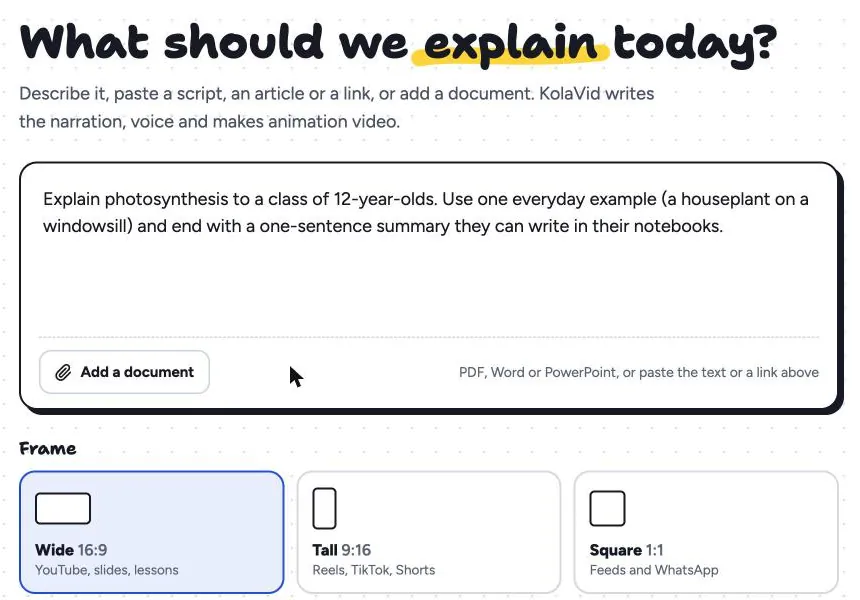
For a blog video, a prompt like this works well: "Make a 2-minute video answering 'why are my houseplant's leaves turning yellow' from this article. Cover overwatering, underwatering and low light, use the peace lily example, and end by telling viewers the full list is in the article." Choose Wide 16:9 for YouTube and the page, or Tall 9:16 for a Short.
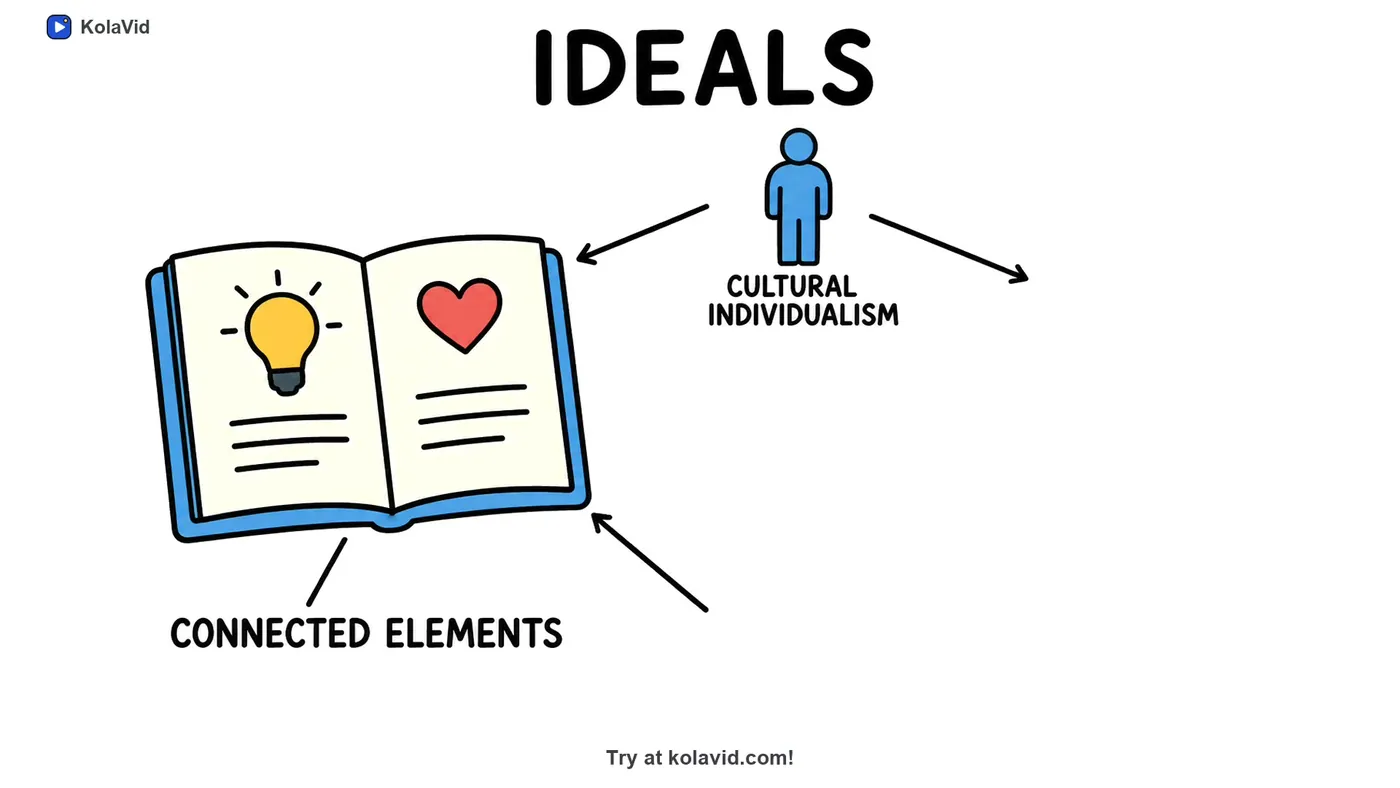
A board from "A Research Paper, Summarised", a sample that turns a paper into a short explainer, shows long text reduced to a few drawings with short labels:
It is usually ready in a few minutes; download the MP4 for YouTube or share a link. Whiteboard videos come with captions in the narration language: download the .srt or .vtt file, upload it in YouTube Studio and check it there. One limit matters here: there is no editing timeline, so to change a scene you change the script and make it again. Free videos run up to 2 minutes; paid plans up to 5. The marketing page and the documents page have more examples, and our YouTube whiteboard explainer guide covers running a channel.
Video SEO checklist
- [ ] One question, answered in a 150 to 300 word script that opens with the answer
- [ ] Title starts with the question; description opens with the answer and links the article
- [ ] Chapters from 0:00, at least three, each 10 seconds or more
- [ ] Captions checked for names and numbers; thumbnail clear at small size
- [ ] Video placed where it helps, with a summary or transcript
- [ ] Watch page and VideoObject markup, if you want video results
FAQ
Does adding a video to a blog post improve SEO?
Not directly. An embedded video is not a ranking factor on its own. It can make the page more useful, and the same video can be found on YouTube and in video results, which is where most of the search benefit comes from.
Should I host videos on YouTube or on my own site?
Many teams do both: upload to YouTube for reach, and embed the YouTube video on the article. If you want Google to show your own page as a video result, host the video on a dedicated watch page with structured data.
Do I need a transcript for video SEO?
It helps. Captions on YouTube make the video usable without sound, and a summary or transcript on the page puts the spoken content in text. If you wrote a script, you already have most of the transcript.
Start with one post
Pick the article that already answers a common question, cut it to 250 words, and publish the video with a proper title, description and chapters. If you want to try it without recording, a free KolaVid account makes one 2-minute video from a link or a script, no card needed.