Whiteboard Video vs Slides: When Each One Works
Whiteboard video vs slides: when a drawn explainer teaches better, when slides win, three real examples, and how to turn a slide deck into a whiteboard video.
A whiteboard video usually explains better than slides when you are teaching a process, a cause and effect or a reason, and the viewer will watch on their own without you there to talk them through it. Slides are better when you present live, when people need to study numbers, or when the deck will be kept as a reference. Many teams end up using both: the deck for the meeting, and a short drawn video for everyone who was not in the room.
Below: a side-by-side comparison, what people mean by a "whiteboard presentation", three examples where the choice is clear, and a step-by-step way to turn a slide deck into a whiteboard video without losing what made the deck useful.
Whiteboard video vs slides at a glance
| Whiteboard video | Slides | |
|---|---|---|
| Works best when | The viewer watches alone, often once | You present live and take questions |
| Strong at | Processes, causes, steps, "why we do it this way" | Data, charts, tables, detail people come back to |
| Who sets the pace | The narrator | The presenter, or the reader clicking through |
| Where the eye goes | To each drawing as it is spoken about | To everything on the slide at once |
| Weak at | Exact figures people need time to read | Explaining anything without a speaker |
| Usually lives in | An LMS, YouTube, a chat app, a phone | A shared drive, a meeting room, an email attachment |
The row that matters most is "where the eye goes". On a slide with five bullets, the audience reads all five while you are still on the first, then waits for you to catch up. In a whiteboard video, each idea is drawn at the moment it is described, so the eyes and the ears are on the same thing. That is the main reason a drawn explainer often lands better for a first explanation.
The second big difference is the speaker. Most good slide decks are built to support a person. Take the person away and send the deck by email, and the explanation that lived in their voice is gone. A video carries its own explanation.
What a "whiteboard presentation" means
People use the phrase for two different things.
- A live whiteboard presentation. You stand at a whiteboard or flip chart and draw while you talk. It works well in workshops and classrooms because the audience watches the idea being built.
- A whiteboard-style video. A recorded explainer where simple drawings appear on a white board in step with a narrator's voice.
Both share the same strength: the picture builds in front of the audience instead of arriving all at once. If you present live at a board, sketch the layout on paper first, draw big and simple, write only the one or two words worth remembering, and step aside while you explain. The rest of this guide is about videos, but the same rules carry over.
When a whiteboard video teaches better than slides
Processes and sequences
Take "how an online order gets from checkout to the customer's door". A slide usually shows six boxes and five arrows, all at once. The video draws the shopping cart, then the warehouse shelf, then the packing table, then the van, each as the narrator names it. By the end, the viewer has watched the whole chain form one link at a time.
Cause and effect
"Why paying suppliers late costs us more" is a chain of reasons: late payment, lost early-payment discount, supplier raises prices, margin shrinks. Bullets list the reasons. A drawing shows each one leading to the next, with an arrow you can follow.
People who were not in the room
New starters, customers, colleagues in another time zone, students who were absent. They get the deck without the speaker. A short video gives them the explanation the meeting had, in two or three minutes, on their own schedule.
Watching on a phone
Slides were designed for a wide screen in a meeting room. On a phone, the text shrinks until nobody can read it. A whiteboard video can be made in a vertical 9:16 frame, with one drawing at a time big enough to see.

When slides are the better choice
Slides are not the old format that video replaces. They are better at several jobs, and it is worth being honest about which.
- Live meetings with discussion. You can stop, go back two slides, answer a question and skip what the room already knows. A video cannot listen.
- Numbers people must read. A quarterly results table, a budget, a comparison of three suppliers. People need time to look across rows, and a video moves on before they reach row four.
- Reference material. Pricing, specifications, contact lists, checklists. People come back to these to find one fact, and scanning a slide is faster than scrubbing through a video.
- Content that changes every week. A weekly update takes a minute to edit as a slide. Remaking a video for every small change is not worth it.
A useful test: if the audience's job is to understand something once, a video tends to win. If their job is to look something up or decide together, slides tend to win.
Three examples
Example 1: a new expense policy
The finance team has a 14-slide deck explaining a new expense process. Most of the 200 staff will never sit through the presentation.
Use both. Make a two-minute whiteboard video covering what changes, the three steps to submit a claim, and the one mistake that gets claims rejected. Keep the deck, or better a one-page policy, as the reference for limits and categories. The video gets people to do it right; the document answers "what is the limit for hotels in London?".
Example 2: a lesson on the water cycle
A labelled diagram on a slide shows evaporation, condensation, precipitation and collection all at once. Students copy the labels without following the loop.
Video first, slide second. A short video draws the sea, the sun, the rising water vapour, the cloud, the rain and the river, in that order, as each step is explained. Afterwards, the teacher shows the unlabelled diagram on a slide and asks students to label it. The video teaches the sequence; the slide checks it. Our guide to explaining science concepts in short videos goes further into lessons like this.
Example 3: a quarterly sales review
Twelve regions, three product lines, figures against target. The meeting exists to discuss the numbers and agree actions.
Slides win. A video would rush past figures that people need to study and argue about.
How to turn a slide deck into a whiteboard video
Reading the slides aloud is not enough: a deck made for a live talk usually has too much on it and too little explanation. These steps fix both.
1. Decide who will watch and what they should do afterwards
Write one sentence: "After watching, a [viewer] can [do or explain something]." For a sales deck shown to customers, that might be "a new customer can explain how our setup works in three steps". Everything that does not serve that sentence can stay in the deck.
2. Sort the slides into keep, cut and reference
Go through the deck and put each slide in one of three piles. Keep: slides that carry the story. Cut: agenda slides, title slides, "any questions?". Reference: detailed tables, pricing, small print. A 20-slide deck often becomes a video built from five to seven slides, and that is normal.

3. Give each idea its own board
One kept slide becomes one board in the video, with one idea on it. If a slide has two ideas, it becomes two boards. If three slides say the same thing, they become one.
4. Turn bullets into spoken sentences
Bullets are notes for a speaker. A video needs the sentences the speaker would have said. For example, a slide reading:
- Q3 churn up
- Onboarding gaps
- Action: welcome call
becomes:
"More customers left us this quarter than last. When we asked why, many said nobody helped them get set up in their first week. So from next month, every new customer gets a welcome call within three days."
Short sentences, plain words, and "you" and "we" where they fit.
5. Swap abstract words for things you can draw
"Improved operational efficiency" gives the drawing nothing to show. "The van now leaves the warehouse an hour earlier" gives it a van, a warehouse and a clock. Concrete nouns make better boards, and they are easier to remember too.
6. Keep only the numbers that matter
A video can carry one or two figures per board, said out loud and shown next to the drawing they belong to. If the slide has a table of twenty figures, pick the one that tells the story and leave the table in the reference deck.
7. Time it
Narration runs at roughly 130 to 150 words a minute, so a two-minute video is about 250 to 300 words. If your script is longer, you are still covering too many slides. For help deciding on length, see our piece on short vs long explainer videos.
Turning a deck into a video with KolaVid
KolaVid makes narrated whiteboard videos from a typed prompt, pasted text or a script, an uploaded PDF, Word or PowerPoint file, or a web link. Each drawing appears as the narrator says it, with one idea on each board.
For a deck, you can upload the PowerPoint file with Add a document, or paste the outline you wrote in steps 1 to 6. Either way, add a line in the box about the viewer and the goal, for example: "Explain this to new customers who missed the launch webinar. Focus on the three setup steps. Leave out the pricing slides." Then choose the frame: Wide 16:9 for YouTube or an LMS, Tall 9:16 for phones, or Square 1:1 for chat apps.
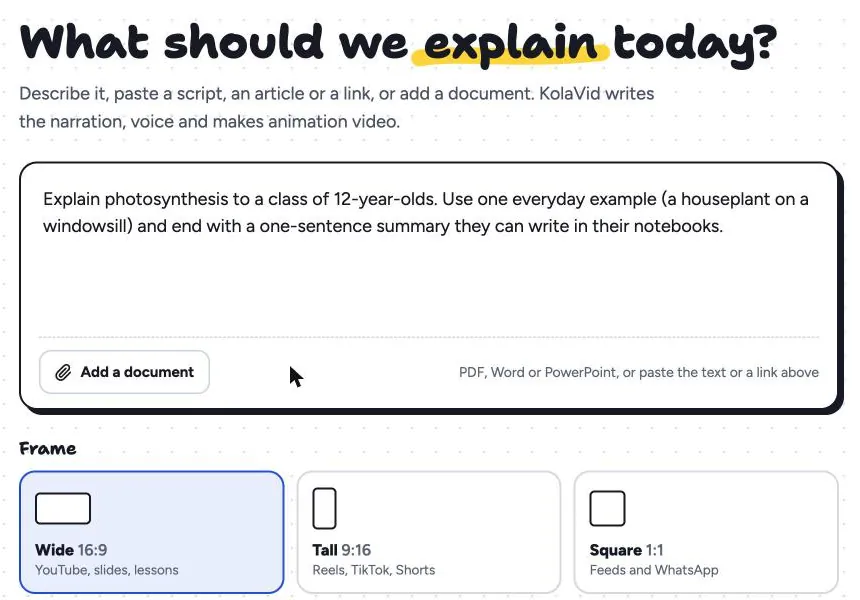
Pick the Hand-drawn style, a length of 1, 2, 3 or 5 minutes, a female or male voice and the narration language. Free videos run up to 2 minutes; paid plans go up to 5. It is usually ready in a few minutes, and you can watch it being drawn. When it is done, download the MP4 or share a link.
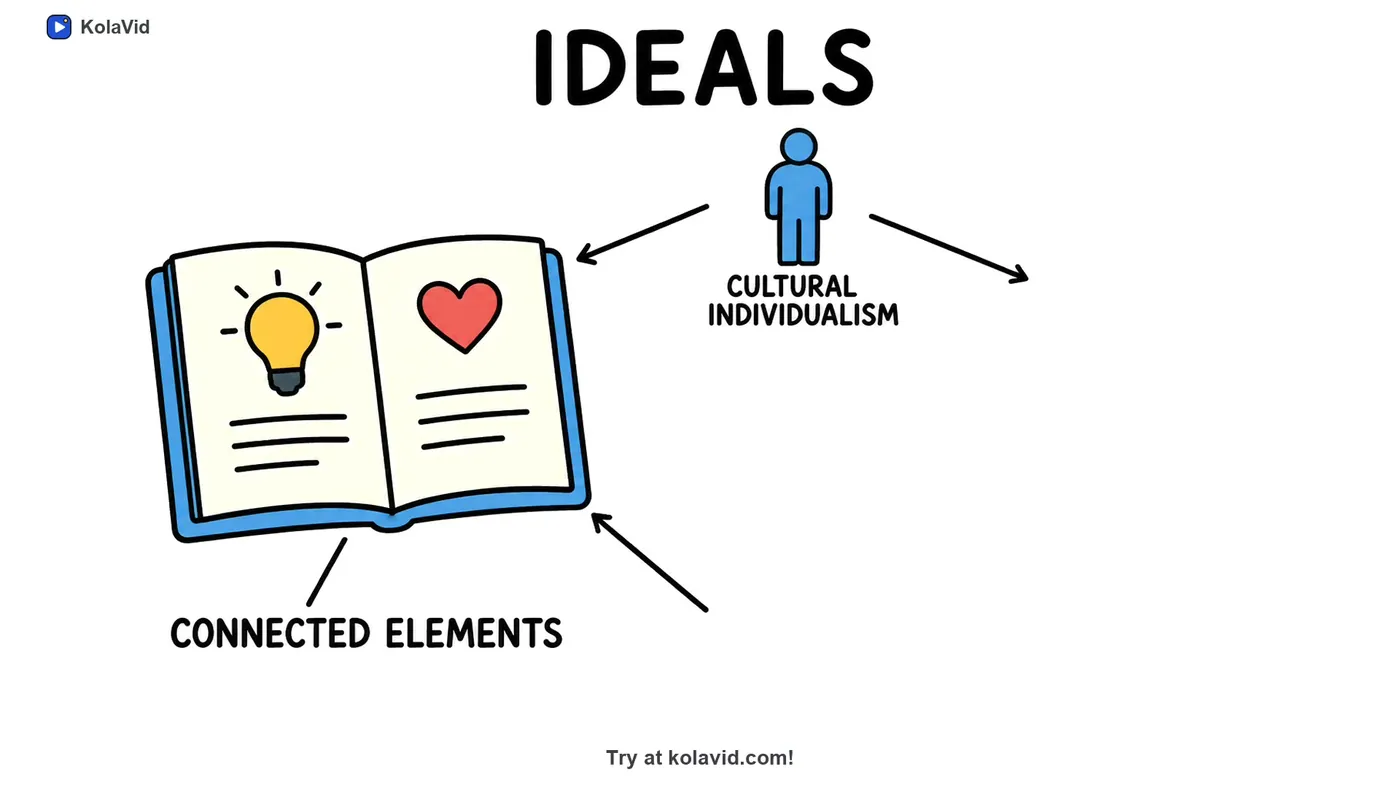
Here is a frame from a sample video made from a document source: the board builds its drawings and labels as the narrator reaches each idea, rather than showing a page of text.
One honest limit: there is no editing timeline inside the video, so to change something you edit the text and make it again. Whiteboard videos do come with captions, which you can download as .srt or .vtt for wherever you host the video, or burned into the MP4. The documents page shows how uploaded files are handled, and the whiteboard page has more sample videos. If your source is a PDF rather than a deck, our document to whiteboard video guide covers that case.
FAQ
Is a whiteboard video better than PowerPoint?
For a first explanation that people watch on their own, often yes, because each idea appears as it is described and the video does not need a speaker. For live meetings, data people must read and reference material, PowerPoint is usually the better tool.
Can I convert PowerPoint slides into a whiteboard video?
Yes. You can do it by hand: cut the deck to the slides that tell the story, rewrite the bullets as spoken sentences and draw one idea per scene. Or you can upload the deck to an AI whiteboard tool and add a line about who will watch. PowerPoint can also export a deck as a video file, but that keeps the slides as they are rather than turning them into drawings.
How long should a whiteboard video made from slides be?
Two to three minutes covers most decks once you cut them to the main story. If the script runs past five minutes, the deck probably holds two or more topics, and each deserves its own short video.
What is a whiteboard presentation?
It can mean a live talk where you draw on a whiteboard or flip chart as you speak, or a recorded whiteboard-style video where drawings appear in step with a narrator. Both build the picture in front of the audience instead of showing it all at once.
Try it on one deck
Pick a deck you have presented more than twice, the one where you keep explaining the same three slides. Cut it to the story, write it as you would say it, and make a two-minute video from it. A free KolaVid account includes enough credits for one 2-minute video, no card needed, so you can see whether the people who missed the meeting understand it better from the video than from the slides.