How to Explain an API: Analogies, Examples and a Script
Explain an API, webhooks and API keys to non-technical people and new developers: analogies that hold up, where they break, and a video outline to copy.
An API (application programming interface) is a set of requests one program is allowed to make to another, and the answers it promises to send back. The simplest way to explain it: you are a diner, the kitchen is another company's system, and the API is the waiter who takes orders from a fixed menu and brings back exactly what you asked for. You never walk into the kitchen.
That analogy covers the first minute. API keys and webhooks need their own pictures, and you need to know where each analogy stops being true. This guide covers both, for non-technical colleagues and for new developers, and ends with a video outline you can copy.
Start with what the viewer already uses
Open with a moment the viewer already knows:
- "When you pay on a shop's website, the shop usually never sees your full card number. It asks a payment company to charge the card, and gets back yes or no."
- "When your phone shows tomorrow's weather, the app is asking a weather service for the forecast at your location."
Each is one program asking another through an agreed doorway. Name it only after the example: "That doorway is called an API."
The restaurant analogy, and where it breaks
The waiter analogy works because each part maps to something real:
| Restaurant | API | What it means |
|---|---|---|
| The menu | The documentation | The list of things you can ask for, and how to ask |
| Your order | The request | What you want, in the format the menu allows |
| The waiter | The API | Carries the request in and the answer out |
| The kitchen | The other system (the server) | Does the work you cannot see |
| Your plate | The response | What comes back, or an apology if they are out |
Say where it breaks, or sharp viewers stop trusting it:
- A waiter improvises; an API does not. Ask for "the chicken, but make it spicy" and a good waiter will try. Send a request that does not match the documentation and an API returns an error.
- One waiter serves one table; an API serves thousands at once. Which is why it limits how often each customer can order (rate limits).
- Many API requests are reads, not orders. They just ask "what is the status of order 1042?" and change nothing.
For new developers, that is the moment to put the real thing on screen. A request is an address and a method, and the response comes with a status code:
``` GET https://api.example.com/v1/orders/1042 Authorization: Bearer YOUR_API_KEY
HTTP/1.1 200 OK {"id": 1042, "status": "shipped", "items": 3} ```
`GET` means "read". `POST` usually means "create". `200` means it worked, `404` means that order does not exist, `401` means the request did not prove who sent it, and `429` means too many requests too quickly. For a non-technical audience, skip the code and keep the picture of the plate coming back with a note on it.
Explaining authentication: key cards, not passwords
The next question is always "so anyone can ask the kitchen for anything?" No. Every request has to say who is asking.

A hotel key card is the clearest picture:
- Reception issues the card after checking who you are. A developer gets an API key from the provider's dashboard after signing up.
- The card opens only certain doors. Your room and the gym, not other guests' rooms. An API key, or a token, carries permissions: read orders, but not issue refunds.
- A lost card is cancelled and replaced. Keys are revoked and rotated the same way, without changing the whole lock system.
- You do not lend your card to strangers. A secret API key never goes in a web page, a public code repository or a screenshot.
Authentication is proving who you are (showing the card). Authorization is what you may then do (which doors it opens).
For "Sign in with..." buttons and apps that act on your behalf, the valet key is the better picture. You give the parking attendant a key that starts the car but does not open the boot. That is roughly what OAuth does: you approve a limited, revocable token for an app, and the app never sees your password. Tokens like these usually expire, which is a feature, not a bug.
Explaining webhooks: stop calling, get a text
Webhooks confuse people because they reverse the direction. With an ordinary API call, your system asks. With a webhook, the other system tells you when something happens.
The waiting-list picture works well:
- Without a webhook (polling): you ring the restaurant every five minutes to ask whether your table is ready. Most calls are wasted, and you still hear late.
- With a webhook: you leave your number once. The moment the table is free, they text you.
In real terms, "leaving your number" means giving the provider a URL on your own server. When the event happens (a payment succeeds, a parcel ships, a form is submitted), the provider sends an HTTP `POST` to that URL with the details:
``` POST https://yourshop.example/webhooks/payments {"type": "payment.succeeded", "order_id": 1042} ```
For new developers, add three things that bite in practice: check each webhook's signature so nobody can fake one, reply quickly with a `2xx` status (slow replies can count as failures and get resent), and handle the same event arriving twice without doing the work twice.
Mistakes that make API explanations harder
- Leading with acronyms. REST, JSON and SDK in the first thirty seconds lose a non-technical audience. Show what each does first, or leave it out.
- Saying "the API is the database". The API is the doorway. The data sits behind it, and the provider decides what you can see.
- One analogy for everything. Waiter for requests, key card for authentication, text message for webhooks. Stretching one to cover all three gets silly.
- Showing code to people who will never write it. A sales team needs "each new order reaches the warehouse within seconds", not the JSON.
Worked example: how an online shop takes a payment
This example covers a request, a key and a webhook in one story. It suits a mixed audience (support staff, product managers, junior developers) as a three-minute drawn explainer.
Learning goal: after watching, the viewer can explain what happens between "Pay now" and "Order confirmed", and why the shop waits for a webhook.
Outline you can copy (about 420 words of script):
- The moment. A customer taps "Pay now". The shop has a basket and a total, but it cannot charge a card itself. It needs a payment provider.
- The request. The shop's server sends a request to the payment provider's API: charge this amount, in this currency, for this order. Picture: the shop's server, an arrow to the provider, a small envelope.
- The key. The request carries the shop's secret API key, like a hotel key card. It proves the request really comes from this shop. The key lives on the server, never in the web page.
- The response. The provider answers within a second or two. Often the answer is "received, checking", not "paid", because banks can ask the customer to confirm in their banking app.
- The webhook. Once the bank approves, the provider sends a message to the shop's webhook address: payment succeeded for order 1042. Picture: the provider sending a text to the shop.
- Why wait for it. If the shop marked the order paid at step 4, some orders would ship without money arriving. The webhook is the confirmation that counts.
- When it goes wrong. Card declined: the response says so and the customer tries again. Webhook missed: the provider retries, and the shop handles a repeated message without shipping twice.
- Recap. Request out, key to prove who is asking, response back, webhook when the real result is known.
Prompt to copy into an AI video tool:
Make a 3-minute whiteboard explainer for new support staff and junior developers: how an online shop takes a card payment through a payment provider's API. Use one example order, number 1042. Cover the request, the secret API key (explain it like a hotel key card), the first response, and the webhook that confirms payment (explain it like a restaurant texting you when your table is ready). Say why the shop waits for the webhook before shipping. Plain words; introduce each technical term only after showing what it does. End with a one-line recap.
Before you share it, have one developer check every technical sentence. Analogies are where errors creep in.
Making an API explainer video in KolaVid
KolaVid turns a typed prompt, pasted text or script, a PDF, Word, PowerPoint or text file, or a web link into a narrated whiteboard video. Each drawing appears as the narrator says it, one idea a board, so the server, the key and the arrow back arrive in the order they are explained.
Paste the prompt above or your own outline, or attach an API guide with Add a document and say which part to explain for whom. Choose Wide 16:9 for an onboarding portal or Tall 9:16 for a phone.
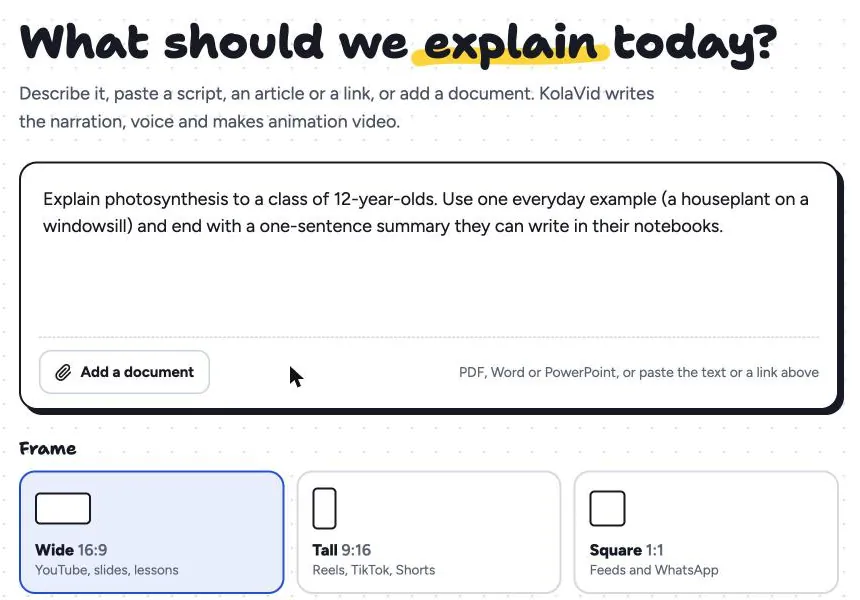
Pick a length (1, 2, 3 or 5 minutes; free videos go up to 2), a voice and a narration language. It is usually ready in a few minutes, and you can watch it being drawn.
There is no editing timeline: to change a board, change the script and make the video again. Download the MP4 or share a link. The training page has sample videos, and our guide to employee onboarding videos covers a first-week series for new hires. For writing the request itself, see the prompt to whiteboard video guide.
FAQ
What is the simplest way to explain an API?
An API is a fixed set of questions one program can ask another, and the answers it will get back. Like a waiter with a menu, it takes your request to a kitchen you never see and brings back what you ordered.
What is the difference between an API and a webhook?
With an API call, your system asks for something when it wants it. With a webhook, the other system sends you a message when an event happens, to an address you gave it in advance. Many integrations use both.
Is an API key the same as a password?
Not quite. It proves who is calling, but it belongs to an application, often has limited permissions, and can be replaced without changing anyone's password. Keep it just as secret.
How long should an API explainer video be?
Two to three minutes for one idea, such as webhooks or authentication. Separate short videos are easier to rewatch than one long one. Our guide to software tutorial videos covers when to add a screen recording.
Try it with one concept
Pick the API idea your colleagues ask about most, often webhooks, and explain it with one picture and one real example. To make it a video without recording or drawing, a free KolaVid account includes enough credits for one 2-minute video, no card needed.