Explainer Video vs Training Video: Key Differences
Explainer video or training video? How they differ in goal, audience, length, structure and call to action, with two outlines and when one video can do both.
An explainer video helps someone understand an idea, product or change quickly, usually so they take a next step such as signing up or buying. A training video teaches someone to do a specific task correctly, usually at work, so they can repeat it without help. The first is judged by whether the viewer gets it and acts; the second by whether they can do the task afterwards.
They often look alike, with the same narration and drawings and the same short length, which is why people mix them up. The difference shows in what you put in, what you leave out and how you end. Here is a side-by-side view, then each difference in turn, two outlines on the same topic, and when one video can do both jobs.
The differences at a glance
| Explainer video | Training video | |
|---|---|---|
| Goal | Understanding and interest: "I get it, and I want it" | Ability: "I can do this now" |
| Viewer | Prospects, customers, the public, new users | Staff, volunteers, students, partners |
| Viewer's mood | Curious but busy; can leave at any second | Expected to watch; wants to get it right |
| Typical length | 60 to 120 seconds | 2 to 5 minutes per task |
| Structure | Problem, solution, how it works, what you get | Why it matters, steps in order, common mistake, recap |
| Detail | Just enough to be convinced | Every step needed to do the task |
| Ending | A call to action: try, buy, book, sign up | A recap and what to do next time it happens |
| Where it lives | Website, landing page, ads, social media, sales emails | LMS, intranet, team chat, onboarding pack |
| Shelf life | Until the product or message changes | Until the procedure changes |
| Success looks like | Clicks, sign-ups, fewer "what is this?" questions | Fewer mistakes, fewer repeat questions, faster ramp-up |

Goal: understand versus do
An explainer video wants the viewer to see why something matters to them. If they finish it able to describe the idea in their own words, and curious enough to take the next step, it worked. They do not need every detail.
A training video wants a change in behaviour. The test is practical: could the viewer do the task tomorrow, in the right order, without asking someone? If not, the video failed, however good it looked. That is why training videos are built around one learning goal written as an action, such as "log a complaint and give the customer a reference number". Our guide on how to make a training video starts there.
Audience: who is watching, and why
The explainer viewer chose nothing. They scrolled past, clicked a link or landed on a page. They owe you no attention, so the first ten seconds must name a problem they recognise.
The training viewer was usually sent the video. They have a reason to watch, but they also have a job to get back to. They do not need to be won over. They need clarity, and they need to trust that what they see is how it is done here.
This changes the language. Explainers speak the customer's words ("your bike stops squeaking"), while training videos use the exact names staff see at work ("open the Service tab, choose Monthly check").
Length: one minute or one task
Explainers are short because attention is the scarce thing. Most product and service explainers run 60 to 90 seconds; a complex product might take two minutes. Narration runs at about 130 to 150 words a minute, so a 75-second explainer is roughly 170 words of script. Every sentence that does not move the viewer towards "I get it" gets cut.
Training videos are as long as one task needs, and no longer. Two to three minutes covers most single procedures. If it runs past five, it usually holds two tasks and should be split. Our piece on short vs long explainer videos goes deeper into choosing a length.
Structure: the shape of each script
Explainer structure
- The problem, in one or two sentences the viewer recognises
- The solution, named plainly
- How it works, in two to four simple steps
- What changes for the viewer, the benefit in their terms
- The call to action, one clear next step
Training structure
- Why it matters, a real situation the viewer will meet
- The steps, in order, each with the action and the reason
- The common mistake, and what to do instead
- The recap, short enough to remember
Notice that the explainer's "how it works" has two to four steps and stays simple, while the training video's steps are the whole point and must be complete.
Call to action: act now or act right next time
An explainer ends by asking for something: "Book your first service", "Start a free trial", "Reply to this email". One call to action, said and shown.
A training video ends with a recap and a pointer: "Next time a customer asks for a refund, do these four things. If it is over the limit, call the duty manager." There is nothing to buy. The action happens later, at work, and the video should make it easy to remember.
One topic, two videos: a worked example
Imagine a neighbourhood bike shop launching a monthly service plan. Customers pay a monthly fee and get a check-up every month plus priority repairs. The shop needs two videos.
The explainer, for customers (about 75 seconds)
- Problem: "Your brakes squeal, your gears slip, and you only notice on the way to work."
- Solution: "Our monthly service plan keeps your bike ready, for one small monthly fee."
- How it works: "Drop your bike in once a month. We check brakes, gears and tyres in thirty minutes. Repairs jump the queue."
- What changes: "No surprise breakdowns, and no big repair bills out of nowhere."
- Call to action: "Ask at the counter or sign up on our website today."
The training video, for shop staff (about 2.5 minutes)
Learning goal: after watching, a staff member can sign a customer up and carry out the monthly check.
- Why it matters: "Plan members come back every month. A rushed first check is how we lose them."
- Sign-up: take the customer's details, explain what is included, and book the first check.
- Check-in: tag the bike with the customer's name and the check date.
- The check: brakes, then gears, then tyre pressure and wear, then chain, in that order.
- Report back: tell the customer what you found and anything that needs a repair, with a price, before you start it.
- Common mistake: doing a repair without asking because it is "only small". Always ask first.
- Recap: sign up, tag, check in order, report, ask before repairs.
Same topic, but almost no sentence appears in both. The explainer never mentions bike tags. The training video never says "no surprise breakdowns". If you tried to make one video for both audiences, customers would sit through staff procedures and staff would sit through a sales pitch.
How to tell which one you need
Ask these questions about the person who will watch:
- Do they need to do something step by step afterwards? Training video.
- Do they first need to understand what something is or why it matters? Explainer.
- Did they choose to watch, or were they sent it? Chose: explainer. Sent: often training.
- Will you measure it by sign-ups or by fewer mistakes? Sign-ups: explainer. Mistakes: training.
- Is the viewer inside your organisation? Usually training, though internal explainers exist too (see below).
Can one video do both?
Sometimes, and it helps to know when.
Internal explainers. A new expenses policy, a reorganisation or a new tool often needs an explainer first, for staff, about why it is changing and what it means for them. That is still an explainer, just for an internal audience, and it pairs well with a short training video on the new steps.
Customer how-to videos. "How to set up your account" is a training video for customers. It teaches a task, but it lives on your help pages and should still feel friendly.
Onboarding. A first-day video that explains the company and then shows the first three tasks is half explainer, half training. It can work in one video if it is short and the switch is clear: "That is who we are. Now, here is what you will do on your first morning." For longer onboarding, a series works better. Our guide to employee onboarding videos shows how to split it.
What rarely works is one video for two audiences. Customers and staff need different words, details and endings. Make two short videos rather than one long compromise.
Making either one in KolaVid
Explainers and training videos both suit a drawn, narrated format, because each idea appears on screen as it is said. KolaVid makes that kind of whiteboard video from a typed prompt, a pasted script, a PDF, Word or PowerPoint file, or a web link. If you paste one of the outlines above as a script, it is narrated as written, with drawings made to match.
Here is a board from a sample training video made from a complaint-handling procedure. The "Take ownership" step became one board, with each part drawn as the narrator reached it.
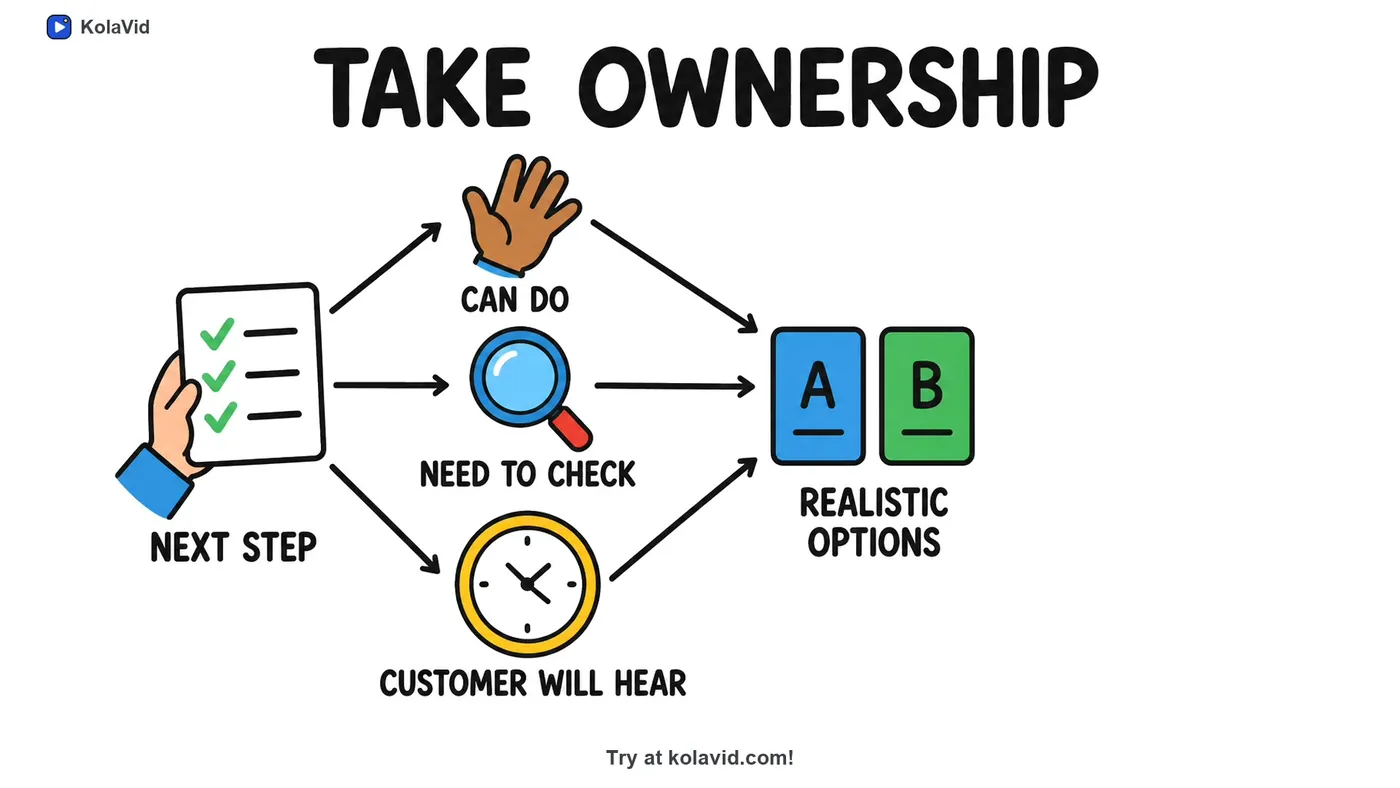
For a training video, choose a wide 16:9 frame for your LMS or a square 1:1 frame for a team chat. For an explainer, vertical 9:16 suits phones and social feeds. Videos run 1, 2, 3 or 5 minutes (free videos up to 2), and free videos carry a small KolaVid mark, which matters more on a public explainer than on an internal one. There is no editing timeline, so you change a video by editing the script and making it again. The training page and the marketing page have sample videos of each kind.
FAQ
What is an explainer video?
A short video, usually one to two minutes, that explains what a product, service or idea is and why it matters, then asks the viewer to take one next step. Explainers are often animated or drawn, with a narrator.
Is a training video the same as a tutorial?
Close. A tutorial usually teaches software or a skill to anyone who looks for it. A training video is usually made by an organisation for its own people and teaches the way that organisation does a task. Both are built around steps the viewer must be able to repeat.
How long should an explainer video be compared with a training video?
An explainer is usually 60 to 90 seconds, two minutes at most. A training video covers one task, often two to three minutes. If either runs past five minutes, it is probably trying to do two jobs.
Can I turn my explainer video into a training video?
Not by trimming it. Reuse the topic, but write a new script around one task: the steps in order, the common mistake and a recap. The explainer can then serve as the "why" that viewers watch first.