Microlearning Videos: When They Work and How to Make Them
What microlearning videos are, when short videos work and when they don't, and how to split a course into 1-3 minute videos with sequencing and reinforcement.
What counts as a microlearning video? One that teaches a single skill, idea or decision in about one to three minutes, and makes sense without watching anything else first. A set of them replaces one long course video with short pieces people can find and rewatch at the moment they need them.
Microlearning works well for task support, refreshers and reinforcement. It works badly for complex skills that need practice, feedback and a lot of connected background. The rest of this guide covers both, then shows how to split a real course into short videos, put them in order, and make them stick.
What makes a video "micro"
Length is the visible part, but a two-minute clip cut from the middle of a lecture is not microlearning. A microlearning video has four qualities:
- One objective. The viewer can do or decide one thing afterwards. "Approve a leave request" is one objective; "people management basics" is a course.
- Standalone. It does not open with "as we saw last time". Someone arriving from a search or a link understands it.
- Findable. Its title is the task or question, in the words people would type: "How to give feedback after a missed deadline", not "Module 3, Part 2".
- Short enough for the gap it fills. One to three minutes covers most single tasks. If it needs five, it may still be micro, as long as it stays on one objective.
When microlearning videos work
Short videos earn their place when the viewer has a specific need and little time.
- Just-in-time help. A shop assistant about to process their first exchange watches the 90-second video on exchanges, at the till, on their phone.
- Refreshers. A procedure people do twice a year, like the year-end stock count, is forgotten between times. A short video the week before brings it back.
- Reinforcement after a workshop. A day of training fades. A short video per key point, sent over the following weeks, brings each one back.
- Frontline and shift teams. People who do not sit at a desk can watch two minutes between tasks, but rarely forty.
- Small changes. A new form, a changed approval rule, an updated safety step. One short video beats re-issuing a whole module.
When they don't
Microlearning is not a smaller version of every course. Be honest about where it falls short.
- Skills that need practice and feedback. Difficult conversations, clinical procedures, operating machinery. A video can prepare someone, but the learning happens in practice with a person watching.
- Understanding a connected system. Explaining how a business makes money, or how a building's electrics fit together, needs one idea built on the next. Chop it into isolated clips and viewers get facts without the picture.
- Assessed or certified training. If you must prove someone completed and passed something, the videos need to sit inside a tracked course with an assessment, not float alone.
- Culture and belonging. Meeting the team, asking questions, seeing how people work. Short videos can support onboarding but do not replace the human part.
A useful test: if a learner could watch only one of your short videos and still do something useful with it, microlearning fits. If every video depends on the previous three, you have a course that should stay a course, perhaps with micro videos as follow-ups.
How to break a course into micro videos
Start with what you already have: a slide deck, a workshop outline, a manual. Then work through five steps.
1. List the actions, not the topics
Go through the material and write down every point where the learner has to *do* or *decide* something. Topics like "communication" are not actions. "Run a weekly one-to-one" is.
2. Give each action one video
Each action becomes a candidate video. Merge two only if they always happen together, at the same moment, by the same person.
3. Cut the background to what this video needs
Long courses front-load theory. In a micro video, include only the background needed for this one action, and say it in a sentence or two.
4. Write a title in the learner's words
Use the question they would ask a colleague. "What do I do when someone calls in sick?" is a good title for a short video.
5. Check what is left over
Some material will not fit any action: history, philosophy, the full policy wording. Leave it in a written document people can look up. Not everything needs to be a video.
Worked example: a half-day course for new managers
Imagine a half-day workshop for people promoted to their first team-leader role. The original deck has sections on "Your new role", "Communication", "Performance", "Admin" and "Wellbeing". Here is how it splits:
| Micro video | One objective | Length | When they need it |
|---|---|---|---|
| Your first week as a team leader | Plan three conversations to have in week one | 2 min | Day one |
| Running a 15-minute one-to-one | Use a simple three-question structure | 2 min | Week one |
| Giving feedback after a missed deadline | Describe the fact, the impact and the next step | 2 min | When it happens |
| Approving or declining a leave request | Check cover before approving, and say why if declining | 1 min | First request |
| When someone calls in sick | Record it, rearrange cover, check in on their return | 2 min | First sick call |
| Spotting someone who is struggling | Notice three signs and start a private conversation | 3 min | Within the first month |
Notice what happened to "Communication" and "Wellbeing". They did not become videos called Communication and Wellbeing. They became specific moments with specific actions. The original slides on management theory went into a reading list.
Sequencing: putting the videos in order
Short videos still need an order, even if people dip in and out.
- Order by time of need. Arrange the list in the order a new person will meet each situation, as in the table above. That is usually more useful than a logical order.
- Foundations first, only where needed. If two videos rely on the same idea, make a short video on that idea and put it first.
- Group into small playlists. Five to eight videos per playlist is easy to scan. "First month as a team leader" is a playlist; the whole management curriculum is not.
- Name and number consistently. Put the number after the title if you need one: "Running a one-to-one (2 of 6)". The title stays searchable.
- Link forward. End each video with one line saying what to watch next.
Reinforcement: making it stick
Watching once is not learning. Learning research has long found that spacing out practice over time beats cramming it into one session, and short videos make that easy to put into practice.
- Send videos over weeks, not in one go. After the workshop, send one micro video a week, each on one point from the day.
- Ask one question after each video. "What would you say first?" Even a question people answer in their heads makes them recall the point.
- Tie it to real work. "This week, use the three-question one-to-one structure with one person." A manager or coach following up matters more than a quiz score.
- Put videos where the task happens. A QR code at the till, a pinned message in the team chat, a link inside the system people use.
- Retire and replace. When a rule changes, update that one video. A small library of current videos is better than a large one with three out of date.
Making microlearning videos in KolaVid
Once you have the list of actions, each video needs a short script or a clear prompt. KolaVid turns a prompt, pasted script or document into a narrated whiteboard video, with each drawing appearing as the narrator says it and one idea on each board. That fits microlearning well, because a one- or two-minute video naturally comes out as a handful of boards on one subject.
For the manager example, you could write: "One-minute training video for new team leaders: how to approve or decline a leave request. Check cover first. If declining, explain why and offer another date. End with a one-line recap." Choose the 1-minute length and the Tall 9:16 frame for phones, or Wide 16:9 for an LMS.
Here is a frame from a short sample lesson that stays on one idea, checking a right angle:
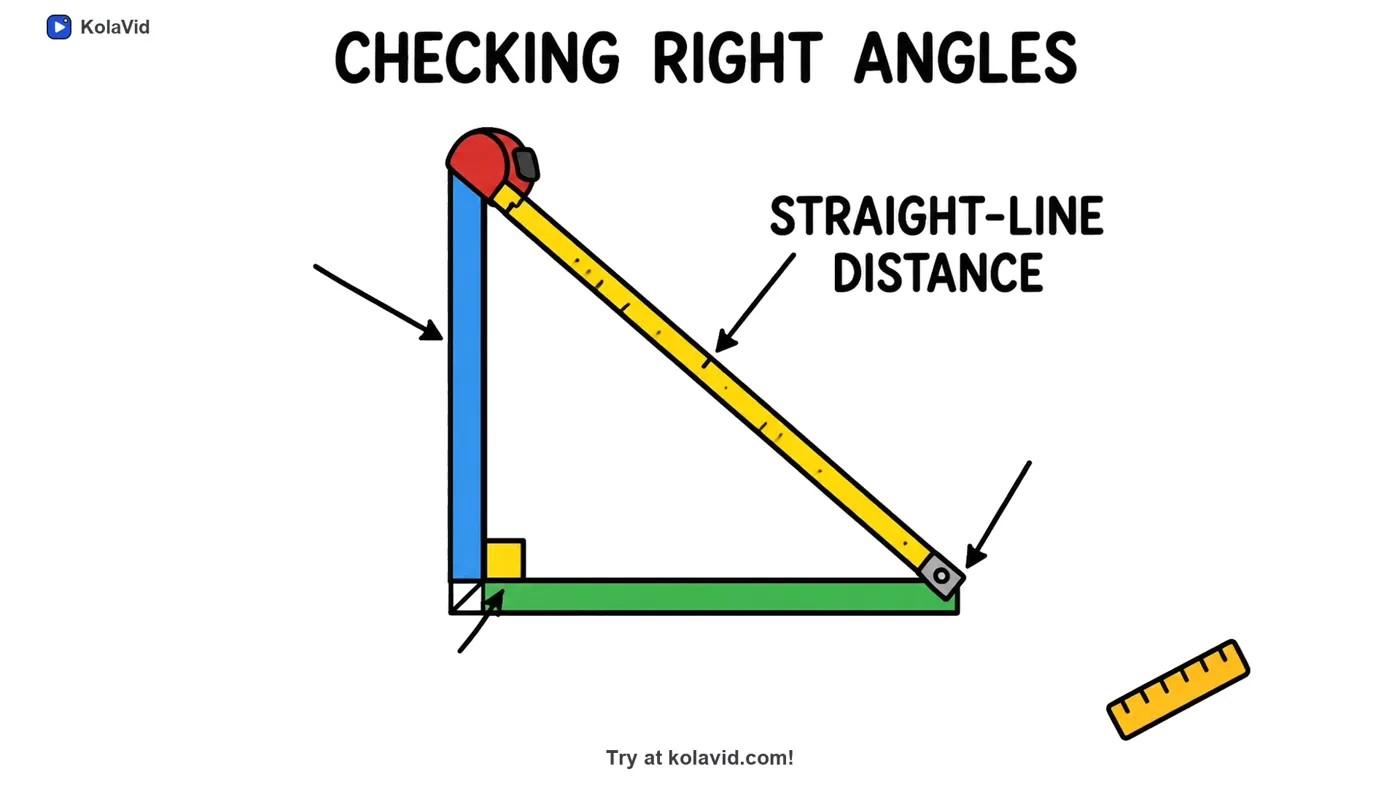
Videos are usually ready in a minute or two. A free account includes one 2-minute video, and the Starter plan's 5,000 credits cover about 83 minutes of whiteboard video, which is a lot of one- and two-minute videos. For tracked courses, paid plans export a SCORM package that your LMS marks as completed at 90% watched. The training page has more sample videos.
FAQ
How long should a microlearning video be?
Most are one to three minutes. The real rule is one objective: stop when the viewer can do the one thing the video is about. A 40-second video on a single button is fine; a three-minute video that covers three tasks is not micro.
Is microlearning just short videos?
No. A short video cut from a long lecture still depends on the rest of the lecture. Microlearning means each piece has its own objective, makes sense alone and has a title people can find. Video is one format; short quizzes and job aids are others.
Can microlearning replace a full training course?
For simple task training, often yes. For complex skills, assessed training or anything that needs practice with feedback, use micro videos alongside the course, as preparation beforehand or reinforcement afterwards.
How many microlearning videos should one course become?
As many as there are distinct actions. A half-day workshop often turns into six to ten short videos. If you end up with thirty, some are probably background that belongs in a written guide instead.
Start with one course you already run
Take one course or deck, list the actions in it, and make the first two videos for the moments new people struggle with most. Our training video script template gives you the word budget for each, and if your course lives in slides, converting a PowerPoint to a training video covers getting from deck to video. For more on length, see short vs long explainer videos.