Revision Videos: A Teacher's Plan Before Exams
Plan a series of exam revision videos: pick the topics students get wrong, one video per topic with a recap and retrieval questions, released on a schedule.
A useful set of revision videos covers only the topics your students actually get wrong, one short video per topic. Each one recaps the key idea in a minute or two, then asks questions students must answer from memory before the answers appear. Release them on a schedule in the weeks before the exam, and bring old questions back in later videos so nothing is revised only once.
That is different from recording your lessons again. A revision video is not a lesson video replayed; it assumes students have been taught the topic and gives them a fast way to find and fix the gaps. Here is the plan, step by step, with a script you can copy and a six-week schedule.
Step 1: Choose the topics from the evidence
The temptation is to make a video for every topic on the syllabus. Resist it. Students revise what feels comfortable, so a full set of videos mostly gets used on the topics they already know.
Instead, list the eight to ten topics where marks were really lost. Good sources, most of which you already have:
- The last mock or end-of-unit test, question by question. Which questions did more than a third of the class get wrong?
- Exit tickets and homework from the year, especially the topics you had to reteach.
- Examiners' reports from your exam board, where they are published, which describe the mistakes students commonly make on each paper.
- Students themselves. Give them the topic list and ask them to mark each one red, amber or green. Their reds are not always your reds, and the difference is worth knowing.
Put the topics in order of how many marks they cost. The top of that list is your series.
Step 2: One video per topic
Each video should cover one topic, and ideally one difficulty within that topic. "Osmosis" is a good revision video. "Cells and transport" is a unit and will run too long.
One topic per video also makes the series easy to use. A student who got the osmosis question wrong in a practice paper can find the osmosis video by name and watch only that. Give each video a plain title that matches the topic list students have: "Topic 3: Osmosis", not "Revision video 3".
Keep each one short. Two to four minutes is enough for a recap and a handful of questions. Our article on short versus long explainer videos explains why shorter tends to get watched to the end.
Step 3: Use the recap-then-questions structure
Every video in the series follows the same shape, so students know what to expect and can skip straight to the questions when they are testing themselves.
- The one thing to remember (one or two sentences). The core idea, stated as simply as you can.
- The key example or fact (about a minute). One worked example, diagram or case.
- The trap (30 seconds). The mistake students made on the last test, and the correct version.
- Pause and answer (three to five questions). Students pause the video and write their answers down.
- Answers (said and shown, one at a time).
- One line to take away.
Here is a script for a biology revision video on osmosis, ages 15 to 16:
The one thing: Osmosis is the movement of water across a partially permeable membrane, from a dilute solution to a more concentrated one.
>
The example: Put a potato chip in strong sugar solution. The solution outside is more concentrated than the cell sap inside, so water moves out of the cells. The chip loses mass and goes soft.
>
The trap: Osmosis is about water moving, not the sugar. Answers that say "the sugar moves into the potato" lose the mark.
>
Pause and answer: 1. What moves during osmosis? 2. A potato chip is put in pure water. Does it gain or lose mass? 3. Why does a plant cell in pure water not burst?
>
Answers: 1. Water. 2. It gains mass, because water moves in from the more dilute solution outside. 3. The cell wall stops it from bursting.
>
Take away: Water moves, towards the more concentrated side.
Step 4: Write retrieval questions, not reading questions
The questions are the most important part of each video. Recalling something from memory strengthens it far more than reading it again, which is why the video asks before it tells.
Good retrieval questions for revision videos:
- Need an answer from memory, not one that is still on screen.
- Mix the types: one quick recall question ("What moves in osmosis?"), one application question ("A chip in pure water: gain or lose mass?") and one "explain why" question.
- Match the exam's wording, so the command words students meet in the video are the ones they will meet on the paper.
- Can be marked by the student from a short answer said at the end.
Tell students exactly what to do: pause, write the answer on paper, then play. Answering in their heads feels like knowing, but writing shows them whether they actually do.
Step 5: Release on a schedule, and bring old questions back
Releasing the whole series at once tends to produce a burst of watching in the first week and very little after. A schedule spreads the revision out, and spacing practice over weeks helps students remember it for longer than cramming does.
A six-week plan for an eight-topic series, two videos a week:
| Week | New videos | Questions brought back |
|---|---|---|
| 1 | Topics 1 and 2 | None |
| 2 | Topics 3 and 4 | One question from topic 1 |
| 3 | Topics 5 and 6 | One question each from topics 2 and 3 |
| 4 | Topics 7 and 8 | One question each from topics 1, 4 and 5 |
| 5 | Mixed questions video A (topics 1 to 4) | All earlier topics, in exam format |
| 6 | Mixed questions video B (topics 5 to 8) | All earlier topics, in exam format |
The "questions brought back" go at the end of each new video, after its own questions. Students meet each old topic again a week or two after they first revised it, which is when they have started to forget it.
Finish the last week a few days before the exam, so the final days are for past papers, not new material.
How students should use the series
Students need to know that watching is not revising. Give them three rules with the first video:
- Pause and write every answer before you see it.
- Mark your answers. Write the topic name on anything you got wrong.
- Rewatch only those topics, a few days later, and try the questions again.
A quick check in class each week helps too: put one question from that week's videos on the board at the start of a lesson, and see who can answer it.
Making revision videos with KolaVid
If you plan to make eight or ten of these, KolaVid can save most of the production time. Paste a script like the osmosis one, or type a prompt such as "Revision video for 15 and 16 year olds on osmosis: one key idea, the potato chip example, the common mistake, three pause-and-answer questions with answers, a one-line takeaway. 3 minutes." You can also upload the topic's revision sheet as a PDF or Word file. KolaVid produces a narrated whiteboard video in which each drawing appears as the narrator says it, one idea on each board.
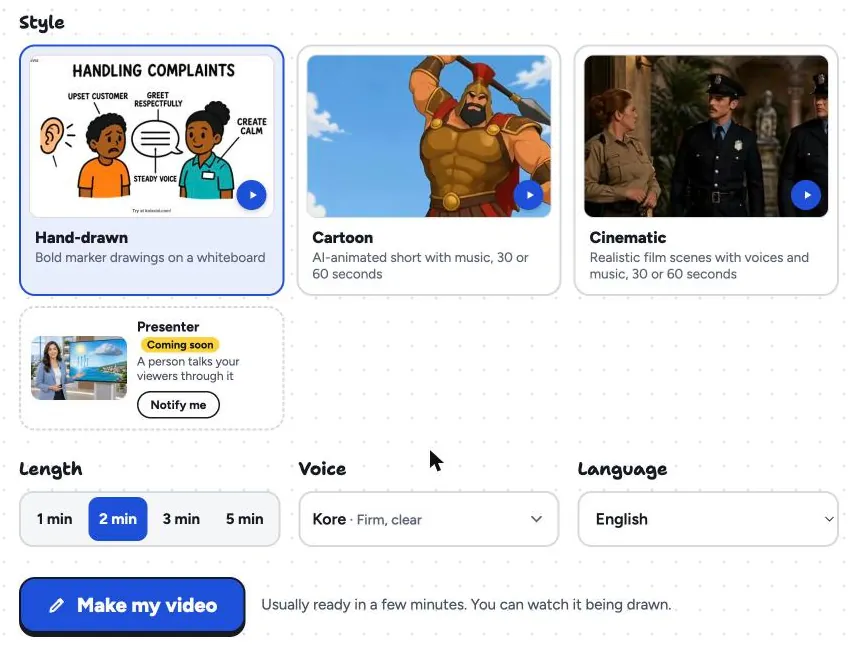
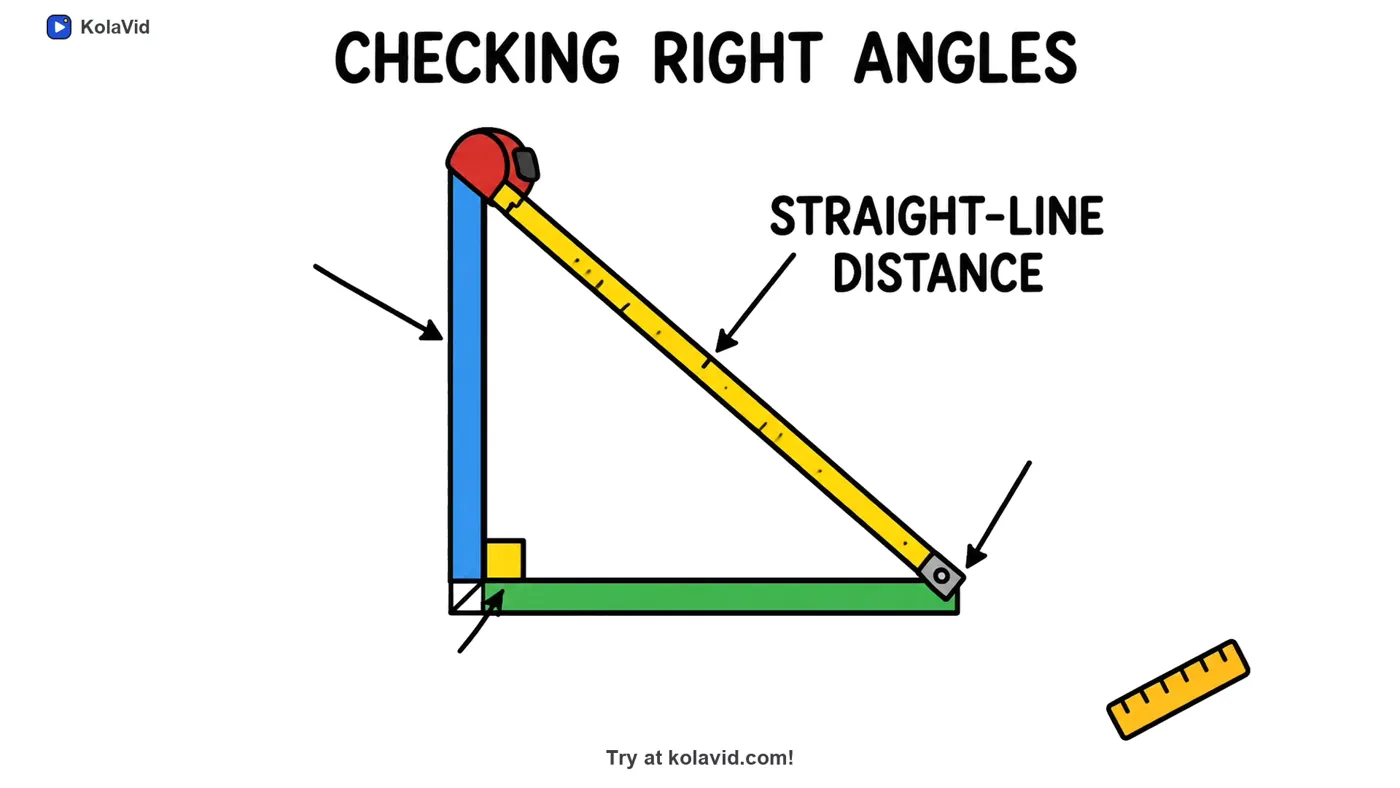
Choose the length, a voice and the narration language, then make it. It is usually ready in a minute or two. A maths topic works the same way; here is a frame from a sample video on the Pythagorean theorem, on checking right angles.
Whiteboard video costs one credit a second. A series of eight 2-minute videos uses 960 credits, which fits within the Starter plan's 5,000 credits a month; a free account covers one 2-minute video to try the format first. There is no editing timeline, so to change a question you edit the script and make the video again, and the pause-and-answer questions are part of the narration, so students mark their own answers. Download the MP4s for your learning platform or share links. More sample lessons are on the teachers page, and students who want to make their own study videos from notes can use the students page.
FAQ
How many revision videos should I make?
Eight to ten for a subject is a manageable series, chosen from the topics that lost the most marks. More than that and students struggle to pick where to start.
How long should an exam revision video be?
Two to four minutes: a short recap and three to five questions. If a topic needs more, split it into two videos, each on one difficulty.
Should the answers be in the video?
Yes, but after a clear pause, so students commit to an answer first. Saying "pause now and write your answers" out loud makes the pause harder to skip.
Can I reuse the series next year?
Mostly, yes. Check the topic list against the new class's test results first, and remake the videos whose topics are no longer the weak spots. For more video formats you can reuse across the year, see our list of educational video ideas for teachers, and for method-heavy subjects, the guide to math lesson videos with one worked example.