How to Make Whiteboard Animation Without Drawing
Three ways to make whiteboard animation without drawing: a whiteboard animation maker with templates, a freelancer, or AI. What to check before you pay.
You can make whiteboard animation without drawing anything yourself. There are three ways: build it in a whiteboard animation maker that has a library of ready drawings, hire a freelance illustrator or animator, or let an AI tool draw and narrate the whole video from your text. The right one depends on how much control you want, your budget and how many videos you need.
Whichever you pick, the part you cannot hand off is the script. A clear 250-word script makes a clear two-minute video in any of the three routes. Below, each route with its real costs in time and money, a checklist for before you pay, and a short walkthrough with a script you can copy.

Route 1: A whiteboard animation maker with templates
Whiteboard animation software gives you a canvas, a library of ready drawings and a timeline. You pick an image, such as a light bulb, a factory or a person at a desk, and place it on the board. The software then traces it as if a hand were drawing it. You set how long each drawing takes, add text, record your voice or choose a text-to-speech voice, and line up the timing.
VideoScribe and Doodly are built this way, and general editors such as Powtoon and Animaker include whiteboard templates. Some now add AI help for scripts, images or a first draft, but you still assemble and time the scenes.
In practice:
- Write the script and record or generate the voice.
- Split the script into scenes, one idea each.
- For each scene, search the library for drawings that match the words.
- Place them, resize them, and set each drawing's duration.
- Drag the timing until each drawing lands on its word.
- Add music, preview, fix, export.
Good for: people who want to decide every picture, need to edit the same video for months, or work with brand images that must be exact.
Watch out for: time. Matching drawings to words by hand is where the hours go; a three-minute video can take an afternoon or longer while you learn the tool. Libraries also have gaps. If your topic is specific, say a dental procedure or a step in your warehouse, you may not find a drawing that fits. Our VideoScribe alternatives comparison lists these tools with prices checked on their own sites.
Route 2: Hiring a freelancer
A freelance whiteboard animator or small studio makes the video for you, drawing in their own style or using the same software as route 1 with years of practice.
Pricing is almost always quote-based. Most quote per finished minute or per project, and the price moves with:
- Who writes the script. Script writing is often an extra.
- Voice. A professional voice actor costs more than the animator recording it or a synthetic voice.
- Custom drawings. Drawings made for you cost more than library drawings.
- Revisions. Most quotes include a set number of revision rounds; extra rounds cost more.
- Turnaround. Rush jobs cost more. A few weeks is common for a custom piece.
Good for: a flagship video you will use for years, such as a homepage explainer or a brand story, where a personal style is worth paying for.
Watch out for: the brief. Most disappointing freelance videos come from a vague brief, not a bad animator. Changes after drawing has started are slow and often billed. And you depend on that person for every future update.
A brief you can copy
Send this to two or three freelancers and compare their quotes on the same terms:
Video: whiteboard explainer, about 90 seconds, landscape 16:9.
Audience: small-business owners who have never heard of us.
Goal: after watching, they understand what the service does and visit the pricing page.
Script: attached, final, 210 words. (Or: please write it from the notes attached.)
Voice: female, warm, neutral accent. Quote with and without a professional voice actor.
Style: black marker on white, one accent colour, few drawings per scene, labels only for key words.
Deliverables: MP4 at 1080p, plus a square 1:1 version.
Revisions: please state how many rounds are included and the cost of extra rounds.
Rights: we need full commercial use, including ads. Please confirm the music and voice licences.
Deadline: please state your usual turnaround.
Route 3: AI generation
An AI whiteboard video maker starts from text. You type a topic, paste a script or upload a document, and it writes or uses the narration, decides what to draw for each idea, draws it, records the voice and times every drawing to the spoken words. You get a finished video in minutes rather than hours or weeks.
Tools differ in what comes after. Some open the AI draft in an editor so you can change scenes by hand. Others have no editor: to change the video, you change the prompt or script and generate it again.
Good for: teachers, trainers and small teams who need many videos, often, on specific topics, and who would rather spend their time on the explanation than on placing drawings.
Watch out for: the input. A vague one-line prompt gives a generic video. A prompt that names the audience, one example and how to end, or better, your own script, gives a sharp one. Our guide to prompt writing for whiteboard videos has examples.
The three routes side by side
| Template maker | Freelancer | AI generation | |
|---|---|---|---|
| Your time per 2-minute video | Hours, more while you learn | An hour or two on the brief and feedback | Minutes on the prompt or script |
| Cost | Monthly or yearly subscription | Quote per project or per minute | Subscription or credits; often a free tier |
| Control over each drawing | Full | Through feedback rounds | Through the prompt or script, plus an editor in some tools |
| Custom topics | Limited by the library | Anything the artist can draw | Drawn to match your words |
| Updating later | Edit the project | Ask (and pay) the freelancer | Edit the script and make it again |
| Best for | Hands-on creators, exact brand images | One flagship video | Many videos, often |
What to check before you pay
Whatever route you take, check these before money changes hands. For tools, most answers are on the pricing page; for freelancers, put them in the brief.
- Watermark. Free plans and trials often add one. Find out exactly which plan removes it.
- Downloads per month. Some plans cap exports. Work out the cost per finished video, not just the monthly fee.
- Maximum length. Plans often limit video length. Check against your longest script.
- Voice and languages. Can you upload your own voice? Which synthetic voices and languages are included, and do they cost extra?
- Frames. Do you need landscape 16:9, vertical 9:16 for phones, or square 1:1? Some tools do only one.
- Commercial rights. Can you use the video in ads, on a client's site, or in a paid course? Check the music, images and voice licences too.
- Editing after export. Can you fix one word without remaking the video? If not, how quick is a remake?
- Cancellation and refunds. Monthly or yearly billing, and what happens to your videos if you cancel.
- A real test. Use a free plan, trial or a paid one-off on your own script, not the demo topic.
A short walkthrough: a 75-second video without drawing a line
Here is the whole process for one video. It works with any route; the tool-specific step uses KolaVid as the example.
Step 1: Pick one question
"How does a heat pump heat a house?" One question, one video. Not "everything about home heating".
Step 2: Write the script
At roughly 130 to 150 spoken words a minute, 75 seconds is about 170 words. A script you can copy and adapt:
A heat pump heats your home by moving heat, not by making it. Even on a cold day, outside air holds some heat. The heat pump's outdoor unit pulls that heat in, using a cold liquid called a refrigerant. The refrigerant soaks up the heat and turns into a gas. A compressor squeezes the gas, and squeezing it makes it much hotter. That hot gas flows indoors, where it warms water for your radiators or air for your vents. As it gives up its heat, it cools back into a liquid and flows outside to start again. Think of a fridge working in reverse: a fridge moves heat out of the box and into your kitchen, and a heat pump moves heat out of the garden and into your home. Because it moves heat instead of burning fuel, it can deliver more heat than the electricity it uses. So, in one line: a heat pump collects heat from outside, concentrates it, and carries it indoors.
Notice the shape: the answer first, the steps in order, one familiar comparison (the fridge), and a one-line recap. Each sentence names something that can be drawn: the outdoor unit, the gas, the compressor, the radiator, the fridge.
Step 3: Make it in KolaVid
Paste the script into KolaVid's text box. You can also upload a PDF, Word or PowerPoint file, add a web link, or simply type a topic and let it write the narration. When you paste a script, it is narrated as written, and the drawings are made to match the words.
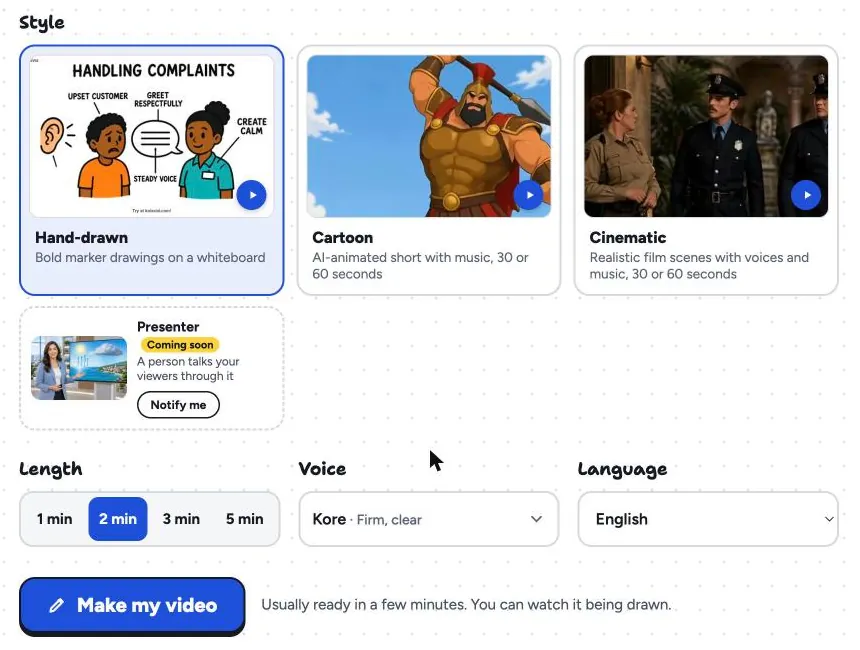
Then choose the frame (wide 16:9, tall 9:16 or square 1:1), the Hand-drawn style, the length, a voice and the narration language.
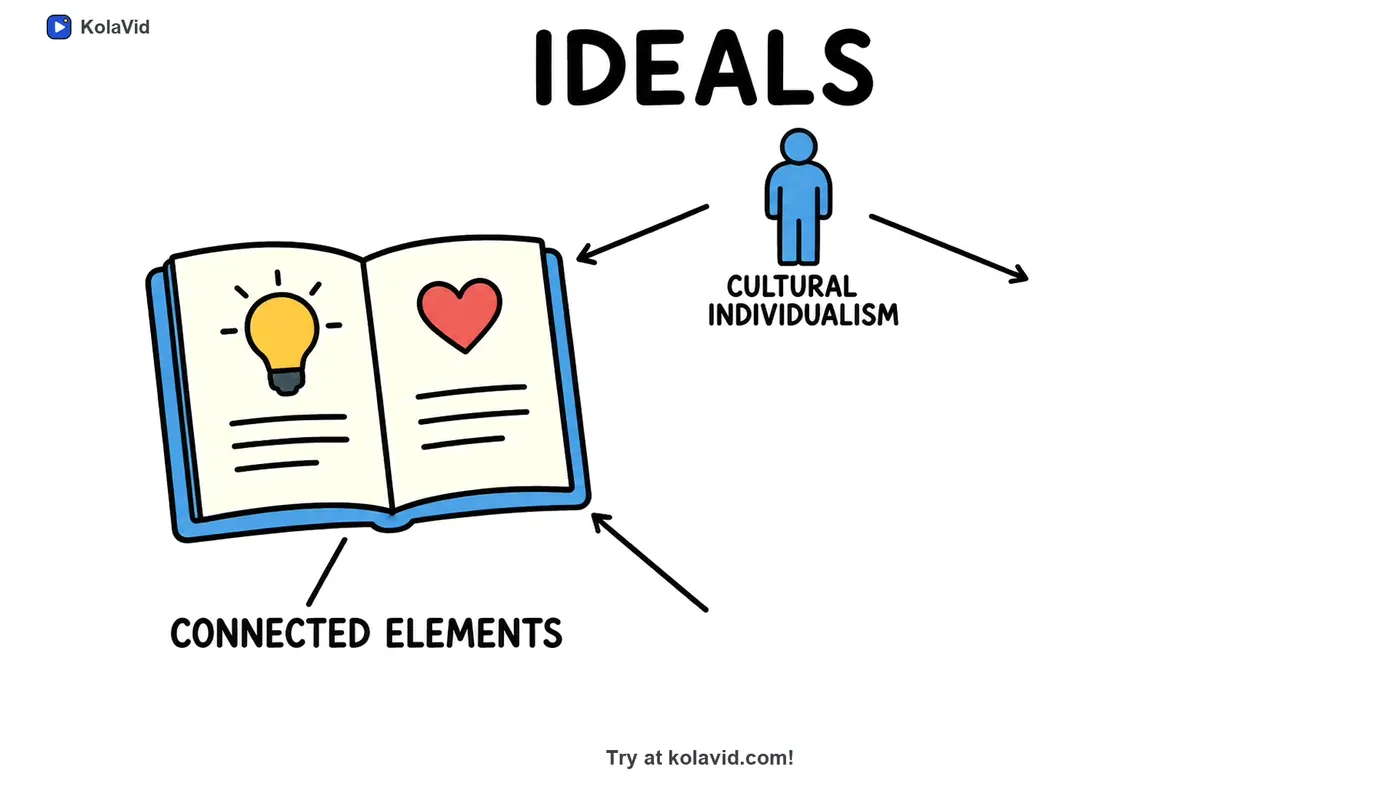
The video is usually ready in a minute or two, and you can watch it being drawn. Each drawing appears as the narrator says it, with one idea on each board. Here is a board from a sample video made from an uploaded research paper, caught mid-reveal: the book and the figure are drawn, and the next drawing is about to arrive at the end of the empty arrow.
Step 4: Watch it, then download
Play it once without reading the script. Does each drawing arrive with its word? Would someone who has never seen a heat pump follow the fridge comparison? If not, fix the script and make it again; there is no editing timeline in KolaVid, so the script is where changes happen. Then download the MP4 or share a link. A free account makes one 2-minute video without a card, with a small KolaVid mark; paid plans go up to 5 minutes. You can try it from the AI whiteboard video maker page.
FAQ
What is the easiest whiteboard animation maker for beginners?
For someone who has never animated, an AI generator is the easiest start, because you only write text. If you want to place drawings yourself, pick a template tool with a free trial and try it on a short script first. If you are new to the style itself, our explainer on what whiteboard animation is covers the basics.
Can I use my own voice instead of a computer voice?
In most template tools and with most freelancers, yes: you record or upload your voice. AI generators vary; many use synthetic voices only, so check before you choose if your own voice matters.
How long does it take to make a whiteboard video without drawing?
With a template tool, expect a few hours for a two-minute video once you know the software. A freelancer usually needs days to weeks, depending on their queue and revisions. An AI generator takes minutes once the script is ready.
Do I need to write a script to make a whiteboard video?
It helps a lot. Some AI tools can write the narration from a topic or a document, but a script you have checked is the surest way to get the explanation you want. See our guide to turning a script into a whiteboard video.