Multilingual Training Videos: Subtitles or Dubbing?
How to make training videos in multiple languages: subtitles vs dubbing vs separate versions, a script that translates well, native review and version control.
There are three ways to make training videos in multiple languages: add subtitles to one video, dub the narration into each language, or make a separate narrated version per language. Subtitles are quickest, dubbing keeps one set of visuals with a new voice, and separate versions take the most work but suit frontline staff best. Whichever you choose, the result depends on a source script written to translate cleanly and a native speaker checking every version.
This guide covers how to choose between the three, how to write a script that survives translation, what a native-speaker review should look for, and how to stop your language versions drifting apart when the procedure changes.
Subtitles, dubbing or separate versions
Each option fits a different situation. Most teams end up using more than one.
| Option | How it works | Fits | Watch out for |
|---|---|---|---|
| Subtitles | One video, with translated text files or text burned into the picture | Office staff, policies, viewers who read comfortably; videos watched with the sound off | Viewers read instead of watching the steps; hard on a small phone screen; no help for people who read slowly in that language |
| Dubbing | The same visuals, with the narration replaced in each language | Drawn explainers and screen recordings, where nobody's lips need to match | On-screen words stay in the original language unless you change them too; timing shifts when one language runs longer |
| Separate narrated versions | Each language is its own video, made from its own reviewed script | Frontline and safety training, staff who learn best by listening, any video with words on screen | More files to manage and keep in step; every change has to be made in every language |
A quick way to decide:
- If the video is mostly a person talking to camera, subtitles are usually the practical choice. Dubbing a filmed face looks odd unless the lips are re-synced.
- If the video is drawn or a screen recording, dubbing or separate versions work well, because there are no lips to match.
- If people will watch on phones, on a break, and must act on what they hear, make separate narrated versions. Listening in your first language is easier than reading subtitles in a second one.
Separate versions also fix the problem dubbing leaves behind: labels and headings on screen. A Spanish narration over a board that says "Report it to your shift lead" in English is confusing. A version made from the Spanish script has Spanish words on screen as well.
Decide which languages, and in what order
Ask staff which language they would rather learn work procedures in. Do not guess from where people were born: many people are more comfortable with work vocabulary in the language they learned the job in.
Then order the work by risk, the same way you would order any training library. Safety procedures and anything with legal or customer consequences come first. Our guide to training videos for employees has a simple priority list for that step. A ten-video library in three languages is thirty videos, so a short list matters even more here.
Write a source script that translates well
Most translation problems start in the source script. Before anything is translated, edit the English version with these rules.
Short sentences, one instruction each. "Check the guard is closed, then press start" translates more reliably than a long sentence with three clauses and an exception.
One name for each thing. If the script says "shift lead" in one line, "supervisor" in the next and "team leader" later, the translator may use three different words and the viewer will think there are three people. Pick one term and keep it.
No idioms, jokes or sports talk. "Touch base", "drop the ball" and "ballpark figure" either vanish or turn strange in translation. Say the plain meaning instead.
Numbers and units written out clearly. "Lift no more than 25 kg" is safer than "don't lift anything too heavy". Note the units your sites actually use.
Examples that travel. A local holiday, sport or brand that only one country knows will need replacing. Use examples from the workplace itself: the loading bay, the till, the patient's bed.
Here is the difference in practice:
Before: "If you spot something dodgy on the line, don't sit on it. Give your lead a heads-up ASAP so we can nip it in the bud."
>
After: "If you see a problem on the line, tell your shift lead straight away. Then we can fix it before anyone is hurt."
The second version is shorter, has one term for the person, and has no phrase that needs explaining. For a full template to start from, see our training video script template.
Build a short glossary first
Before translating the scripts, agree on how the key terms will be said in each language. Ten to twenty terms are usually enough. Your reviewers may prefer different words from the ones below; what matters is that one word is chosen and used every time.
| English term | Spanish (example) | Portuguese, Brazil (example) |
|---|---|---|
| near miss | cuasi accidente | quase acidente |
| shift lead | líder de turno | líder de turno |
| assembly point | punto de reunión | ponto de encontro |
| report (verb) | reportar | relatar |
| protective gloves | guantes de protección | luvas de proteção |
Give the glossary to every translator and reviewer, and keep it with the master scripts.
Translation and native-speaker review
Machine translation is a reasonable first draft. It is not a finished script, especially for safety content. Have each language checked by a fluent speaker who also knows the work: a bilingual supervisor is often better than an outside translator who has never seen the site.
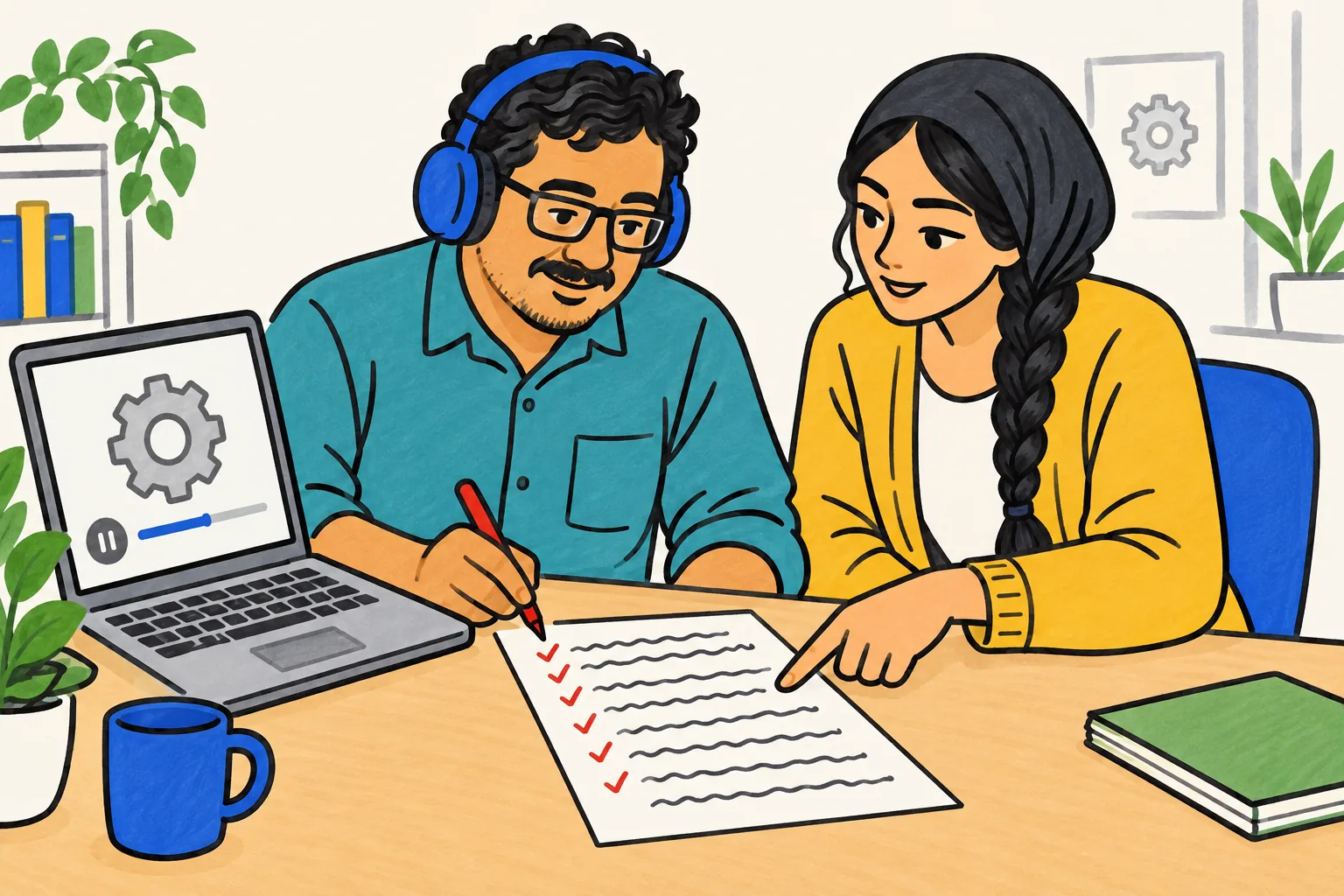
Ask the reviewer to check two things: the written script, then the finished video. In the script:
- Accuracy. Does every step mean exactly what the English says? Check every number.
- Glossary terms. Is each key term the agreed one, every time?
- Tone. Is the level of formality right for your staff? Spanish and Portuguese, for example, have more and less formal ways of saying "you", and the wrong choice can sound cold or too casual.
In the finished video:
- Pronunciation. Are product names, place names and people's names said correctly?
- Pace. Is it comfortable to follow in one viewing?
- On-screen words. Do they match what the narrator says, in the same language?
Expect each version to run a little longer or shorter than the English. Our voiceover guide covers pacing and timing in more detail.
Keep every language version in sync
This is where multilingual training usually breaks down. The English video gets updated, and the other languages quietly fall behind. A few habits prevent it:
- One master script. The source language is the only one anyone edits first. Every other language is updated from it.
- A version number on every script and file. For example: "Near miss reporting, ES, v3". The video file name carries the same number.
- A tracker with one row per video and one column per language. Each cell holds the version that is live. If the English is on v3 and Portuguese is on v2, you can see it at a glance.
- Update all languages in the same week. When a procedure changes, the change is not finished until every version is done. If one language has to wait, take the old version down rather than leave it running with wrong steps.
- Keep a change log. One line per change: what changed, why, and which versions were updated.
Short, single-task videos make this far easier. Changing one step in a two-minute video in four languages is a morning's work. Changing a 20-minute induction in four languages is a project.
Worked example: one safety video in three languages
Imagine a food warehouse with staff who speak English, Spanish and Brazilian Portuguese. The first video is "Reporting a near miss".
- Write the English script with the rules above. About 270 words for two minutes.
- Agree the glossary: near miss, shift lead, report, the name of the reporting form.
- Translate each script, using machine translation as a draft if you like.
- Review with a bilingual shift lead for each language, against the checklist.
- Make three narrated versions, one per language, so the narration and the words on screen match.
- Name and track them: "Near miss reporting, EN/ES/PT, v1", one row in the tracker.
- Publish each in the right team chat, or pin all three with the language in the title.
When the reporting form changes six months later, you edit the English script, update the two translations from it, have them checked, and remake three short videos. If you train store teams, our article on retail staff training videos suggests which short videos to build first.
Narrated language versions in KolaVid
KolaVid fits the "separate narrated versions" option. You paste a script, or upload a document, and it makes a narrated whiteboard video in the narration language you choose; the list includes Spanish, Portuguese and many other languages. Each drawing appears as the narrator says it.
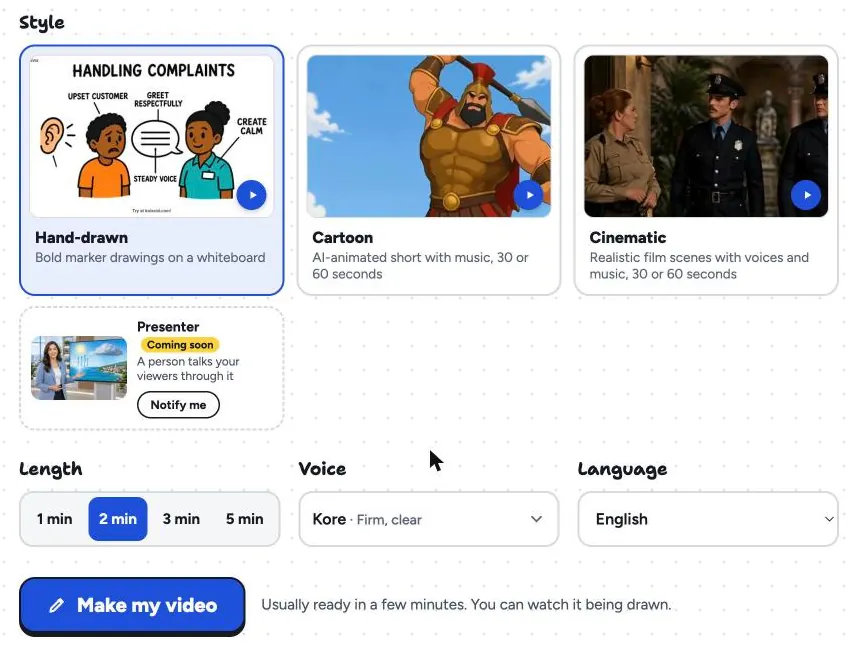
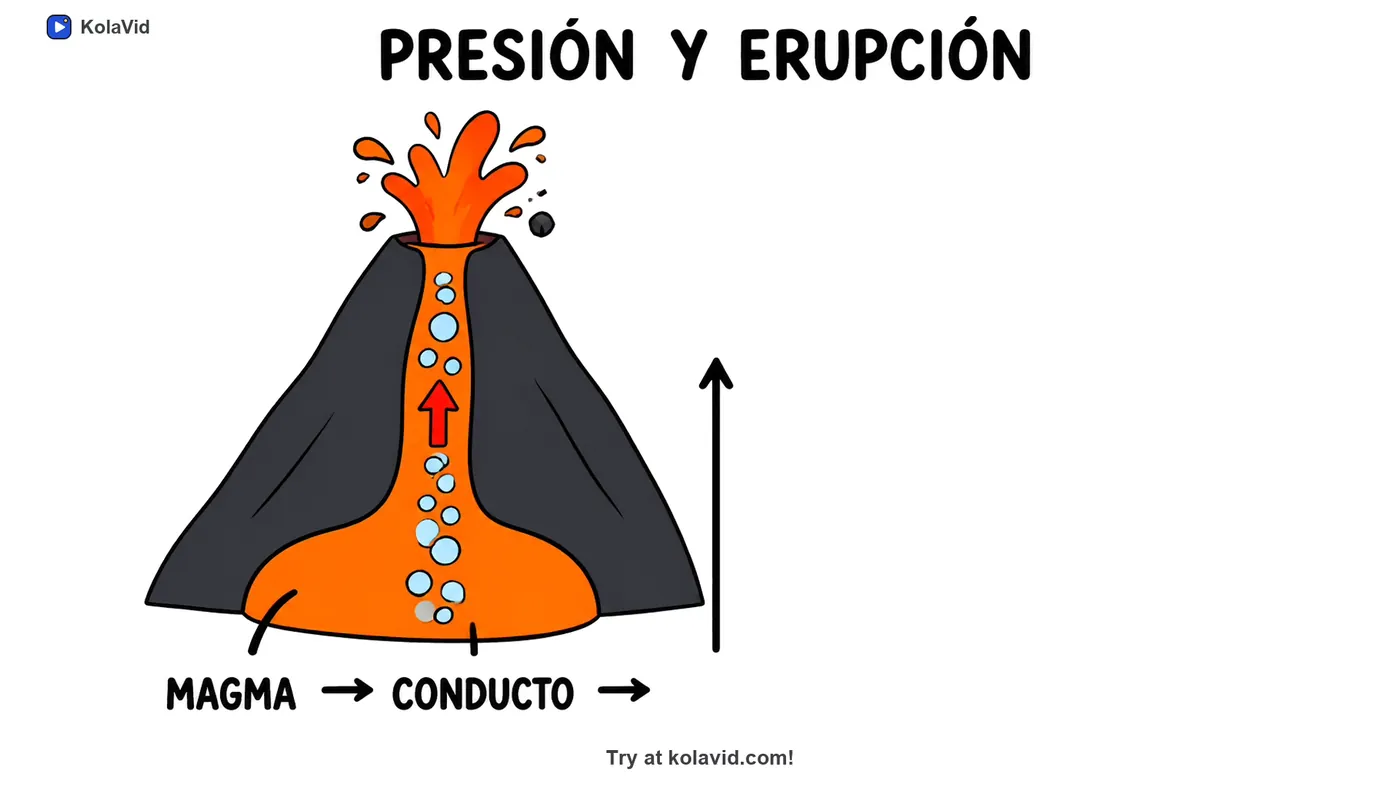
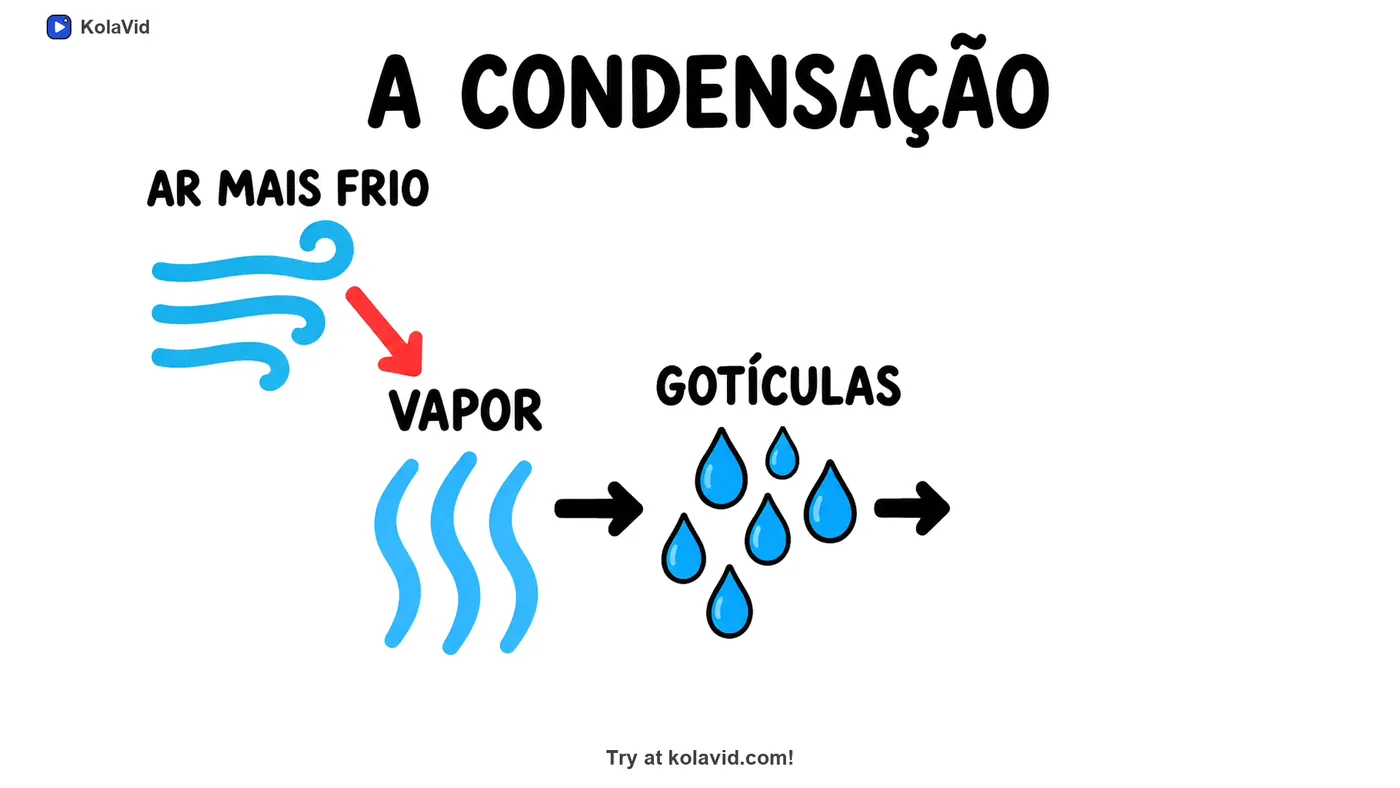
For each version, paste the reviewed script in that language and pick the matching narration language. The words on the board come out in the language of the narration, as in these frames from Spanish and Portuguese sample lessons:
Two honest limits. The KolaVid interface is in English, so the person making the videos needs to be comfortable with English menus, even when the video is in another language. Each language version does get captions in its own narration language, which download as .srt or .vtt or burned into the MP4. And each language is its own video: at 1 credit a second, a 2-minute video in three languages uses 360 credits. The free account's 120 credits cover one 2-minute video to try it, and Starter's 5,000 credits a month cover about 83 minutes. The training page has sample videos.
FAQ
Should training videos be subtitled or dubbed?
Subtitle videos of people talking to camera, and for viewers who read comfortably. Dub or make separate narrated versions when staff will listen on a phone while working, or when the video has words on screen that also need translating.
Can I use machine translation for training videos?
As a first draft, yes. Every version still needs a fluent speaker who knows the work to check accuracy, terms and tone, and safety content needs that check before anyone watches it.
How do I keep translated training videos up to date?
Keep one master script, give every file a version number, track which version is live in each language, and update all languages in the same week. If one language cannot be updated yet, take the old version down.
Which languages should we translate into first?
Ask staff which language they prefer to learn procedures in, then start with the largest groups and the highest-risk videos, usually safety and anything with legal consequences.
Start with one video in two languages
Pick one short safety or procedure video, clean up the English script, agree five glossary terms, and have one bilingual colleague review a second version. Once that loop works, adding a third language is routine.