Retail Training Videos: A Starter Set for Staff
Retail training videos for store staff: what to cover (till, returns, greeting, stock), a phone-first format, a seasonal temp pack and a returns outline.
Good retail training videos are short, one task each, and made to be watched on a phone in the staff room before a shift. Start with what a new starter needs on their first day: greeting customers, ringing up a sale, handling a return, and where stock lives. Then add the tasks that change with the season, so temporary staff can get up to speed without a manager standing beside them all day.
This guide covers what to include, a phone-first format, a starter set of twelve videos, a pack for seasonal temps, and a worked outline for a returns video you can adapt.
Why retail training needs its own approach
Three things make store training different from office training.
Shifts break up group sessions. A Saturday-only assistant never meets the Tuesday trainer. A video gives every shift the same explanation.
People learn on the floor, between customers. A new starter does not need the whole returns policy at nine in the morning. They need it at two in the afternoon, when someone puts a jumper on the counter without a receipt.
The work changes with the calendar. Promotions, gift receipts, extended return windows and click-and-collect peaks come and go. Videos for those need a start date and an end date, which most training libraries never plan for.
If you are building training for a wider business, not only stores, our guide to training videos for employees covers how to prioritise topics across any team. This article stays on the shop floor.
What retail training videos should cover
Most store tasks fall into six groups. Here is what each group usually needs, and the format that suits it.
| Area | Typical videos | Best format |
|---|---|---|
| Greeting and helping | Approaching a browsing customer, answering "do you have this in my size?", handing over to a colleague | Drawn scenario or filmed role-play |
| The till | A standard sale, applying a discount, voiding an item, a declined card, a gift receipt | Phone footage of your own till, plus a drawn explainer for the rules |
| Returns and exchanges | With a receipt, without one, faulty items, when to call a supervisor | Drawn explainer (it is mostly decisions) |
| Stock | Receiving a delivery, rotating stock, refilling a shelf, finding an item in the stockroom | Filmed walk-through of your stockroom |
| Security and age checks | Checking ID, what to do if you suspect theft (and what not to do) | Drawn scenario |
| Opening and closing | Opening routine, cashing up, closing checks | Filmed, step by step |
A useful rule: film anything that depends on your exact till screen or your stockroom layout, and draw anything that is a decision or a reason. "Which button voids an item" is a filming job. "When can I refund without a receipt" is a drawing job, because the answer is a set of choices, and footage of a person standing at a till does not show choices.

Make them for phones first
Your staff will watch these on a phone, often their own. Plan for that from the start.
- Vertical frame. A 9:16 video fills a phone screen without turning it sideways.
- One to two minutes. Long enough for one task, short enough to watch on a break.
- Watch with sound, somewhere quiet. A shop floor is noisy. Point staff to the staff room and a pair of headphones, and keep the steps simple enough that one viewing is enough.
- Titles in the staff's own words. "Refund without a receipt" is what someone types into the group chat search. "Returns Policy RT-03" is not.
- Easy to reach. Pin the videos in the staff group chat, add a printed QR code in the staff room and next to the till, and keep a list in the shift handover folder.
Two practical points to settle with whoever manages your staff. If people watch on their own phones, treat it as paid working time. And never film customers for training videos; use staff playing the customer, or a drawing.
A starter set of twelve videos
You do not need fifty videos. Twelve, grouped by when staff need them, will cover most of what a new starter asks in their first fortnight.
First shift (watch before or at the start of day one)
- Welcome: where things are, who to ask, where to put your bag
- Greeting a customer and offering help
- Ringing up a standard sale
- Where to go and what to do if the fire alarm sounds
First week
- Handling a return with a receipt
- Handling a return without a receipt
- Applying a discount or a staff code
- A declined card, calmly
- Receiving a delivery and checking it against the note
- Checking ID for age-restricted items
When you start closing shifts
- Closing the till and cashing up
- The closing checklist
Safety content such as lifting boxes or using the stockroom ladder deserves its own care and review; our guide to safety training videos covers how to make those properly.
A day-one pack for seasonal temps
Seasonal staff start in a rush, often all in the same week, at the busiest time of year. They may only be with you for six weeks, so a full induction is out of proportion.
Give them a smaller pack of four videos:
- Welcome and where things are
- Ringing up a sale (including gift receipts if you offer them)
- Returns, the short version: what you can do yourself and when to call a supervisor
- This season's promotions and how they show at the till
The fourth video is the one that changes every year. Give it a clear end date, and delete or replace it when the promotion finishes. A temp who watches last year's offer video will apply last year's offer.
Pair the pack with a named buddy on the floor for the questions videos cannot answer.
Worked example: handling a return without a receipt
This is the video most new starters need and most stores explain badly, because the policy reads like a contract. Here is how to turn it into a short drawn explainer. Use your own store's rules; the policy below is only an example.
Example policy: Returns without a receipt are accepted within 28 days if the item is unused and we sell it. The refund is given as store credit at the current selling price. Faulty items go to a supervisor. Anything over a set value needs a supervisor's approval.
Learning goal: after watching, a new assistant can decide whether to accept a no-receipt return, process it as store credit, and know when to call a supervisor.
Format: a 90-second drawn explainer in a 9:16 frame, about 200 to 220 words of narration.
Outline you can copy:
- The moment. A customer puts an item on the counter and says they have lost the receipt. You can help, and here is how to decide.
- First question: do we sell this? Check the label or scan it. If we do not sell it, we cannot take it back. Say so kindly.
- Second question: is it unused? Tags on, no wear. If it looks used or faulty, call a supervisor. Do not decide alone.
- Third question: is it within 28 days? If the customer is not sure, check for a date on the bag or the label. When in doubt, ask a supervisor.
- If the answers are yes: store credit. Explain it before you process it: "Without a receipt, I can give you store credit for what it sells for today."
- When to call a supervisor. Faulty items, anything over the set value, or a customer who is unhappy with the answer.
- The common mistake. Giving a cash refund to make the conversation end. It breaks the policy, and the next assistant gets the argument.
- Recap. Do we sell it, is it unused, is it within 28 days. Yes to all three means store credit. Anything else, call a supervisor.
The three questions are the heart of the video, and each makes one clear picture: a label, a tag, a calendar. For a fuller script shape with timings, see our training video script template.
Making retail training videos with KolaVid
If you would rather not film or record your own voice, KolaVid turns a typed prompt, a pasted script, a document (PDF, Word, PowerPoint or text) or a web link into a narrated whiteboard video. Each drawing appears as the narrator says it, with one idea on each board, which suits the decision-type videos above: returns, age checks, declined cards, greeting.
For the returns example, paste the outline into the box and add a line about the viewer: "Training video for new store assistants, including seasonal staff. Friendly, plain tone. End with the three questions as a recap." Then choose Tall 9:16 for phones.
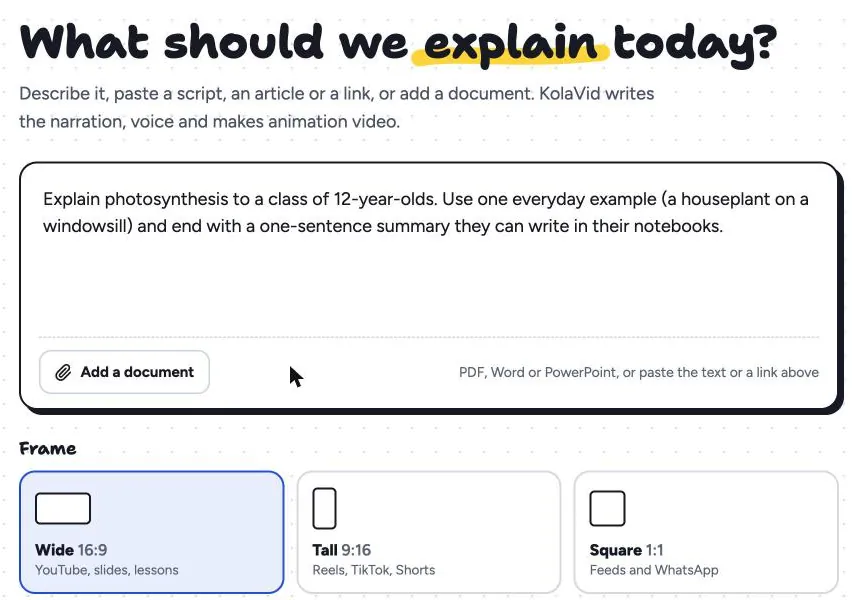
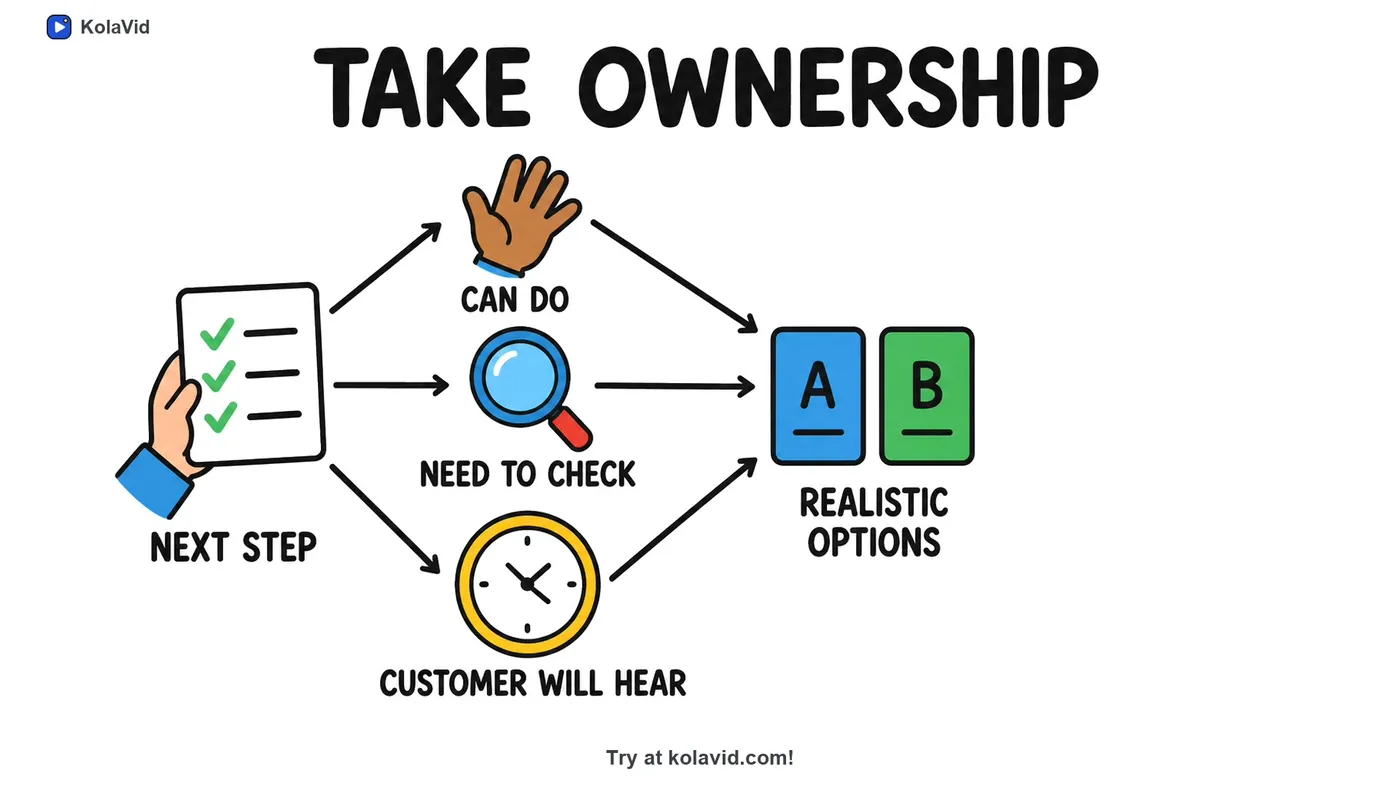
Pick a voice, a narration language and a length: free videos run up to 2 minutes and paid plans up to 5. The video is usually ready in a minute or two, and you can watch it being drawn. Here is a frame from a sample video made from a complaint-handling procedure, the kind of customer conversation every store deals with:
Download the MP4 for your group chat or share a link. Be clear about the limits: KolaVid draws, it does not film your till screen or stockroom, so keep phone footage for those. There is no editing timeline (you change the script and make it again), and free videos carry a small KolaVid mark. The training page has more sample videos, and our guide to microlearning videos covers how to sequence short videos like these.
FAQ
How long should a retail training video be?
One to two minutes for most store tasks. A single till procedure or a returns rule fits easily. If a video runs past three minutes, it probably covers two tasks and should be split.
Can store staff watch training videos on their own phones?
Many stores do this, because staff rarely have a computer. Agree it with whoever manages your staff first, count the watching time as paid time, and keep the videos somewhere easy to reach, such as a pinned message in the staff group chat.
Should we film our till or use animation?
Both, for different jobs. Film your own till screen for button-by-button steps, because no drawing will match it exactly. Use a drawn explainer for rules and decisions, such as when a refund needs a supervisor.
Start with the return nobody likes
Ask your supervisors which question new starters ask them most. In most stores it is about returns. Write the three-question outline for your own policy and make that video first. A free KolaVid account includes enough credits for one 2-minute video, no card needed, so you can see whether it saves your supervisors a few conversations this season.